
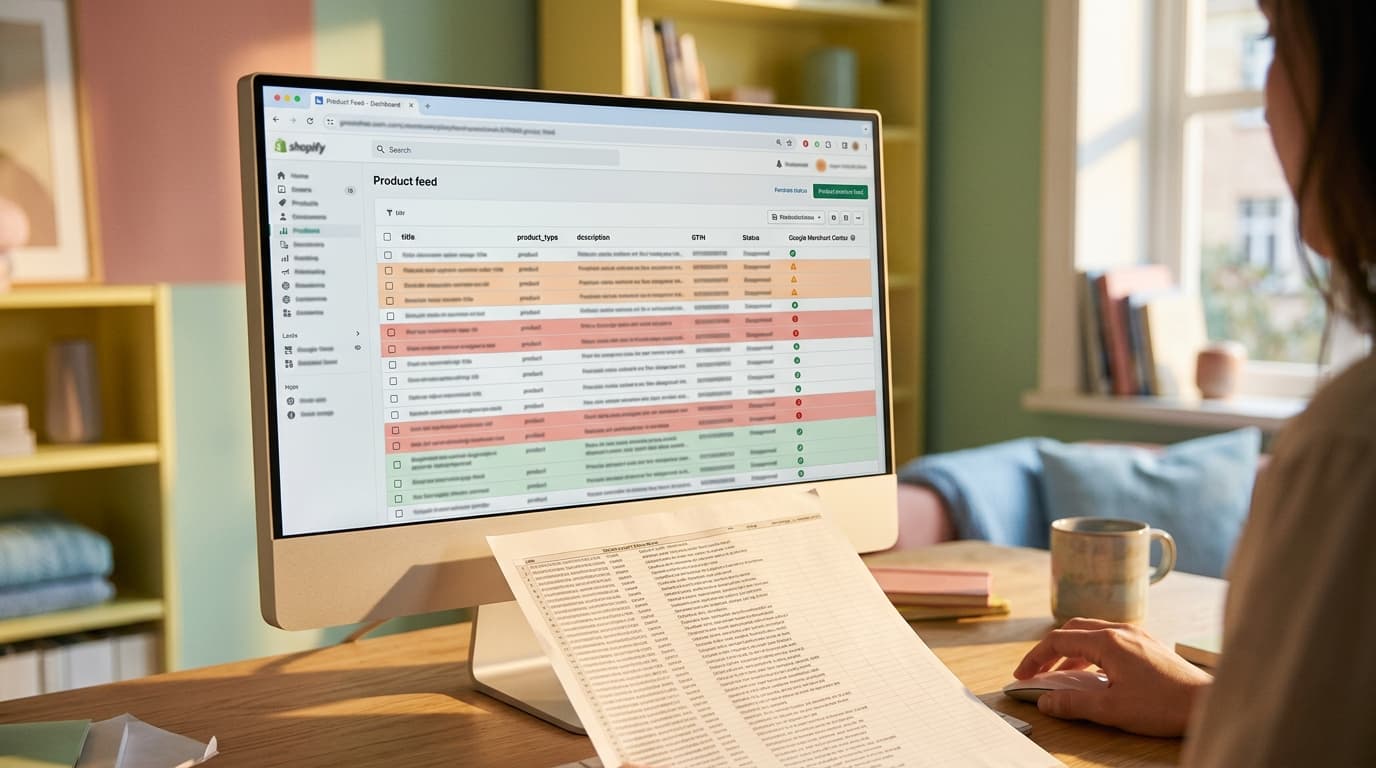
A high-quality product feed is the single most important factor for success with Google Shopping ads on Shopify. Your feed data - product titles, types, images, and descriptions - directly determines your ad relevance, impression share, and cost per click. Optimizing this feed is not a technical formality; it is the primary lever for performance.
The Default Shopify Feed Is a Liability, Not a Solution
Every week, someone comes to us with a Google Shopping account that’s burning money. The pattern is consistent enough to name. They installed the free Google & YouTube app on Shopify, synced their products, and expected sales to follow. Instead, they got high costs and low impression share on their most important products.
This isn't a surprise. The default integration is built for convenience, not performance. It treats the product feed as a simple checklist item.
The failure mode: trusting that the native app will handle it. The app pulls raw data directly from your Shopify product fields, and that data is almost never optimized for how people actually search. Brand-centric product titles, empty `product_type` fields, and flowery descriptions get sent directly to Google. The app does its job by sending the data; it does not do the job of making that data effective.
The default feed is a data pipe; an optimized feed is a strategic asset.
Field-by-Field Optimization: Where to Focus First
An optimized product feed gives Google's algorithm the precise signals it needs to match your products to high-intent search queries. Better data leads to better ad placement for less money. It compounds.
Alright. Coffee's ready. Let's talk about the specific fields that move the needle.
Product Titles Are for Searchers, Not Your Brand
Your internal product names are rarely what customers search for. A title optimized for Google Shopping is descriptive and keyword-rich, front-loading the most important information.
- Default Title: "The Aspen Jacket"
- Optimized Title: "Men's Waterproof Aspen Shell Jacket - Navy Blue - Size Large"
The mistake to avoid is assuming your on-site title is the same as your feed title. The optimized title includes the product type, key attributes, and color. This structure immediately tells Google who this product is for and what it is, matching it to longer, more specific - and typically higher-converting - search queries.
product_type Is Your Secret Bidding Weapon
This is one of the most powerful and underutilized attributes in Google Merchant Center. Shopify's default feed often leaves it blank. This is a critical error. The `product_type` attribute allows you to create your own product taxonomy, which you can then use to segment your campaigns in Google Ads for granular bidding.
In practice, you should build a logical, breadcrumb-style hierarchy:
Apparel & Accessories > Outerwear > Jackets > Winter Jackets
With this structure, you can set specific bids for each category. You might bid more aggressively on "Winter Jackets" than on general "Outerwear" because you know they have a higher margin or conversion rate. Without a populated `product_type`, all your products are stuck in one bucket, and you lose this essential layer of strategic control.
Custom Labels Give You Strategic Control
If `product_type` is for categorizing what a product is, custom labels (`custom_label_0` through `custom_label_4`) are for categorizing its business value. The native Shopify app doesn't support them. This alone is a reason to upgrade.
You can use custom labels to tag products based on any business logic you choose. We typically see them used for:
- Profit Margin: `high-margin` vs. `low-margin`
- Performance: `bestseller`, `slow-mover`
- Seasonality: `summer-collection`, `holiday-gift`
- Price Point: `under-50`, `50-100`, `over-100`
- Status: `clearance`, `new-arrival`
These labels unlock performance-driven campaign structures. You can build a Performance Max campaign that targets only your `bestseller` and `high-margin` products, ensuring your budget is spent on inventory that actually drives profit.
Choosing Your Tool: Native App vs. a Feed Platform
You cannot effectively implement the optimizations above with Shopify's default Google & YouTube app. You need a tool that lets you create rules to transform your raw Shopify data into an optimized feed.
Here's the honest tradeoff framing:
- Shopify's Google & YouTube App: It's free and simple to set up. It is an acceptable starting point for a brand with fewer than 20 simple products and a very small ad budget. The moment you need to differentiate your bidding or product data, it becomes a constraint.
- Third-Party Feed Management Platforms: Tools like GoDataFeed, DataFeedWatch, or Simprosys cost between $50 and $300 per month. This is not an optional expense for any store serious about Google Shopping. These platforms provide a rules-based engine to build optimized titles, map collections to `product_type`, and create custom labels from Shopify product tags - all without altering your core Shopify data.
The native app is a passive sync; a feed management platform is an active optimization engine.
The Audit Is the First Step
Before launching or restructuring any Google Shopping campaign, the first step is a comprehensive feed audit. This isn't just about checking for errors in Google Merchant Center.
Our own internal process is transparent and repeatable. We extract the live product feed and score every key attribute - title, description, product_type, images, and identifiers - against a best-practice rubric. That analysis produces a delta report: a document that shows the gap between the current feed and the optimized feed. This report becomes a concrete action plan, outlining the exact rules needed in a feed management platform to close the gap.
The audit transforms feed management from a guessing game into a methodical process. It is where strategy begins.
That optimized data becomes the foundation for your entire shopping strategy. The next step is to structure Performance Max or Standard Shopping campaigns to leverage your new `product_type` and `custom_label` architecture. This is where the feed work hands off into actual campaign management rather than staying as an analytical exercise.
Shopify Product Feed Optimization: How to Improve Your FAQ
What's the difference between `product_type` and Google Product Category?
The `google_product_category` is Google's predefined taxonomy, and you should use it to help Google classify your product (e.g., `Apparel & Accessories > Clothing > Shirts & Tops`). The `product_type` is your custom taxonomy. You define its structure, and it is primarily used for campaign bidding and reporting within Google Ads. Both are important, but `product_type` gives you more strategic flexibility.
How often should I update my Shopify product feed?
Your feed should be fetched by Google Merchant Center at least once daily. This ensures that price, inventory, and availability data are always current, which is critical for preventing item disapprovals. Most third-party feed management platforms allow you to set a daily fetch schedule automatically.
Can I optimize my product titles without hurting my on-site SEO?
Yes. This is a key advantage of using a feed management platform. These tools allow you to create a "feed-only" title that is sent to Google Merchant Center, while your customer-facing product title on your Shopify store remains unchanged. You get the best of both worlds: a keyword-rich title for Google Shopping and a brand-friendly title for your website.
How do I fix "Missing shipping information" errors in Google Merchant Center?
This error means you haven't configured shipping rates in Google Merchant Center. You must set up shipping rules in Merchant Center that match (or are more conservative than) the shipping options on your Shopify store. You can set these up under "Shipping and returns" in your Merchant Center account.