
1Digital® Product · AI Chatbot
Answer every visitor, day or night
A chat window on your site that answers questions from what you have told it, collects the visitor's name and email, and lets your team step in whenever they want.
Already a 1Digital client? Log in to add AI Chatbot
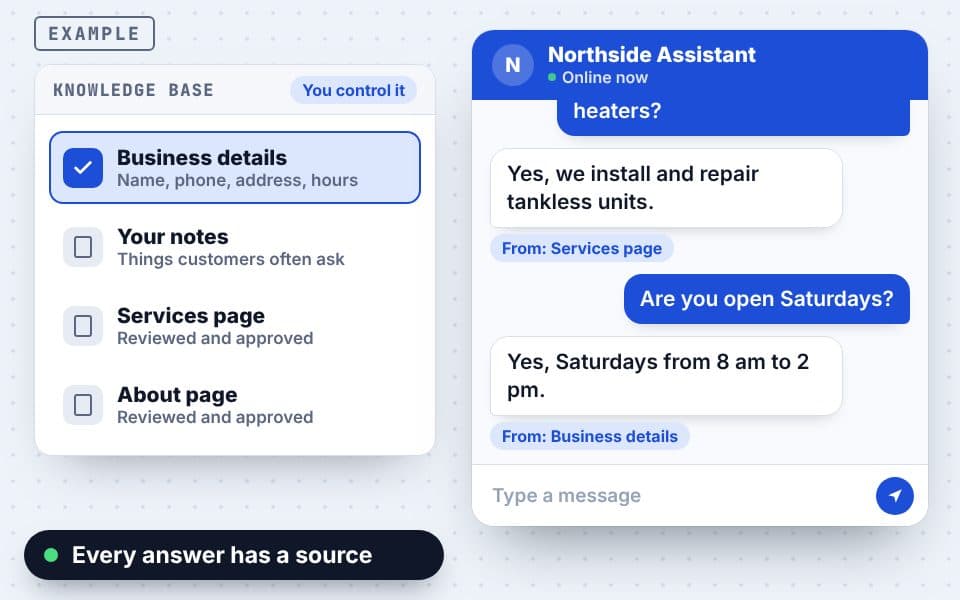
Example chat. Each answer shows where in your knowledge base it came from.
Chat · northsideplumbing.com
- Visitor: Do you do tankless water heaters?From the services page
- Yes, we install and repair tankless units.Answered from your knowledge baseAI
- Visitor: Can someone call me tomorrow?Name and email collected
- Dana from the office joined the chatTeam replyTeam
Visitor · 11:02 PM
So what does it actually do?
AI Chatbot
Questions answered, leads captured
The short version: the AI Chatbot answers questions on your website 24 hours a day, using a knowledge base that you control. It never makes things up and only quotes prices you have given it.
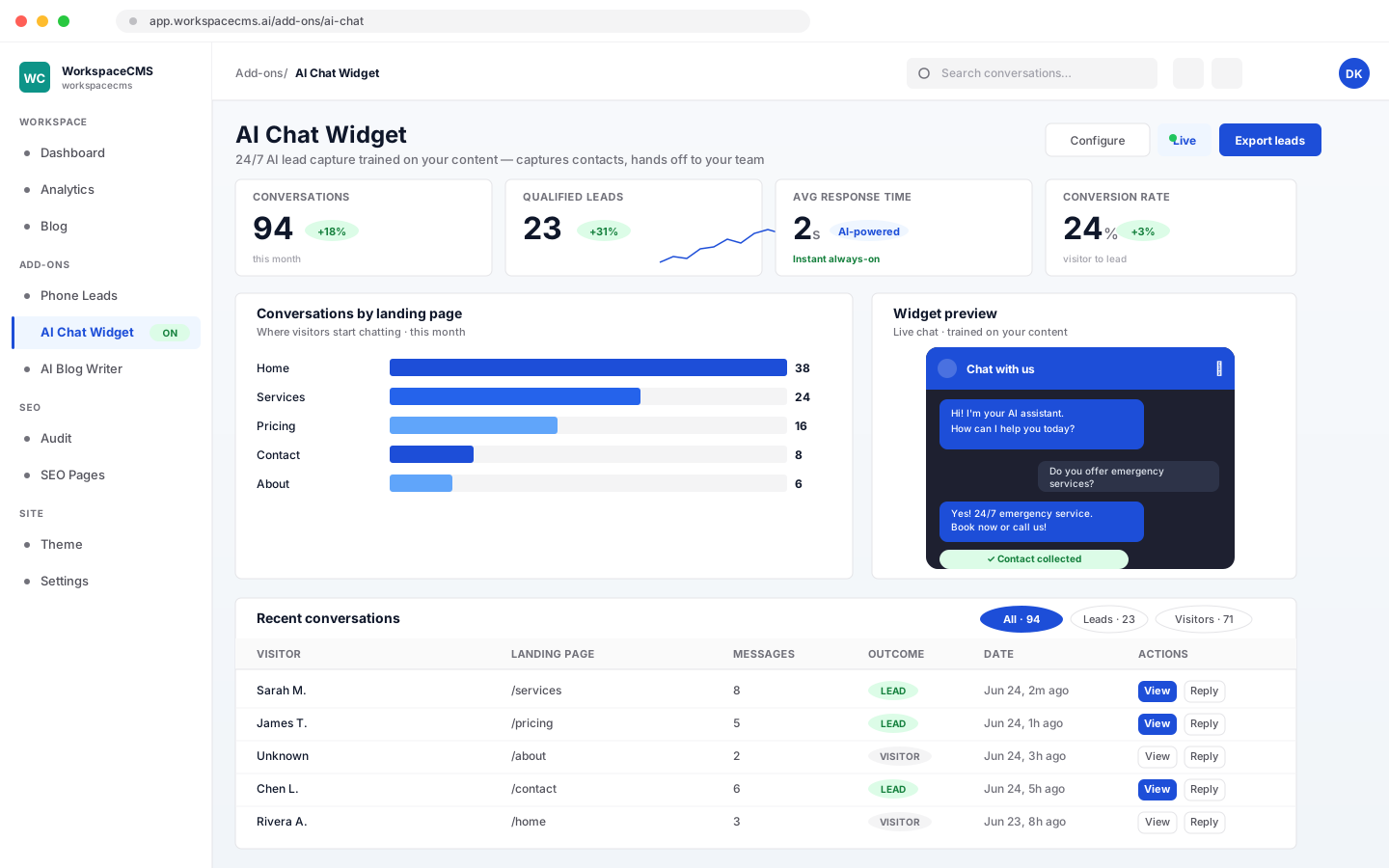
It asks for the visitor's name and email so every chat becomes a lead, emails your team when a new chat starts, and lets anyone on your team reply in the same window.
- 1Answers visitors around the clock
- 2From the answers you give it
- 3Captures the lead
- 4Emails your team
Visitor · 11:03 PM
Where do your answers come from?
AI Chatbot
A front desk on every page
Answers from your knowledge base
It starts with your name, phone, email, address and hours, and can read up to 75 pages of your website, which you review before it uses them.
Answers from what it knows
The chat agent learns from your business details, FAQs and a crawl of your site, and answers only from that. It is styled to match your site.
- Optional pre-chat form for name, email and phone
- Your team can take over any conversation
Visitor · 11:04 PM
What if you don't know the answer?
AI Chatbot
It says so, then takes their details
Never makes things up
When it does not know, it says so and points the visitor to your team. It only quotes prices that are in the knowledge base.
Turns chats into leads
It asks for a name and email before the chat, with phone and company optional, and never asks the same visitor twice.
Instant email alerts
Your team gets an email for each new chat, with the visitor's details and the page they were on.
Visitor · 11:06 PM
Can I talk to a real person?
Dana · Team
Your team can step in
Your team can step in
Reply in the same chat window, or switch to team replies so a person answers every message.
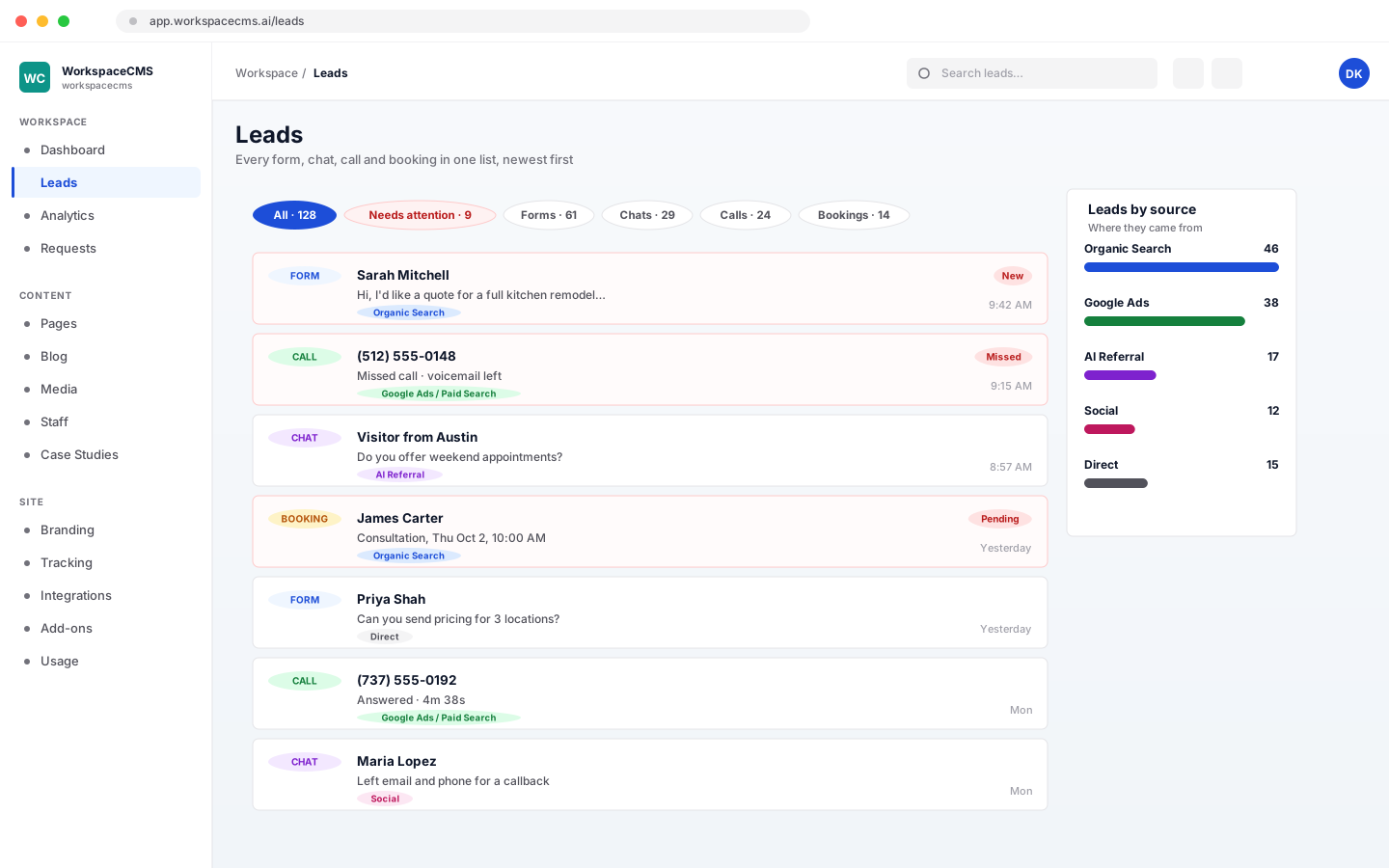
Every lead in one inbox
In your dashboard, chats land in the leads inbox, next to form fills, calls and booking requests if you use those too. Filter by source, or by what still needs a reply.
Visitor · 11:07 PM
Will it look like our website?
AI Chatbot
Three steps to switched on
Looks like your brand
Set the color, name, greeting, avatar and personality, and add your own instructions for how it should talk.
- 1Tell it about your businessCheck the details it starts with and add anything customers ask.
- 2Brand itChoose its name, color, greeting and personality.
- 3Switch it onIt appears on your site and starts answering visitors.
Why it matters
Visitors leave when questions go unanswered
Someone with a quick question at 11 pm will not wait for your office to open. The chatbot gives them an answer straight away and gives you their details to follow up.
Always on
Answers visitors around the clock.
Honest
Says when it does not know.
Leads
Every chat arrives with a name and email.
Already a 1Digital client? Log in to add AI Chatbot
Pricing
One chatbot, every feature
Every feature on this page is included either way. On a WorkspaceCMS Essentials plan the chatbot is $69/mo, because it comes with its own AI replies.
- Not a client yet
On its own
$79/mo
Any website, up to 2,000 AI replies a month
A slim 1Digital account with only the chatbot. Paste one line of code into your site.
Start AI Chatbot 1Digital clients
$49/mo
Answers, lead capture and team replies
Billed monthly through your 1Digital account.
Add it in your client portal
Every plan includes
- Answers from a knowledge base you control
- Name and email captured with every chat
- Your team can reply in the same window
- Email alert for every new chat
- Your own color, name, greeting and avatar
- Says when it does not know, never guesses
On WorkspaceCMS Essentials it is $69/mo with up to 2,000 AI replies a month. Premium and Ultra include it. You see the price before you pay.
Get AI Chatbot
Two ways to add it
Already a 1Digital client?
Sign in to your client portal, open Add-ons, and check out securely with Stripe. You see the price before you pay, and it is added to your account straight away.
Open my client portalNew to 1Digital?
Buy it yourself: create your account, pay securely with Stripe, and paste one line of code into your website. You get a slim 1Digital account with only the chatbot. Prefer to talk first? Use the form.
Start with the AI Chatbot- ›Works on any website: paste one line of code.
- ›On every WorkspaceCMS plan, including Essentials.
- ›Books appointments on Growth and above, which include online booking.
- ›Pair it with AI Receptionist to cover phone calls too.
Every feature and current price is listed on AI Chatbot on WorkspaceCMS, the platform 1Digital built that runs it.
Visitor · 11:09 PM
I have a few more questions.
AI Chatbot
AI Chatbot - FAQ
How much does the AI Chatbot cost?
What does the chatbot know?
What happens when it does not know an answer?
Can my team reply?
Can it book appointments?
Can I get it on the Essentials plan?
Does it work on WhatsApp, Facebook or SMS?
Will I hear about new chats?
1Digital® Products