Your Full-Service Digital Agency & AI Strategy Partner
1Digital
1Digital®/Design + Build

39 tools.
One dashboard.

Every 1Digital® website and storefront runs on WorkspaceCMS, our own platform. Here is everything inside it, shown the way you will see it: AI agents that answer leads, write your blog and post to Instagram, SEO and AI visibility checks that run on their own, and the tools to run the business behind the site.

tools
39tools
areas
5areas
AI agents
6AI agents
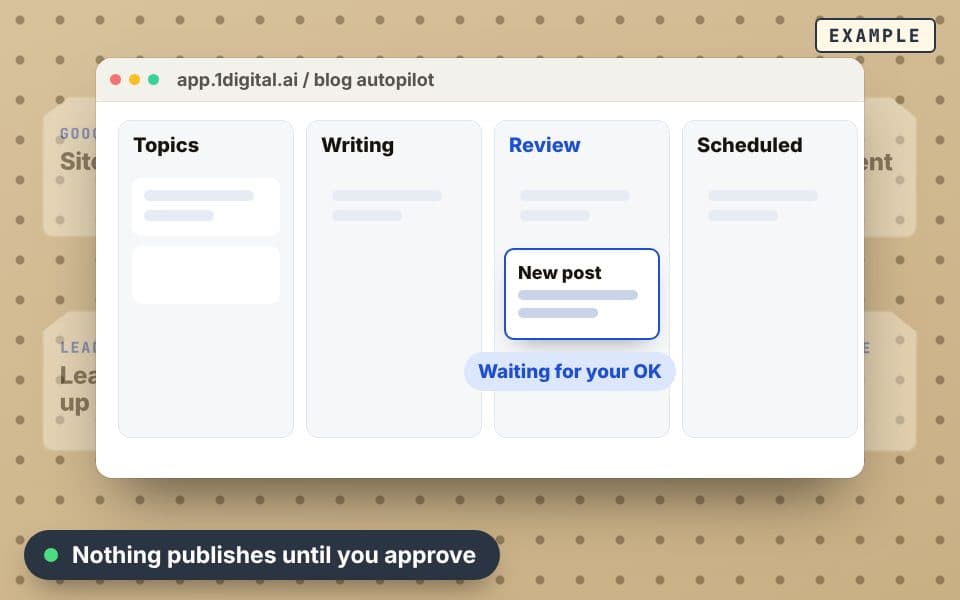
Example: the tools hung on one board, with Blog Autopilot opened and a post waiting for approval
Example · the tool board

What a plan really buys

A website that works while you don’t

These 5 are why our plans cost more than hosting: AI agents and automations that write your blog, post to Instagram, send your newsletter, get you named in AI answers and reply to every lead.

Each one waits for your approval unless you tell it not to.

Example · overnight

AI agent · Content

Blog Autopilot

A blog that keeps publishing, without you writing it

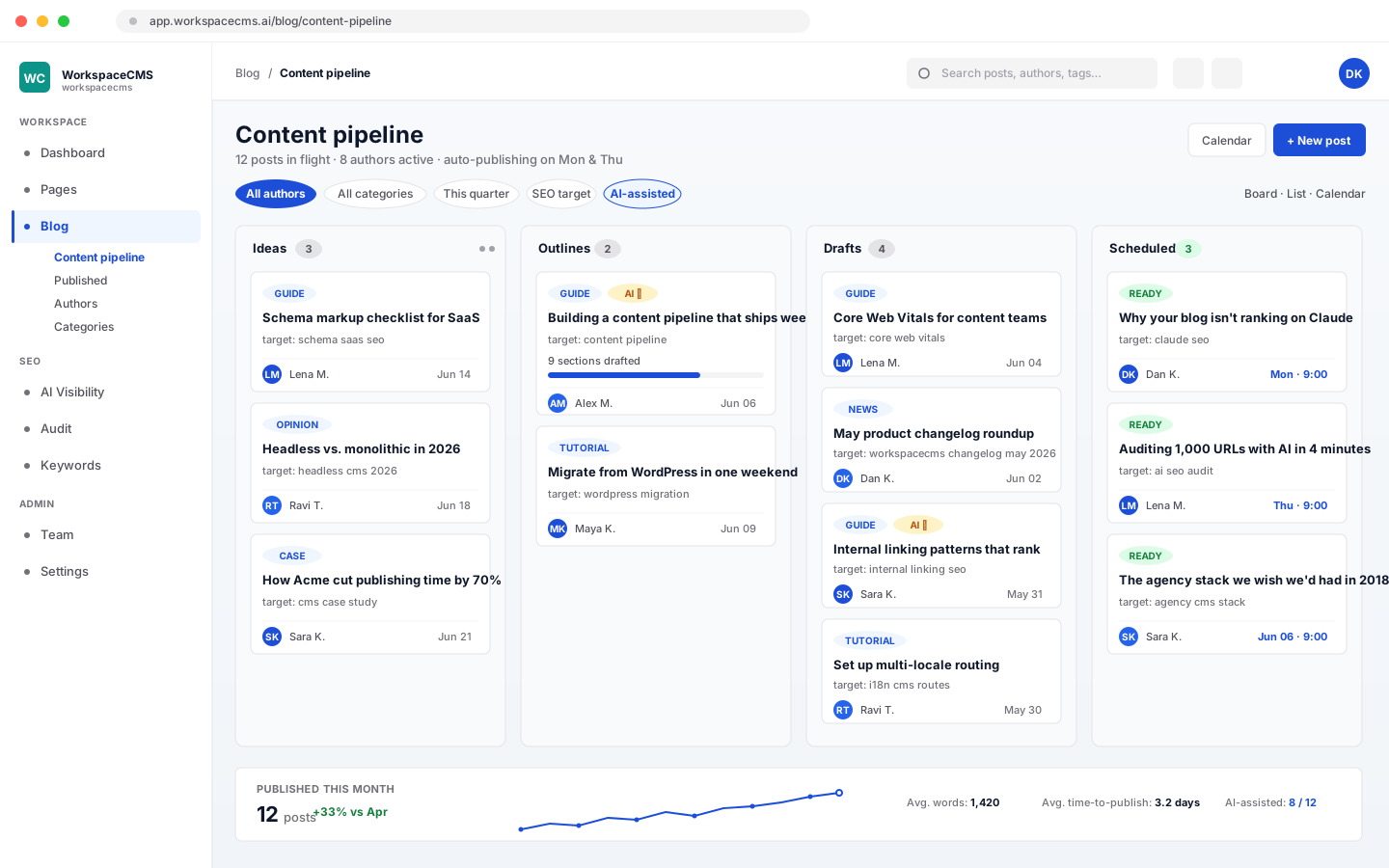
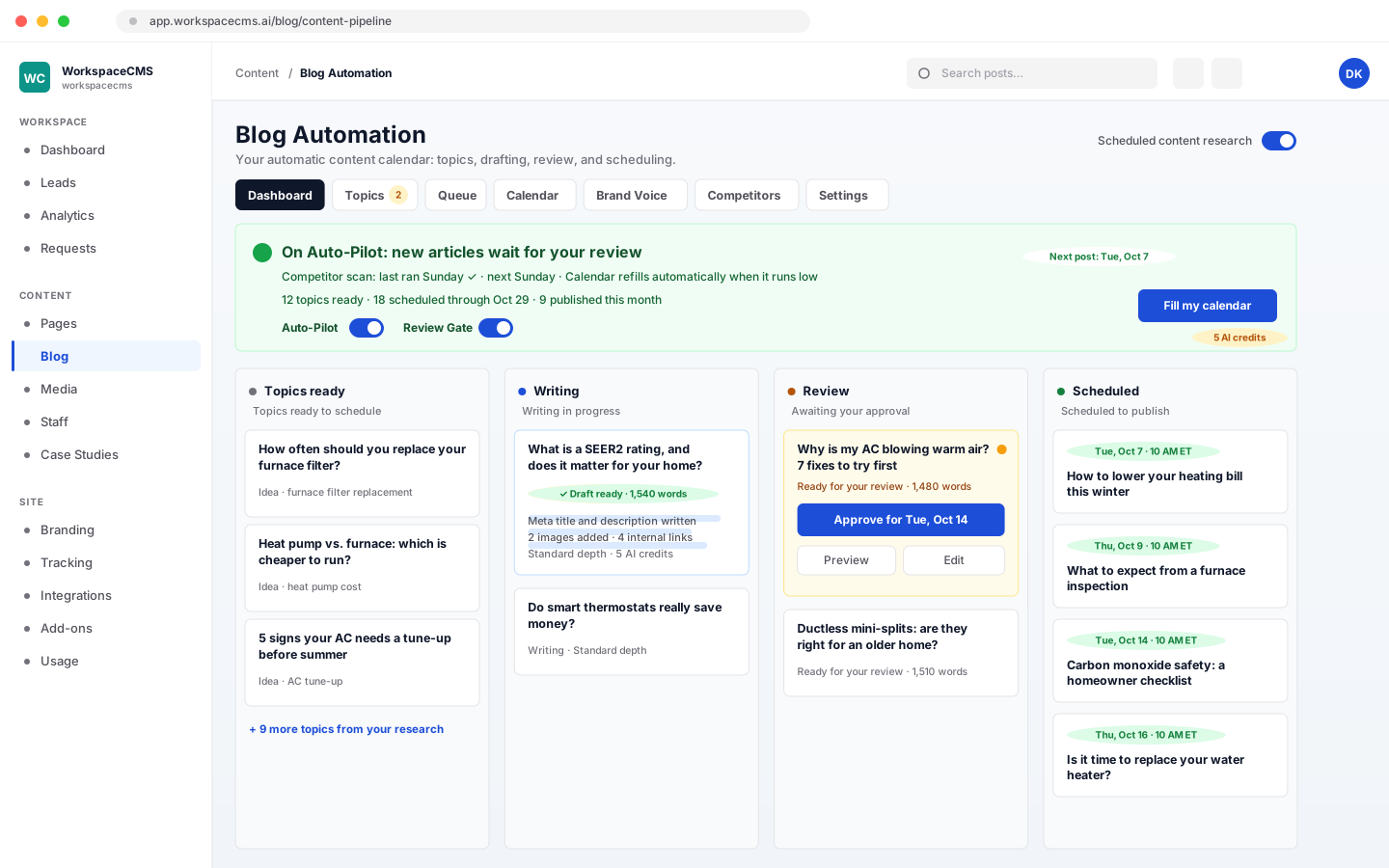
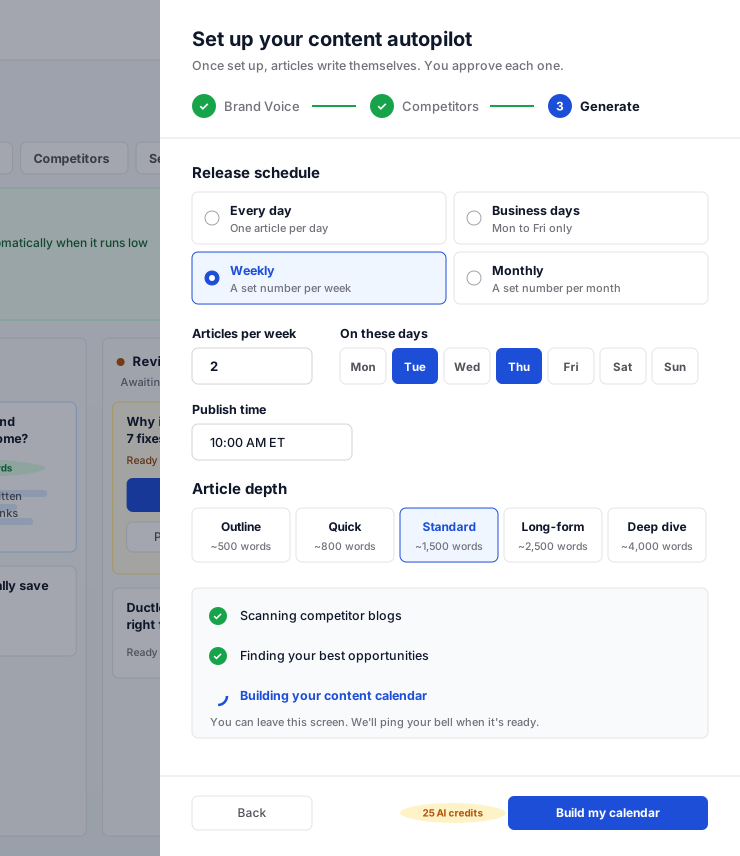
Most business blogs stop after the third post. Autopilot keeps yours going: it learns how you talk, watches the competitor blogs you pick, writes search-ready articles with images, and lines them up on a calendar for you to approve.

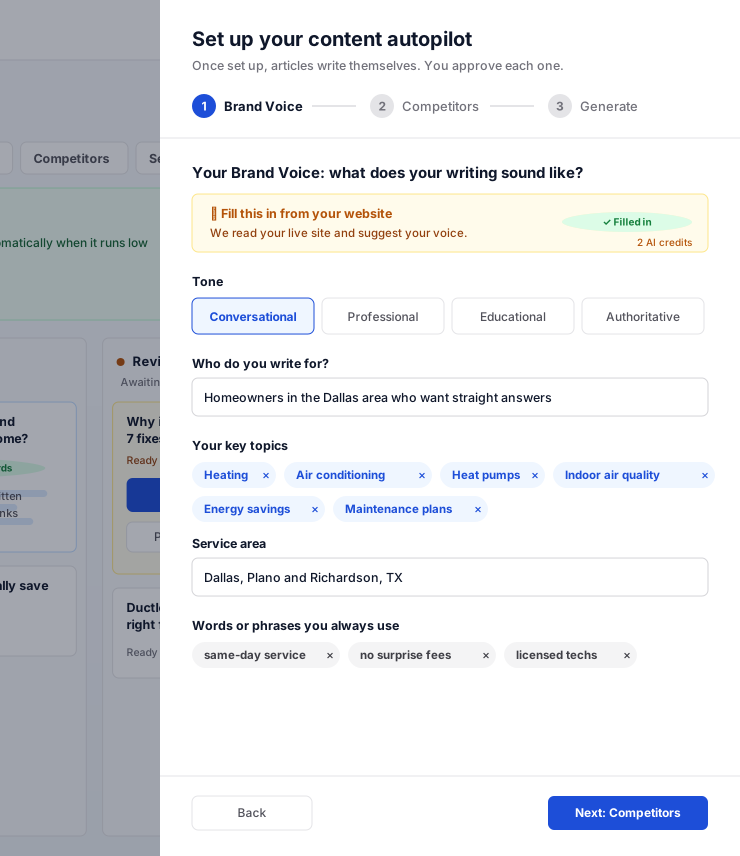
  • Your voiceTone, audience and the words you always use, set once
  • Up to 90 days plannedThe calendar refills itself at the pace you choose
  • Nothing goes live unseenEvery article waits in Review until you approve it

Website plans: Included on Premium ($449/mo) and Ultra

Store plans: Included on Growth ($799/mo) and Scale

See how Blog Autopilot works
Blog Autopilot board with topics, drafts in review and scheduled posts
Blog Autopilot setup: tone, audience and key topics for your brand voice
Blog Autopilot setup: release schedule and article length

AI agent · Instagram

Social Automation

Instagram that posts itself, from what your site already says

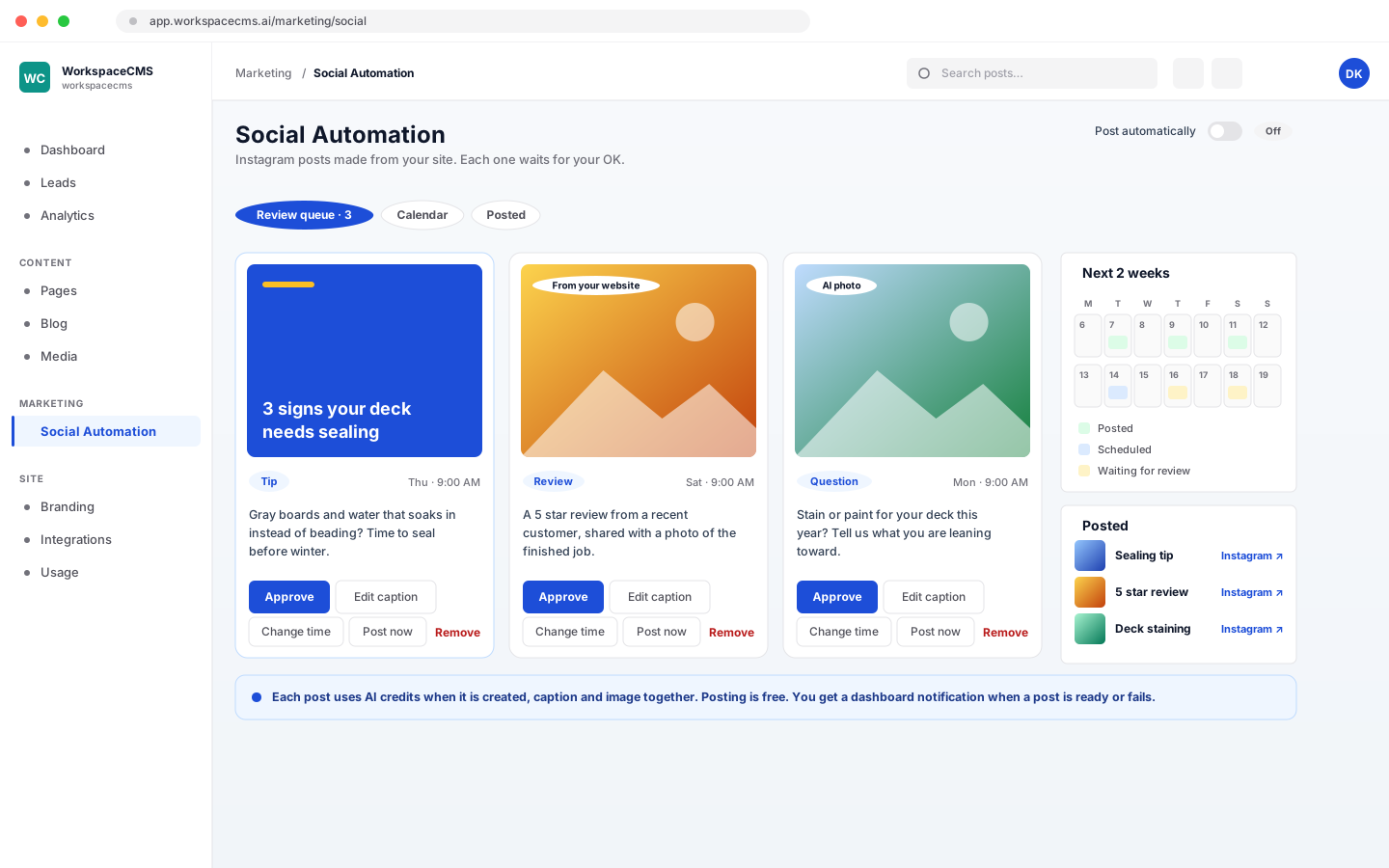
Connect Instagram once. Social Automation writes every caption and makes every image from your pages, products, blog posts and best Google reviews, then posts on your schedule. Each post waits in a queue for your OK unless you switch on auto-posting.

  • 1 to 7 posts a weekAt the hour you pick, in your own time zone
  • Four looksBranded graphics, AI photos, your own photos or a mix
  • A Friday previewNext week's posts in one email: approve them all in a click

Website plans: Included on Premium ($449/mo) and Ultra, a $49/mo add-on on other plans

Store plans: Included on Growth ($799/mo) and Scale, a $49/mo add-on on Launch

See how Social Automation works
Social Automation queue of Instagram posts waiting for approval
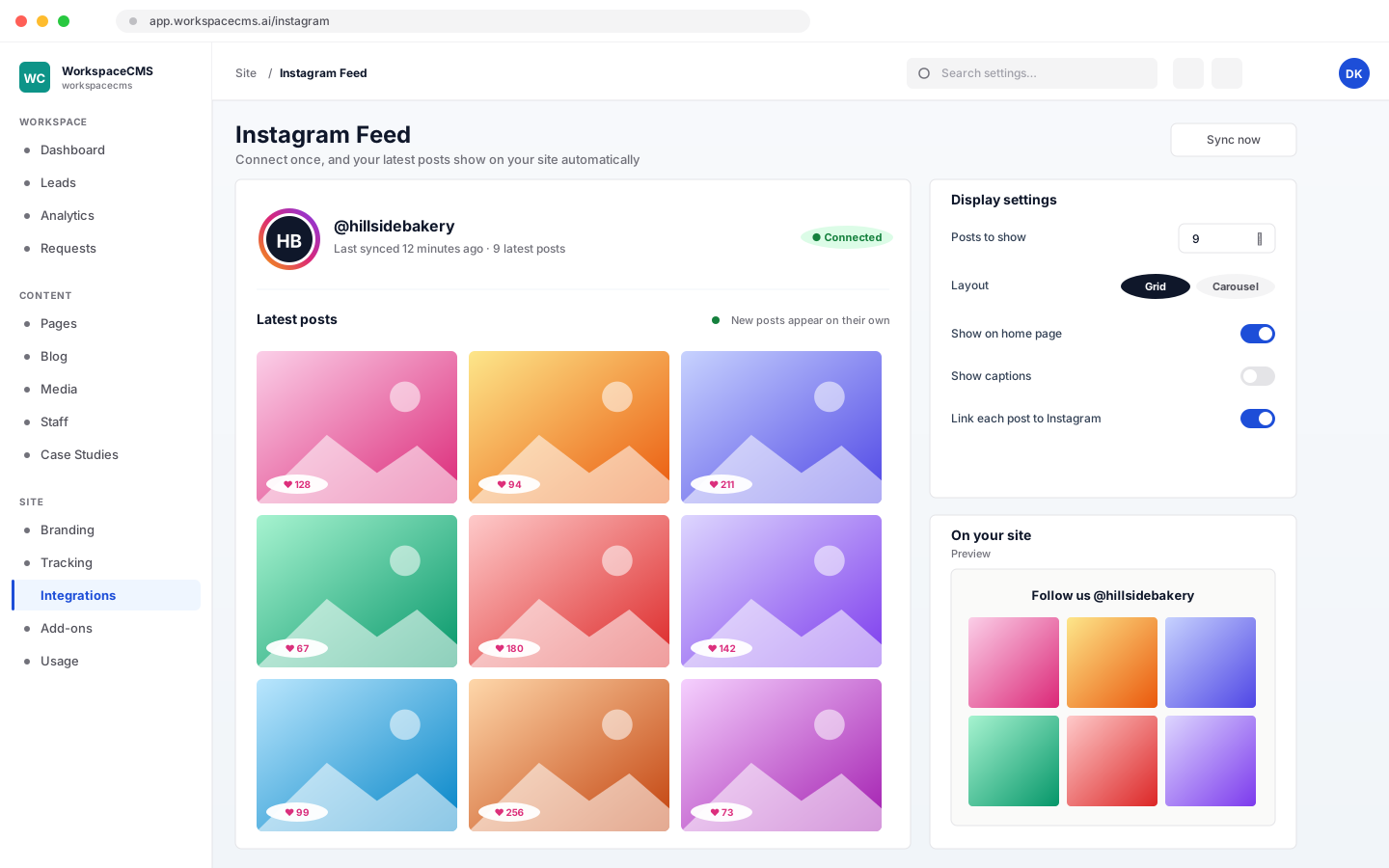
Posts on an Instagram feed, made from the business's own website
The media library of the business's own photos, used first

AI visibility · ChatGPT, Claude, Gemini, Perplexity, Google AI

Found in AI

Show up when customers ask AI who to hire

More buyers ask an AI assistant before they ever search. The AI Visibility Tracker asks the engines the questions your customers ask, shows who gets named and who gets cited, and where a competitor wins a question you should, AI drafts the article that answers it.

  • Five AI enginesEvery answer and every source, scan after scan
  • Gaps become articlesA draft aimed at each question you are missing
  • A trend lineSee your share of AI answers move over time

Website plans: Included on Premium ($449/mo) and Ultra

Store plans: Monthly on Growth, weekly on Scale, a $49/mo add-on on Launch

See how AI visibility tracking works
AI Visibility Tracker showing mention rates across AI answer engines
Content audit showing which pages AI engines can read and quote

Email · Your list, your logo

Newsletters

A newsletter that writes its first draft for you

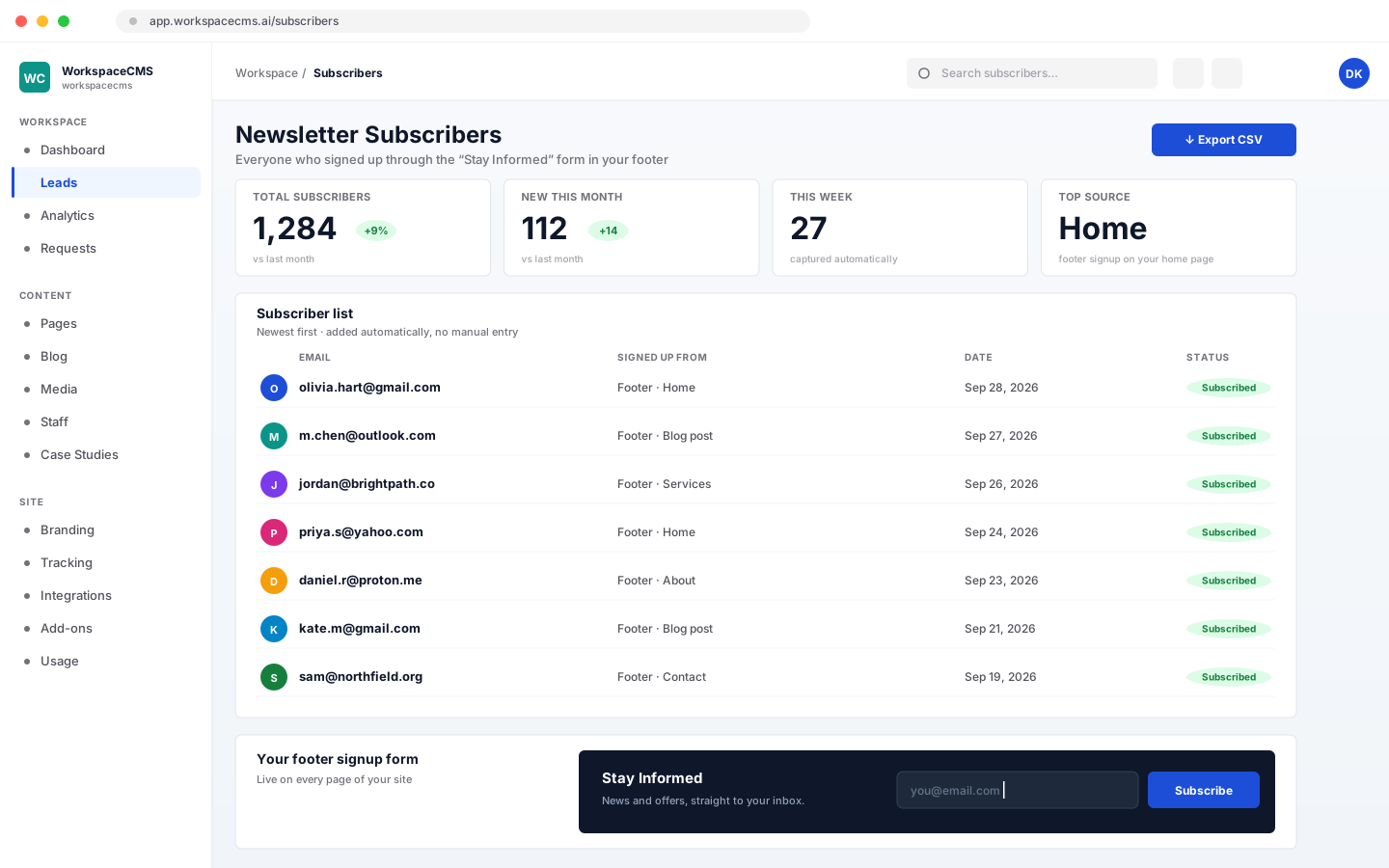
A sign-up form on your site builds the list on its own. When it is time to send, AI drafts the issue from your newest posts and pages, you make it yours, and it goes out from your dashboard with your logo on top.

  • The list builds itselfEvery sign-up lands in your subscriber list
  • Drafted from your postsOr write your own: writing never costs credits
  • Yours to keepExport the whole list to CSV whenever you like

Website plans: Included on Growth, Premium and Ultra

Store plans: Free to 250, 500 or 1,000 subscribers by store plan

See how newsletters work
Newsletter subscriber list with sign-up sources and export
A sign-up form that adds new subscribers to the list
The blog dashboard with published and scheduled posts

AI agents · Leads, chat, calls and your data

AI agents

A team of AI agents that never misses a lead

The chat agent answers visitors at 2am and takes their details. Lead Follow-up replies to every form within minutes and nudges on day 2 and day 5. Sage answers questions about your own traffic and leads. And the AI Receptionist picks up the calls nobody else can.

  • Answered in minutesEvery form, chat and missed call gets a reply
  • Only from your siteNo invented prices or promises, ever
  • You stay in chargeApprove emails, or take over any chat at any time

Website plans: Lead Follow-up and Sage from Growth; AI chat included on Premium and Ultra

Store plans: Lead Follow-up and Sage on every store plan; AI chat on Growth and Scale

Meet the AI agents
Lead Follow-up writing a personal reply to a new form lead
Sage answering a question about website traffic

What each plan unlocks

More agents on every step up

Premium is where the website plans start running your marketing for you, and Growth is where the store plans do. A tick means it is in the plan price; AI actions draw from the plan’s monthly AI credits.

Website plans
FeatureEssentials$89/moGrowth$199/moPremium$449/moUltra$749/mo
Blog AutopilotAI draftsAI draftsIncludedIncluded
Social Automation+$49/mo+$49/moIncludedIncluded
AI Visibility TrackerNot on this planNot on this planIncludedIncluded
NewslettersNot on this planIncludedIncludedIncluded
AI chat agent+$69/mo+$49/moIncludedIncluded
Lead Follow-upNot on this planIncludedIncludedIncluded
Sage, your back-office AINot on this planIncludedIncludedIncluded
Store plans
FeatureLaunch$499/moGrowth$799/moScale$1,299/mo
Blog AutopilotAI draftsIncludedIncluded
Social Automation+$49/moIncludedIncluded
AI Visibility TrackerNot on this planMonthlyWeekly
Newsletters250 subscribers500 subscribers1,000 subscribers
AI chat agent+$49/moIncludedIncluded
Lead Follow-upIncludedIncludedIncluded
Sage, your back-office AIIncludedIncludedIncluded

Every tool

All 39, one by one

Pick an area in the bar below, or open the full list and jump straight to a tool. The bar follows you down the page.

Google & AI · 9 tools

Get found on Google and in AI answers

Checks, controls and AI help that keep every page readable to Google, Bing, ChatGPT, Gemini and Perplexity. Most of it runs on its own; the rest is a click away.

AI Visibility Tracker showing mention rates across AI engines

AI Visibility Tracker

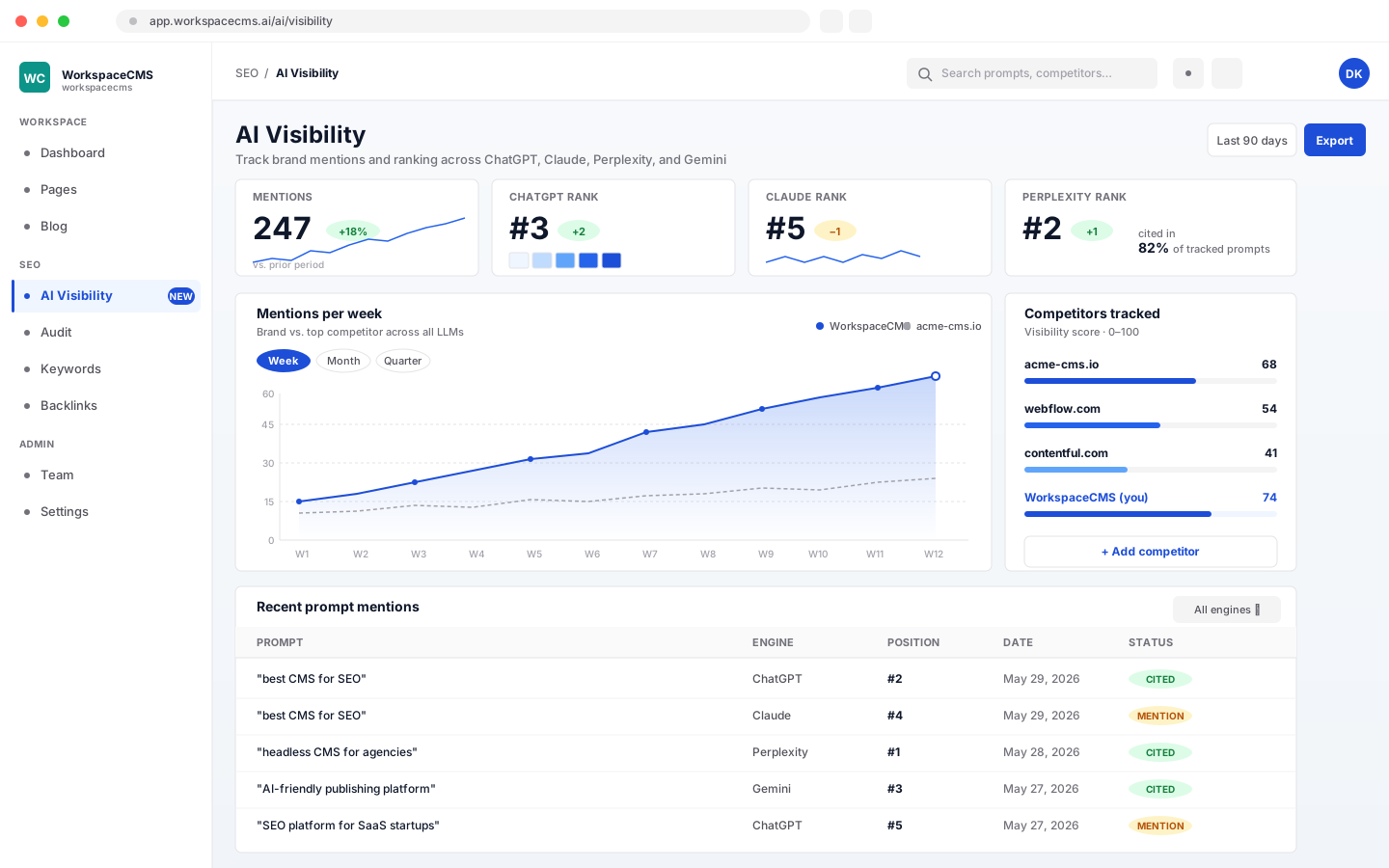
More buyers now ask an AI assistant before they ever search. The tracker asks ChatGPT, Gemini, Claude, Perplexity and Google's AI the questions your customers ask, then shows whether your business came up, which sites were cited, and who was named instead of you.

  • Your target questions checked across five AI engines
  • Each engine's full answer and the sources it cited
  • Where a competitor was named and you were not
  • A history of every scan, so you can see the trend
  • An optional monthly report in your inbox
See how the AI Visibility Tracker works
Website plans: Premium & UltraStore plans: Monthly on Growth, weekly on Scale, $49/mo add-on on LaunchExtra scans use AI credits
Site Audit dashboard with page speed scores and issues to fix

Site Audit

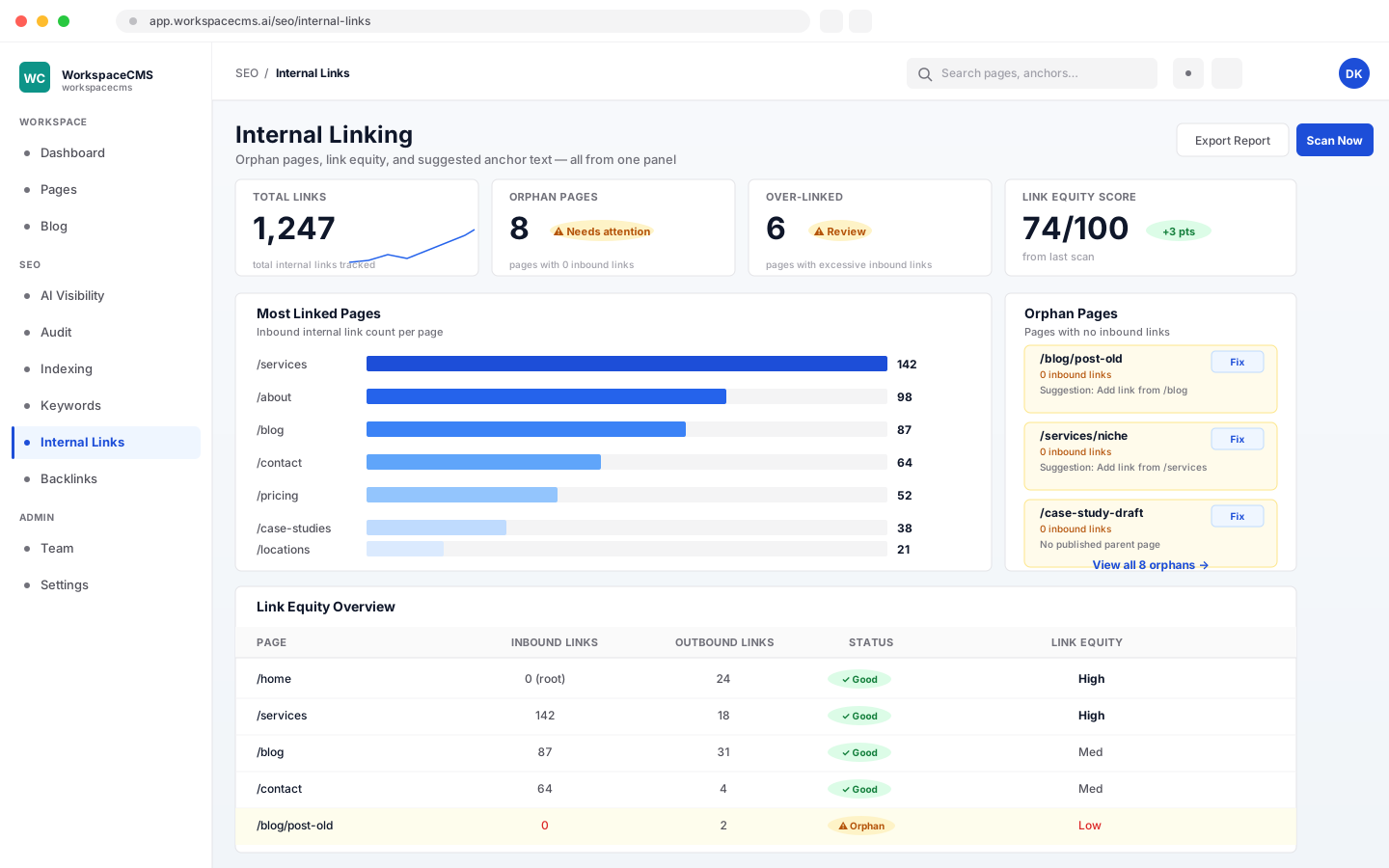
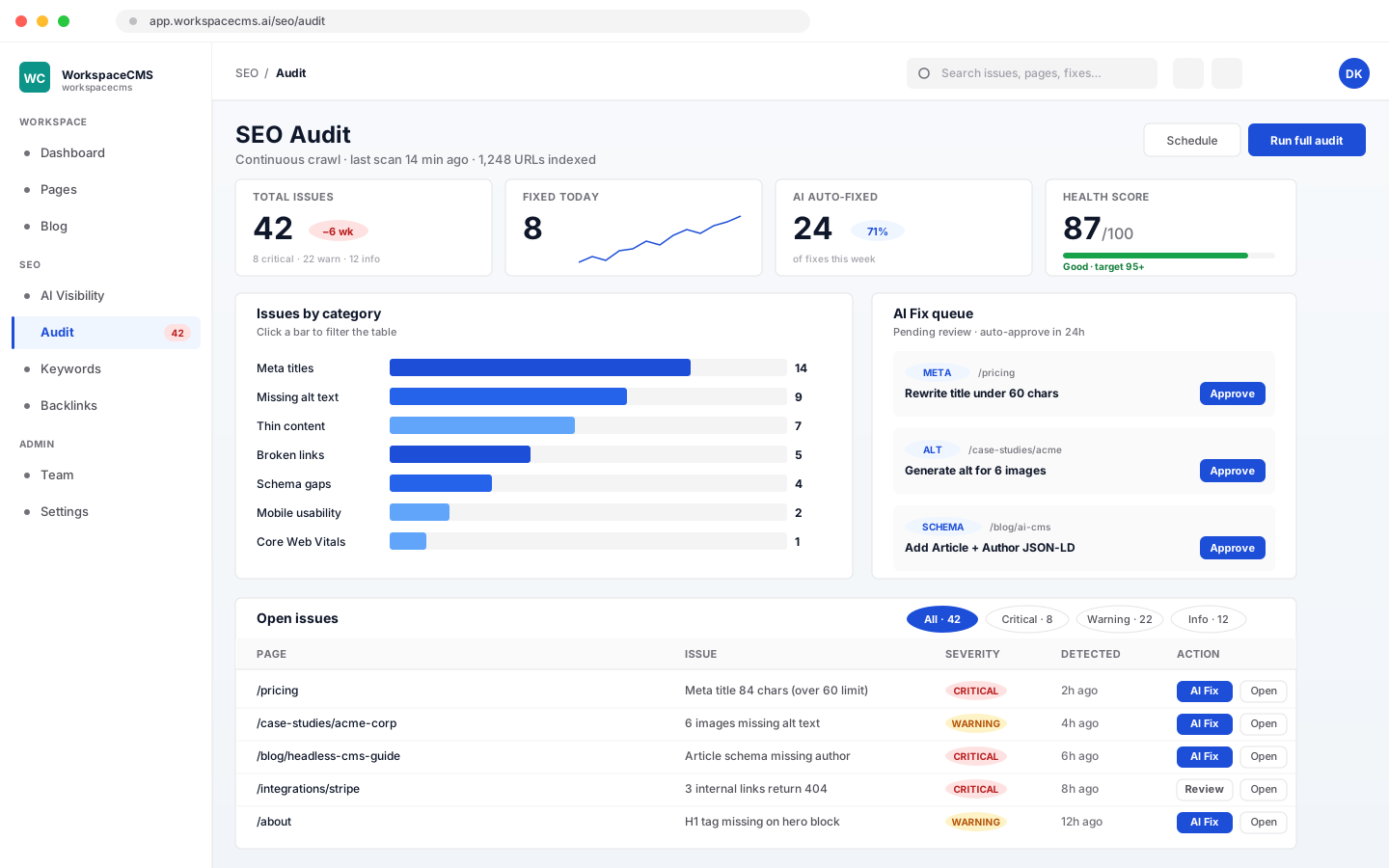
Nobody has to remember to run it. Every week the platform tests the speed and health of your site with Google PageSpeed, tracks Core Web Vitals, and checks titles, descriptions, structured data, orphan pages and broken redirects. Everything it finds is sorted into a plain-English Site Health view, and we fix anything on our side.

  • Weekly speed and health checks on every plan
  • Google PageSpeed on up to 15 pages, with Core Web Vitals
  • Titles, descriptions, schema, orphan pages and dead redirects
  • One click to test any page in Google's Rich Results Test
  • Findings grouped by what to fix first
  • AI speed recommendations and undoable speed fixes on Premium & Ultra
Website plans: Every planStore plans: Every store planAI speed fixes use AI credits
AI Content Audit listing pages with thin content and title issues

AI Content Audit

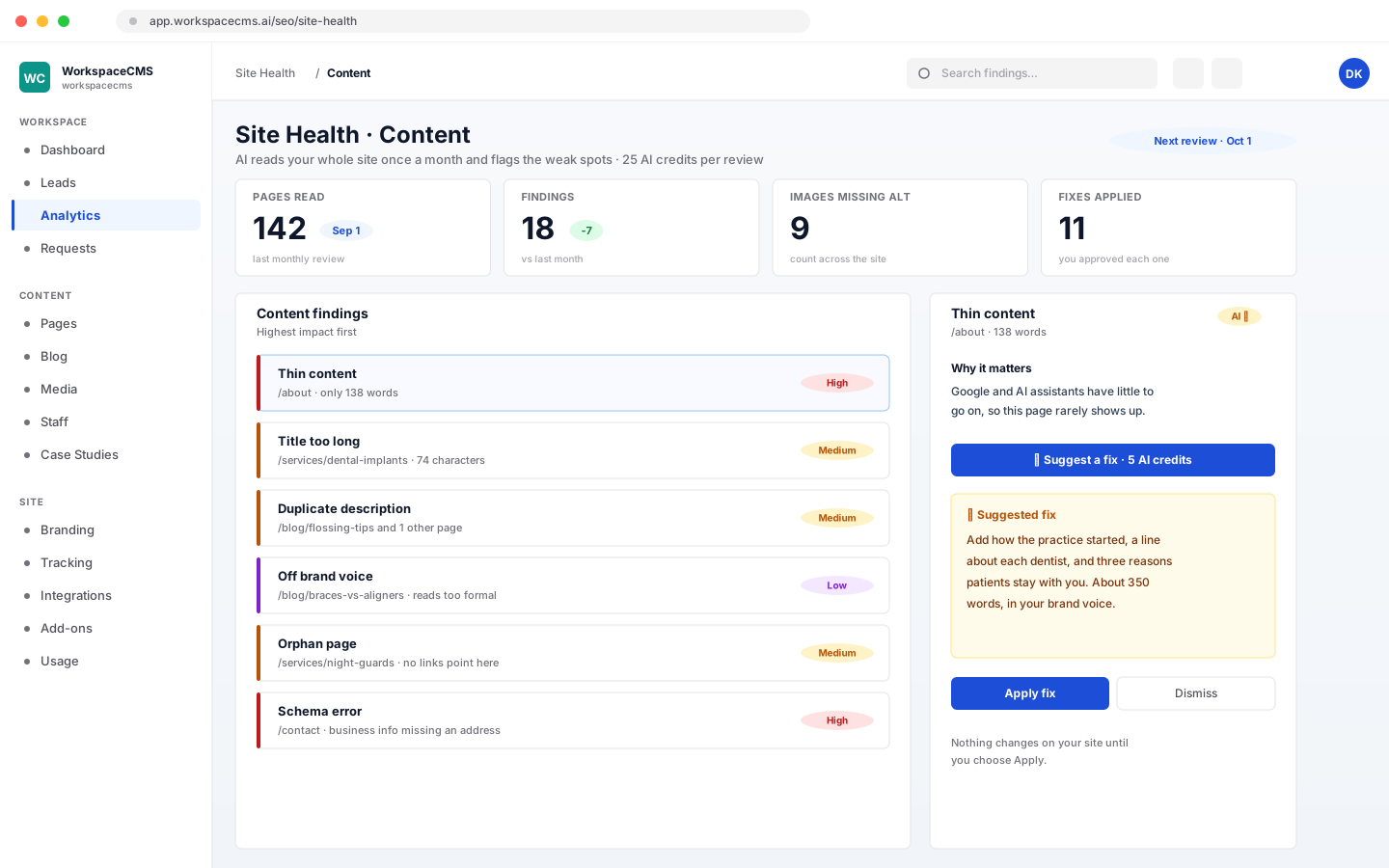
Once a month, AI reads every page the way a careful editor would and flags what holds it back: thin copy, missing or duplicate titles, schema errors, orphan pages, images with no description and copy that drifts from your brand voice. Ask for a fix and it suggests one; nothing changes until you apply it.

  • Thin pages and weak, missing or duplicate titles
  • Schema errors and pages nothing links to
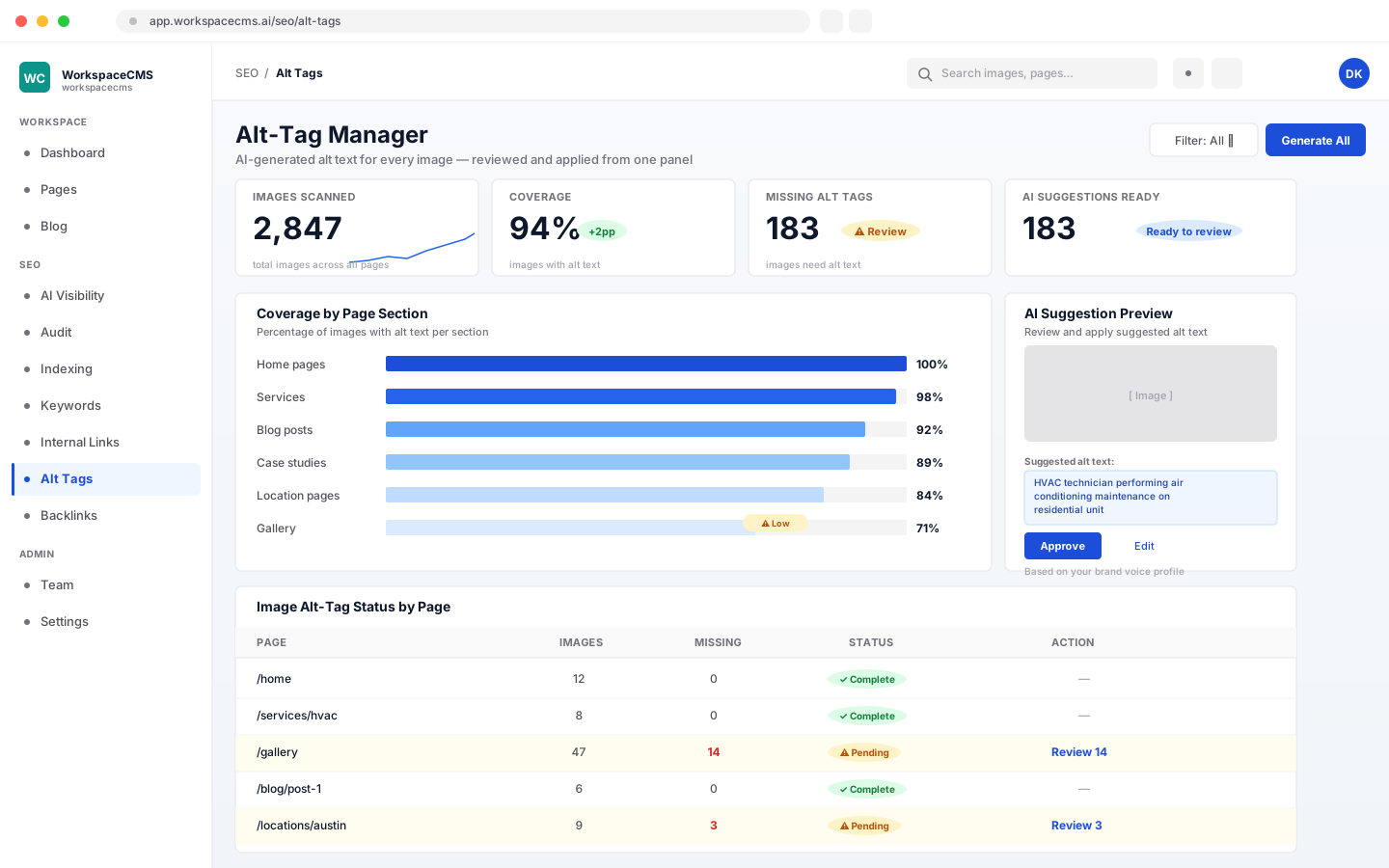
  • A count of images missing alt text
  • Copy that no longer sounds like your brand
  • Suggested fixes you approve one by one
Website plans: Premium & UltraStore plans: Monthly on Growth and ScaleUses AI credits
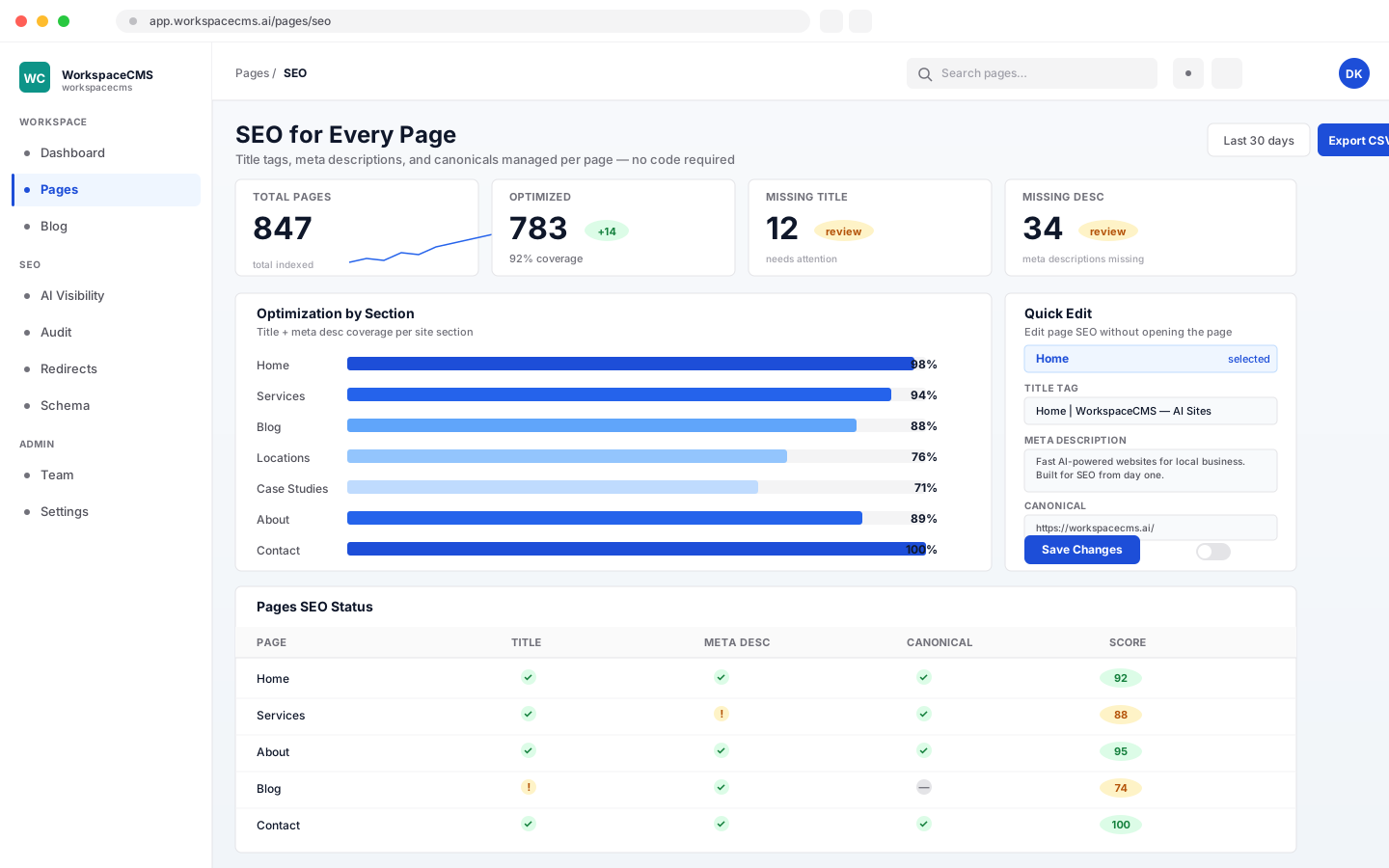
Per-page SEO settings with title, description and indexing controls

SEO Controls on Every Page

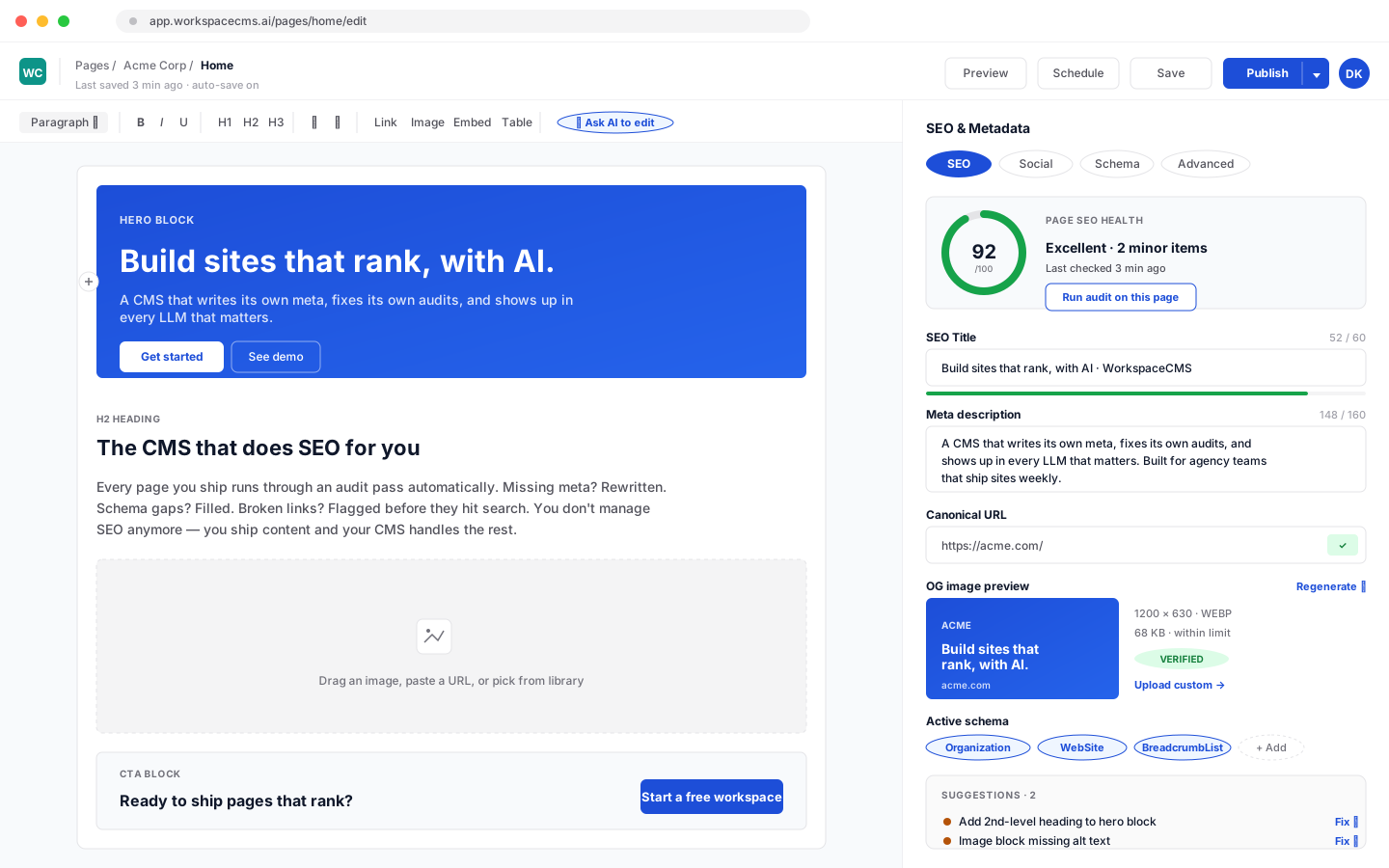
Decide exactly how each page appears in a Google result. Set the title, the meta description, the canonical URL and whether a page should be indexed at all, and see it live in about a minute. AI can suggest a sharper title or description when you are stuck.

  • A title and meta description for every page
  • Canonical and noindex controls per page
  • AI rewrites when you want a second opinion
  • Rich result settings inside the page editor
Website plans: Every planStore plans: Set up for every product, collection and pageAI rewrites use AI credits
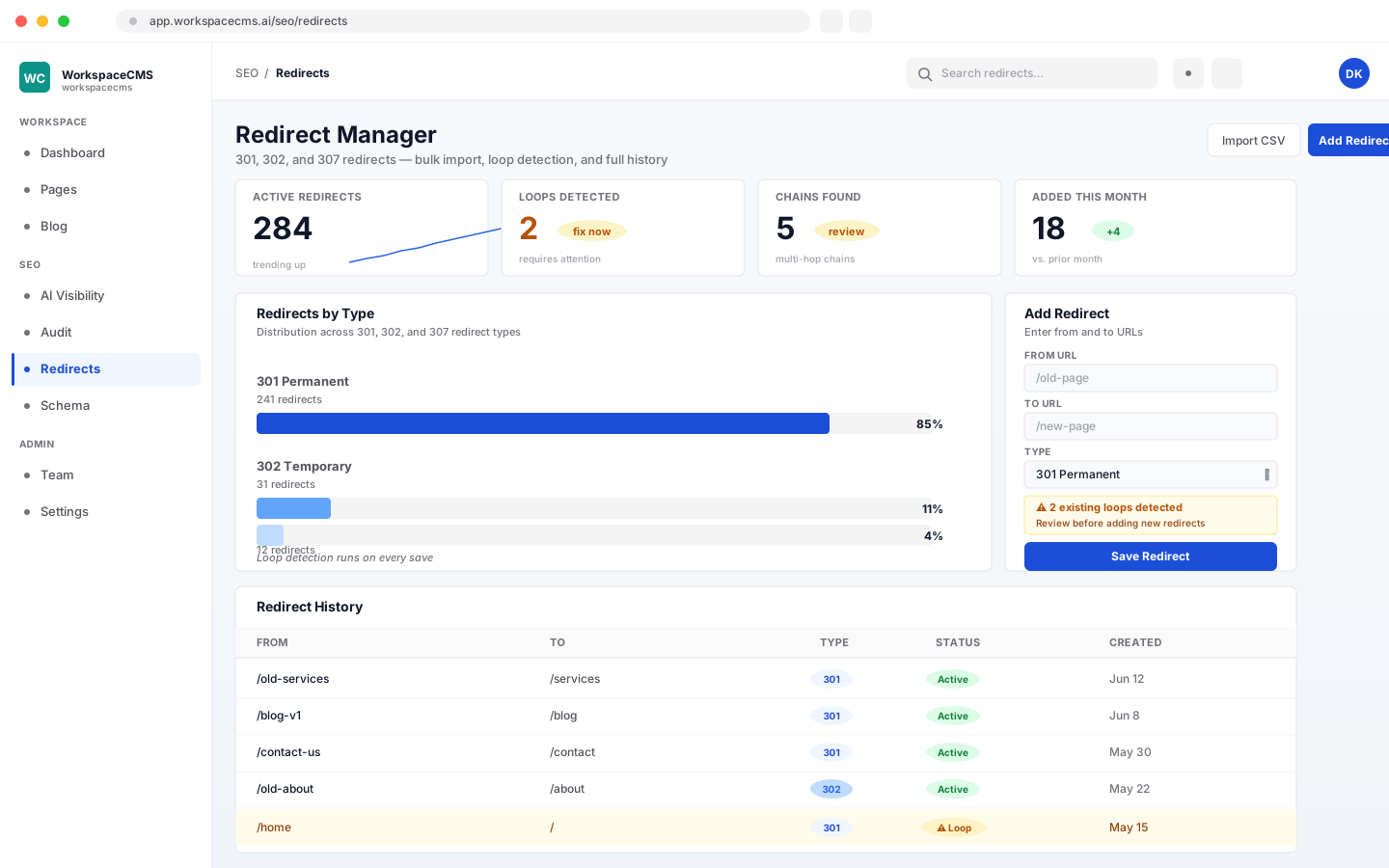
Redirect manager mapping old URLs to new pages

Redirects That Protect Rankings

When you move to a new site, old links are where rankings quietly leak away. We map every old URL we find to its new home at launch, so links in Google, in emails and on other sites still land somewhere useful. The redirect manager stops loops and flags chains before they go live.

  • 301, 302, 307 and 308 redirects
  • Bulk import and export by CSV, up to 5,000 rows
  • Loops blocked and chains flagged before publishing
  • An AI sweep for broken links when you want one
Website plans: Every planStore plans: Mapped for you at launchThe AI sweep uses AI credits
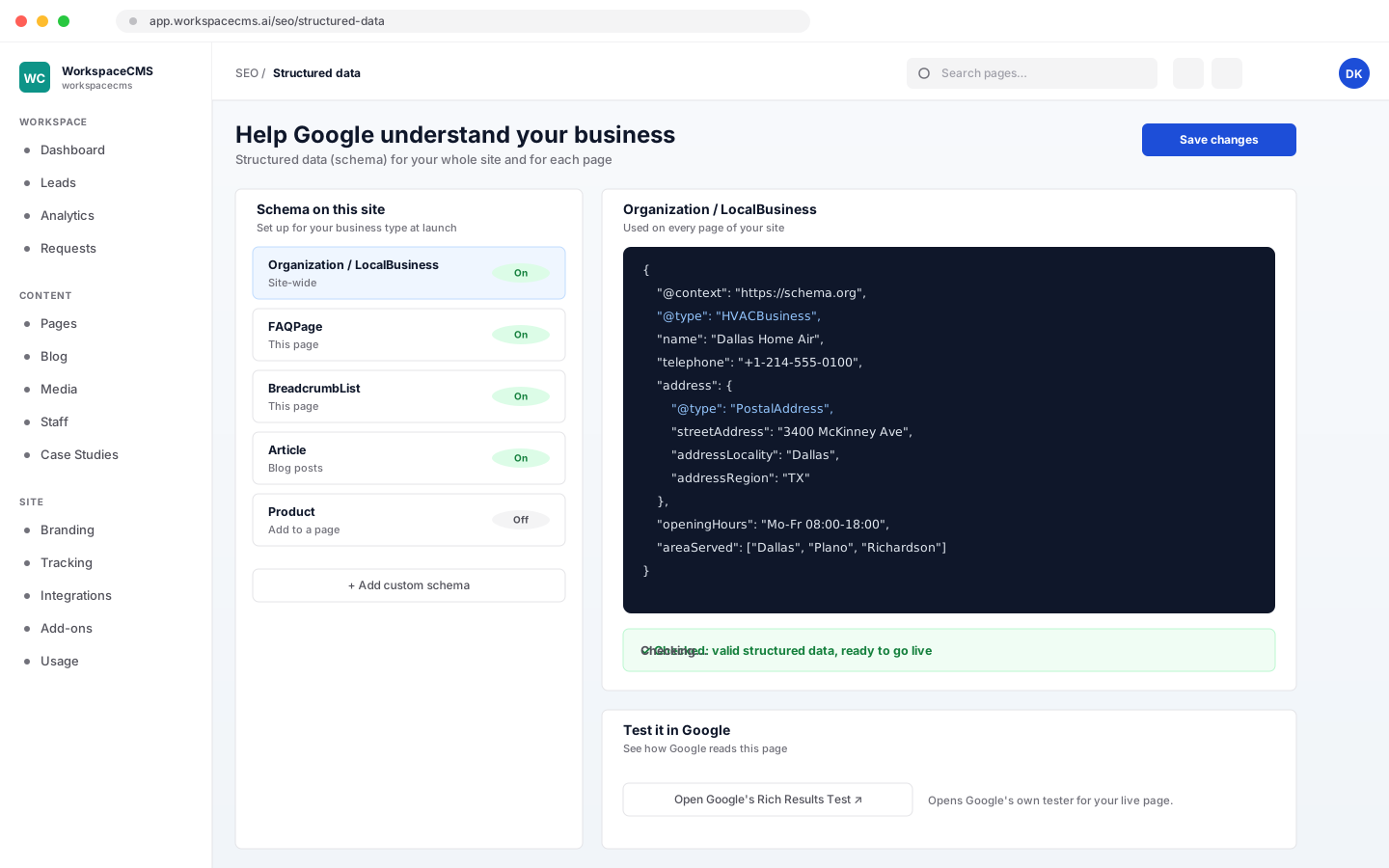
Structured data editor showing validated schema for a page

Structured Data (Schema)

Structured data is the hidden layer that tells Google and AI tools what your business is, where it operates and what it sells. We configure it for your business type at launch, and you can add FAQ, product, article, breadcrumb or custom markup to any page later. Every change is validated before it publishes.

  • Organization or LocalBusiness details across the site
  • FAQ, Product, Article, Breadcrumb and custom types per page
  • Validated before it goes live
  • AI can write the markup for a page on Premium & Ultra
Website plans: Every planStore plans: Product and collection markup at launchAI-written schema uses AI credits
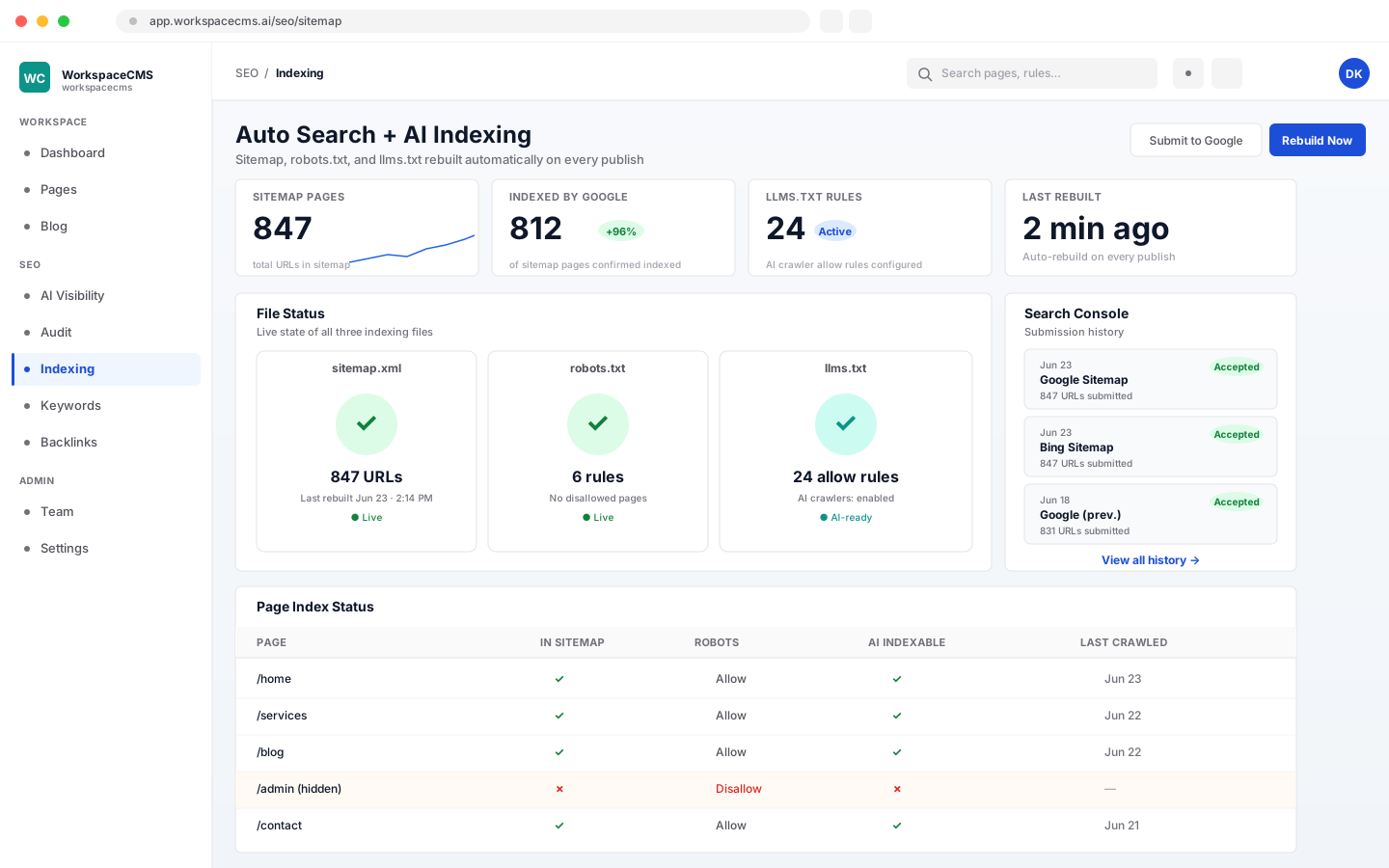
Sitemap and llms.txt settings for search engines and AI assistants

Sitemap, robots.txt and llms.txt

Your sitemap rewrites itself whenever a page is published or taken down, so search engines always have the current list. The robots.txt and llms.txt files that crawlers and AI assistants read are yours to edit without code, and AI can suggest changes to either.

  • A sitemap rebuilt on every publish and unpublish
  • Noindex pages kept out automatically
  • robots.txt editing, no developer needed
  • llms.txt editing for ChatGPT, Claude and Perplexity
Website plans: Every planStore plans: Every store planAI suggestions use AI credits
Alt text manager with AI-drafted image descriptions

Image Descriptions (Alt Text)

Every image should carry a short description for Google Images and for people using screen readers. AI drafts one for each image on the site, and you approve them in bulk or edit any you want to word differently. A coverage count shows what is still missing.

  • AI drafts for every image, approved in bulk
  • Write your own whenever you like, free
  • Coverage tracking so nothing slips through
Website plans: Every planStore plans: Every store planAI drafts use AI credits
Content & blog · 6 tools

Pages, posts and social, written with you

Edit any page yourself, have AI draft a post from a short brief, or let Blog Autopilot and Social Automation keep a calendar full for you to approve.

Page editor with live preview and version history

Page Editor

Change a headline, swap a photo or add a section whenever you like, or send the request and our team does it. Every page and post keeps a version history, and AI can draft a whole new page or tighten a headline when you need a head start.

  • Edit any page yourself, any time
  • Version history on every page and post
  • AI page drafts and headline help
  • Or send a change request and we make it
Website plans: Every planStore plans: Unlimited edits on every store planAI page help uses AI credits
Blog dashboard with AI drafts moving toward publishing

AI Blog Drafts

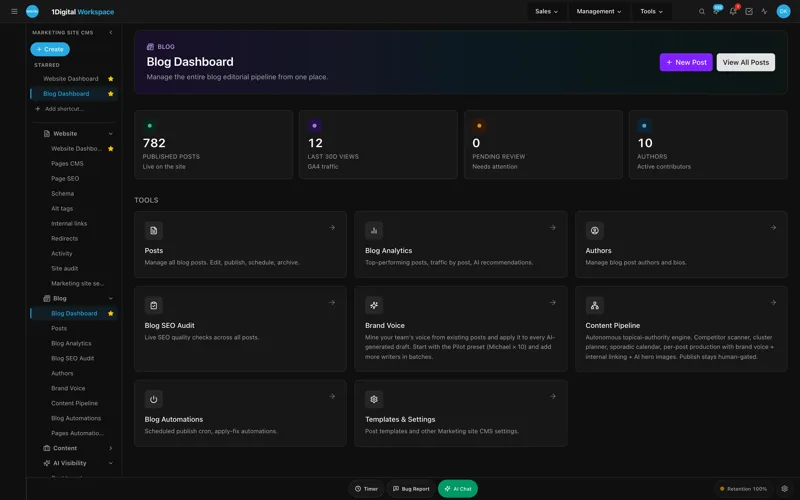
Give AI a topic and a few notes, and it writes a full post with its SEO fields filled in, ready for you to edit and publish. Bylines carry the author's photo and bio. Moving from WordPress? Your old posts come across as drafts with their original dates.

  • A full draft from a short brief
  • SEO fields on every post
  • Author bylines with a photo and bio
  • WordPress posts imported with their dates
  • Writing your own posts never uses credits
Website plans: Every planStore plans: Every store planAI drafts use AI credits
Blog Autopilot

A blog only helps when it keeps going. Autopilot watches the competitor blogs you pick, finds topics worth covering, writes each article in your voice with images and SEO fields, and fills your calendar up to 90 days ahead at the pace you choose. With the review gate on, nothing publishes until you approve it.

Shown in full above
Website plans: Premium & UltraStore plans: Included on Growth and ScaleUses AI credits

Social Automation

Connect your Instagram Professional account once and Social Automation keeps it posting. It writes captions and creates images from what your site already holds, from pages and products to blog posts and your best Google reviews, on a schedule you set. Each post waits in a queue for your OK unless you switch on auto-posting.

Shown in full above
Website plans: Premium & Ultra, $49/mo add-on on other plansStore plans: Included on Growth and Scale, $49/mo add-on on LaunchEach post uses AI credits when it is created
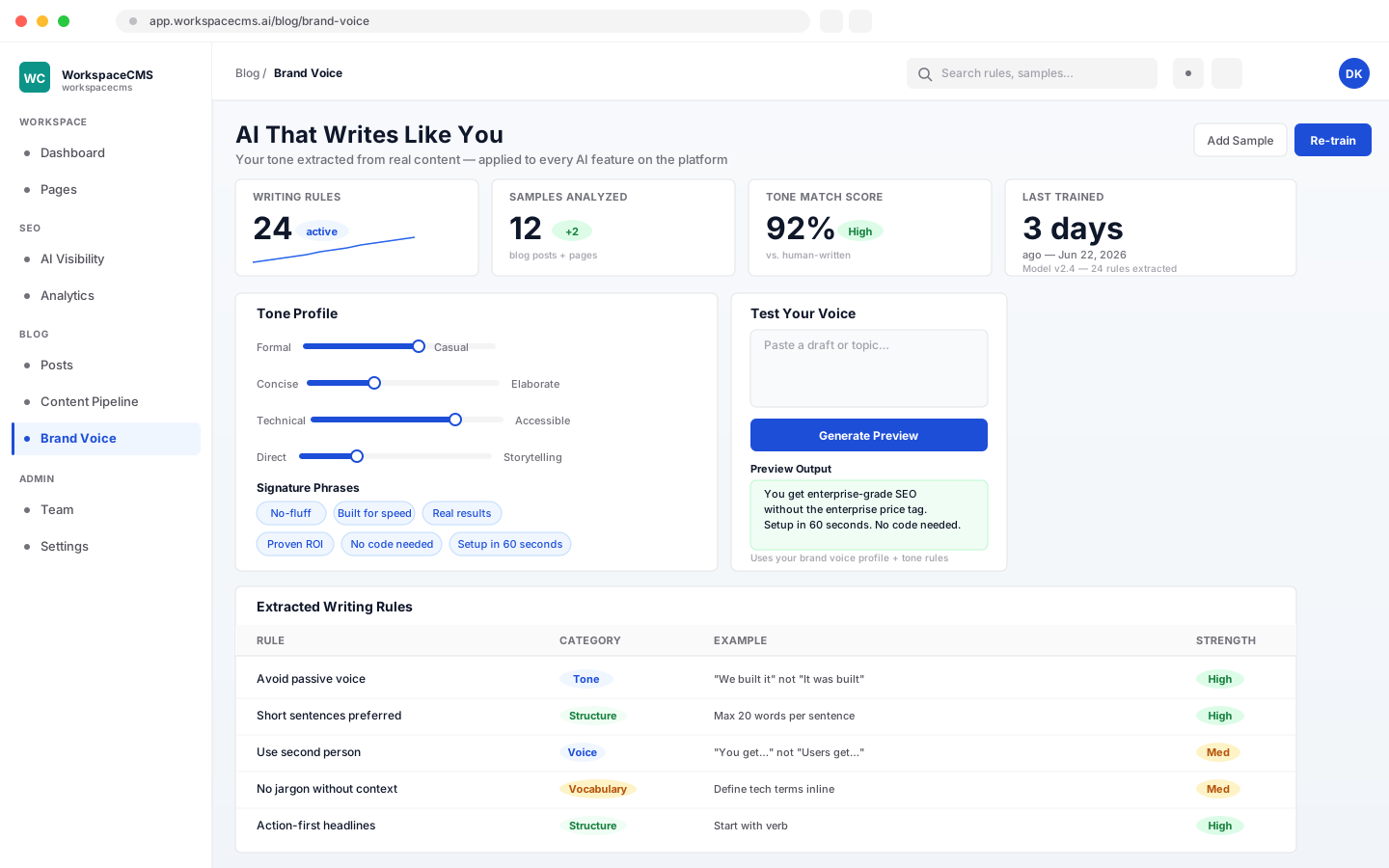
Brand Voice profile showing tone and vocabulary rules

Brand Voice

Point AI at a few pages or posts you are proud of, and it learns how your business talks: tone, favorite phrases and words you never use. That profile then shapes blog drafts, rewrites, meta descriptions and insights, so AI copy reads like you wrote it.

  • Learns tone, phrases and vocabulary rules from your best copy
  • Applied to blog drafts, rewrites and meta descriptions
  • Used by the content audit and analytics insights
See how Blog Autopilot works
Website plans: Premium & UltraStore plans: Part of Blog Autopilot on Growth and ScaleUses AI credits
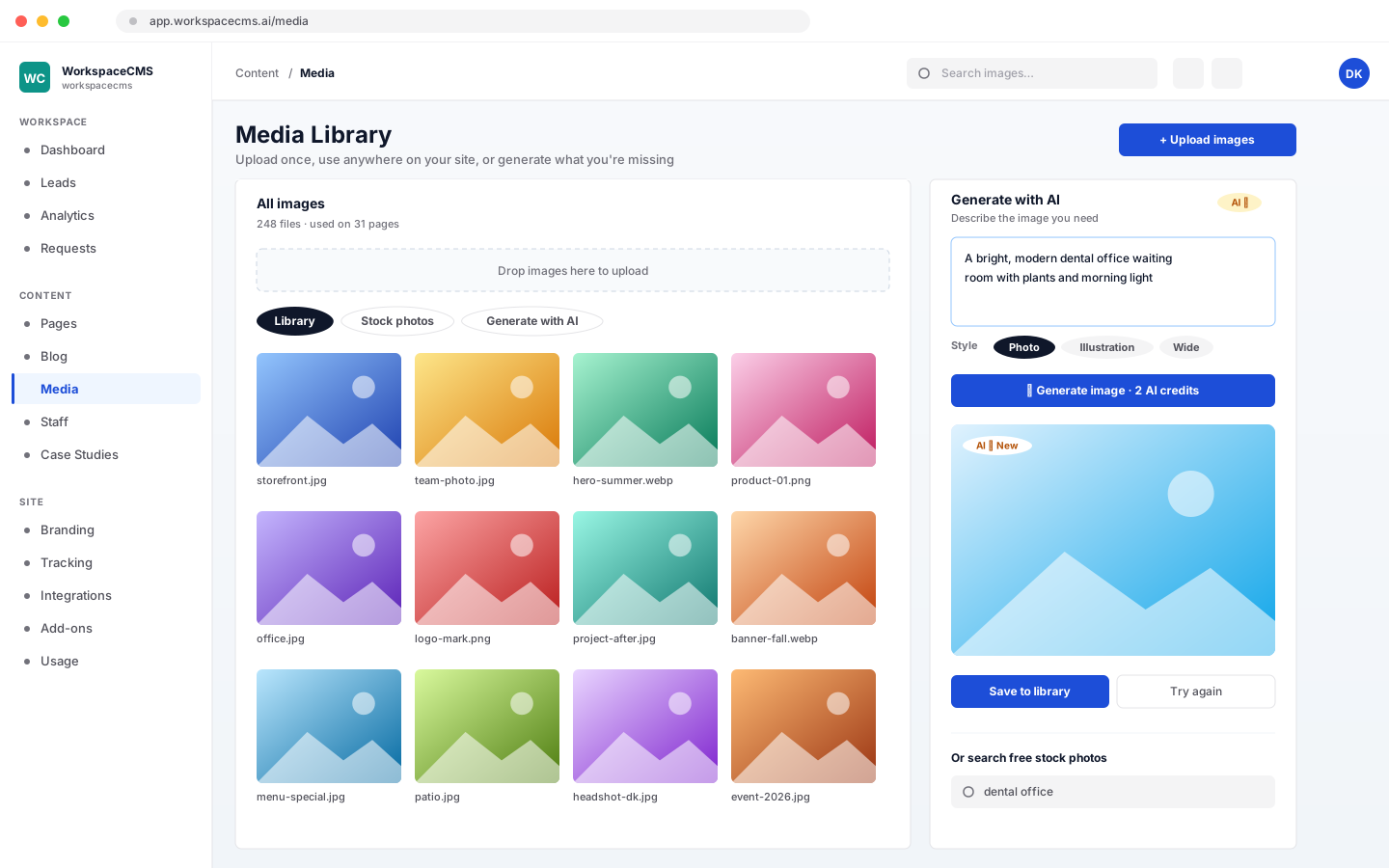
Media library with uploaded photos and AI image generation

Media Library and AI Images

Upload a photo once and reuse it anywhere on the site. Missing the right image? Search free stock photos without leaving the library, or describe the picture you need and AI creates it.

  • Upload once, use everywhere
  • Free stock photo search built in
  • AI image generation from a description
Website plans: Every planStore plans: Every store planAI images use AI credits
Leads & bookings · 8 tools

Every lead caught, answered and followed up

Forms, chat, calls and bookings land in one inbox, and AI agents answer the ones that come in while your team is busy, asleep or out on a job.

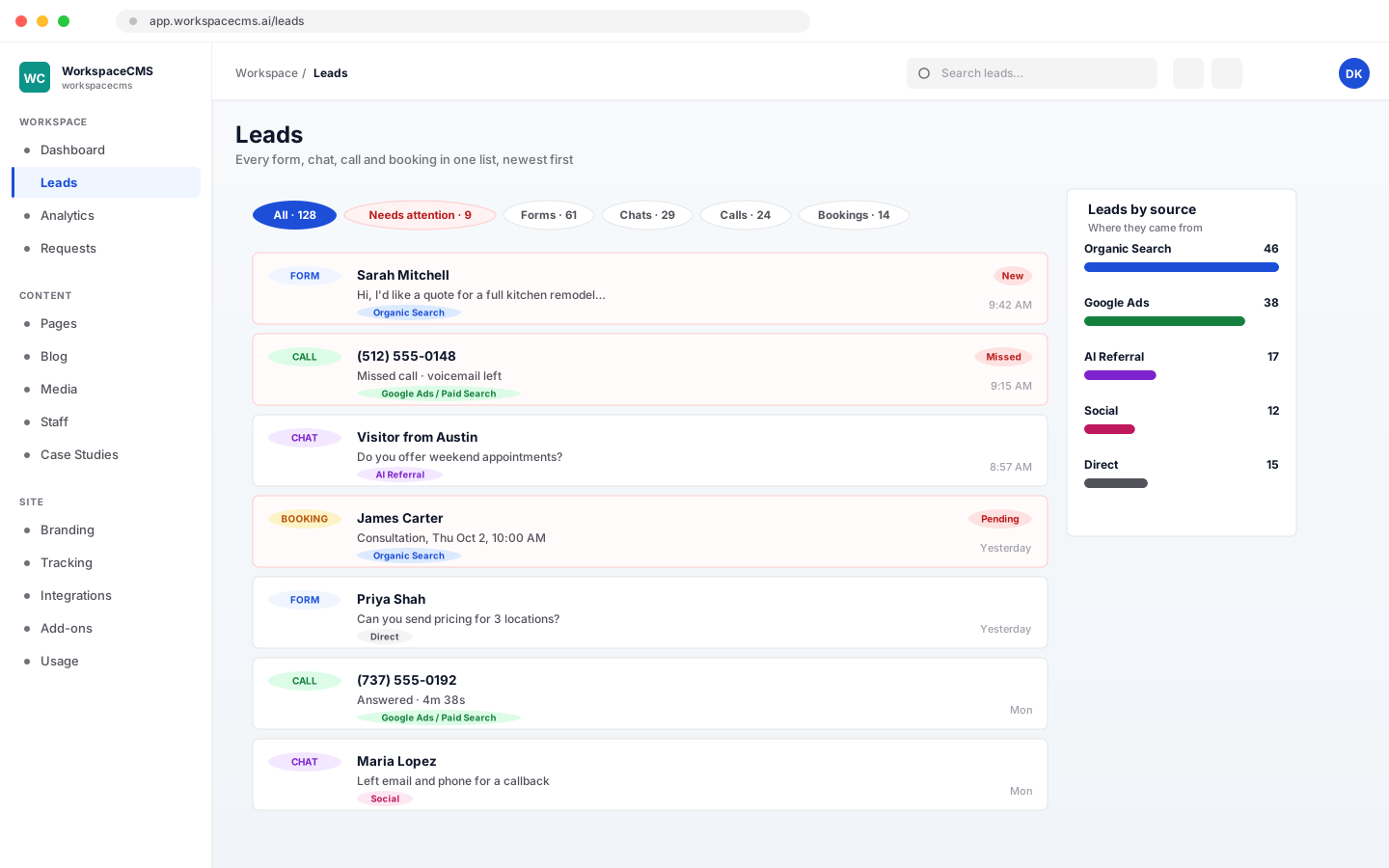
Leads inbox listing form, chat and call leads by source

Leads Inbox

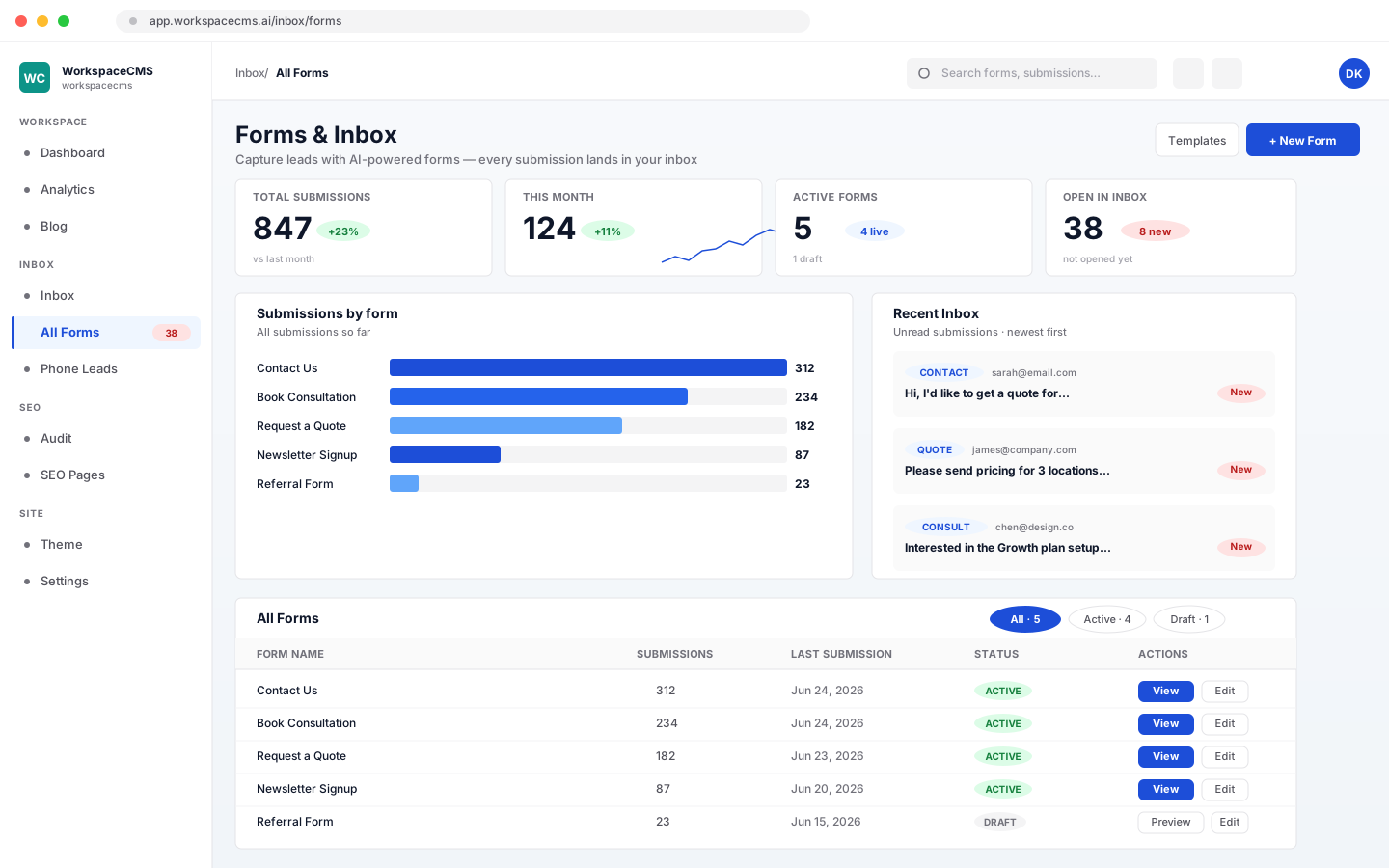
Form fills, chats, calls and booking requests all land in one list instead of five. Filter by where a lead came from or by what still needs attention, and see unread submissions the moment you open your dashboard.

  • Forms, chats, calls and bookings in one place
  • Filter by source or by what needs a reply
  • Instant alerts when a new lead arrives
Website plans: Every planStore plans: Every store plan
Lead Follow-up writing a personal reply to a new form lead

Lead Follow-up

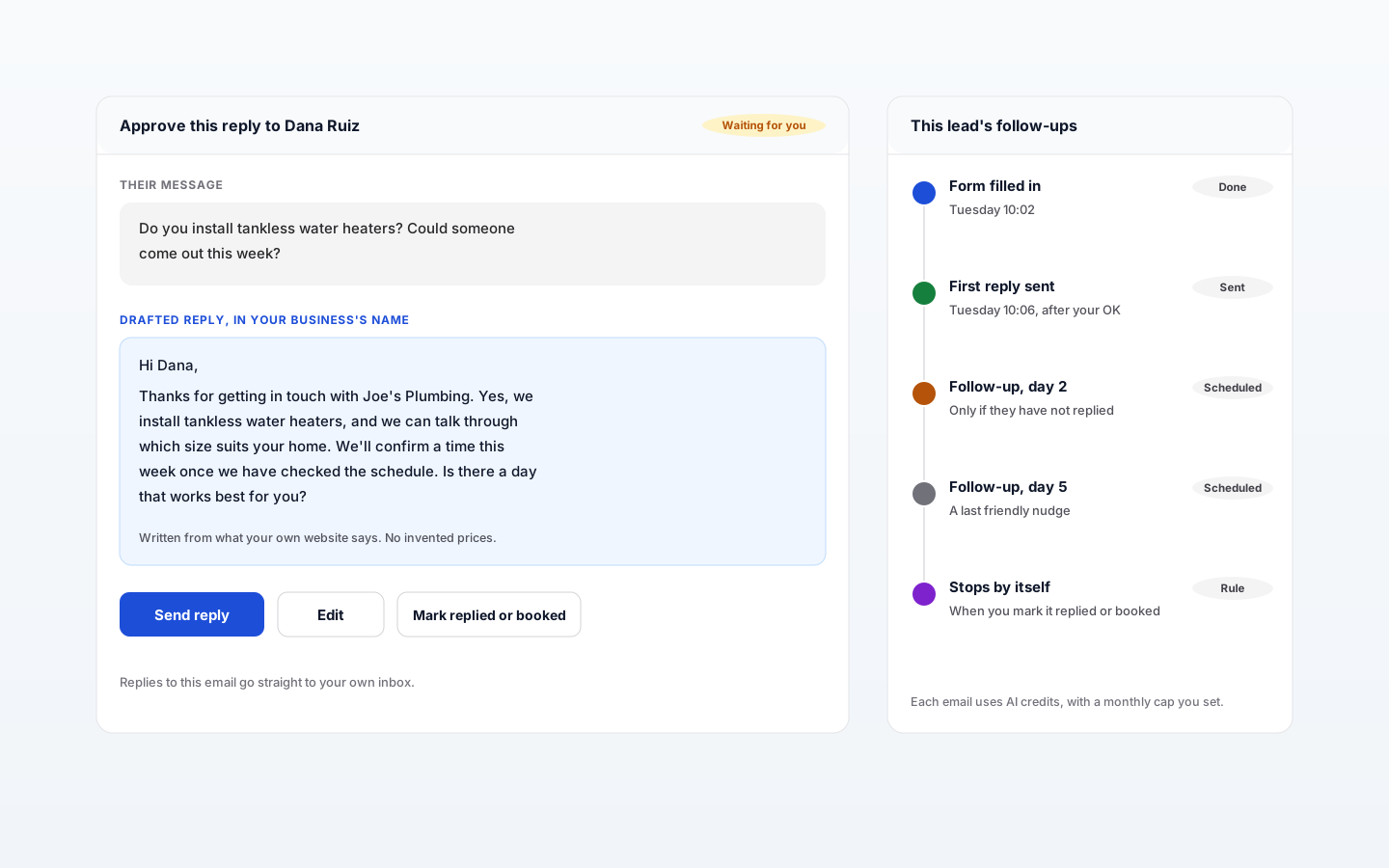
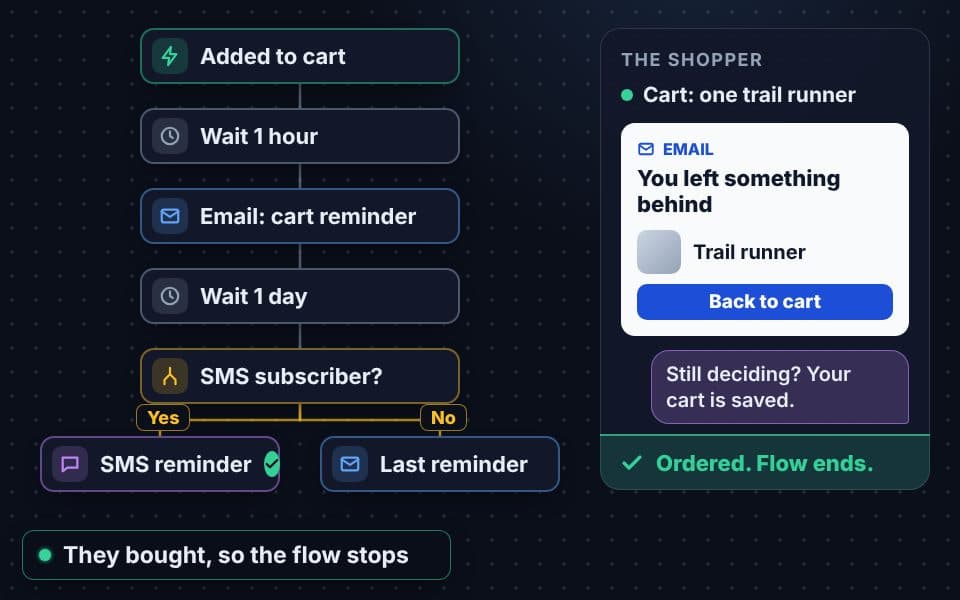
The first business to answer usually wins the job. Lead Follow-up is an AI agent that replies to every form lead within minutes, in your business's name, using only what your own website says. If they go quiet, it follows up on day 2 and day 5, and stops the moment they reply, book or unsubscribe.

  • A personal first reply within minutes
  • Follow-ups on day 2 and day 5 while they are quiet
  • Approve each email, or let it send on its own
  • Replies land in your own inbox
  • Writes only from your site: no invented prices or promises
See how Lead Follow-up works
Website plans: Growth, Premium & UltraStore plans: Every store planUses AI credits
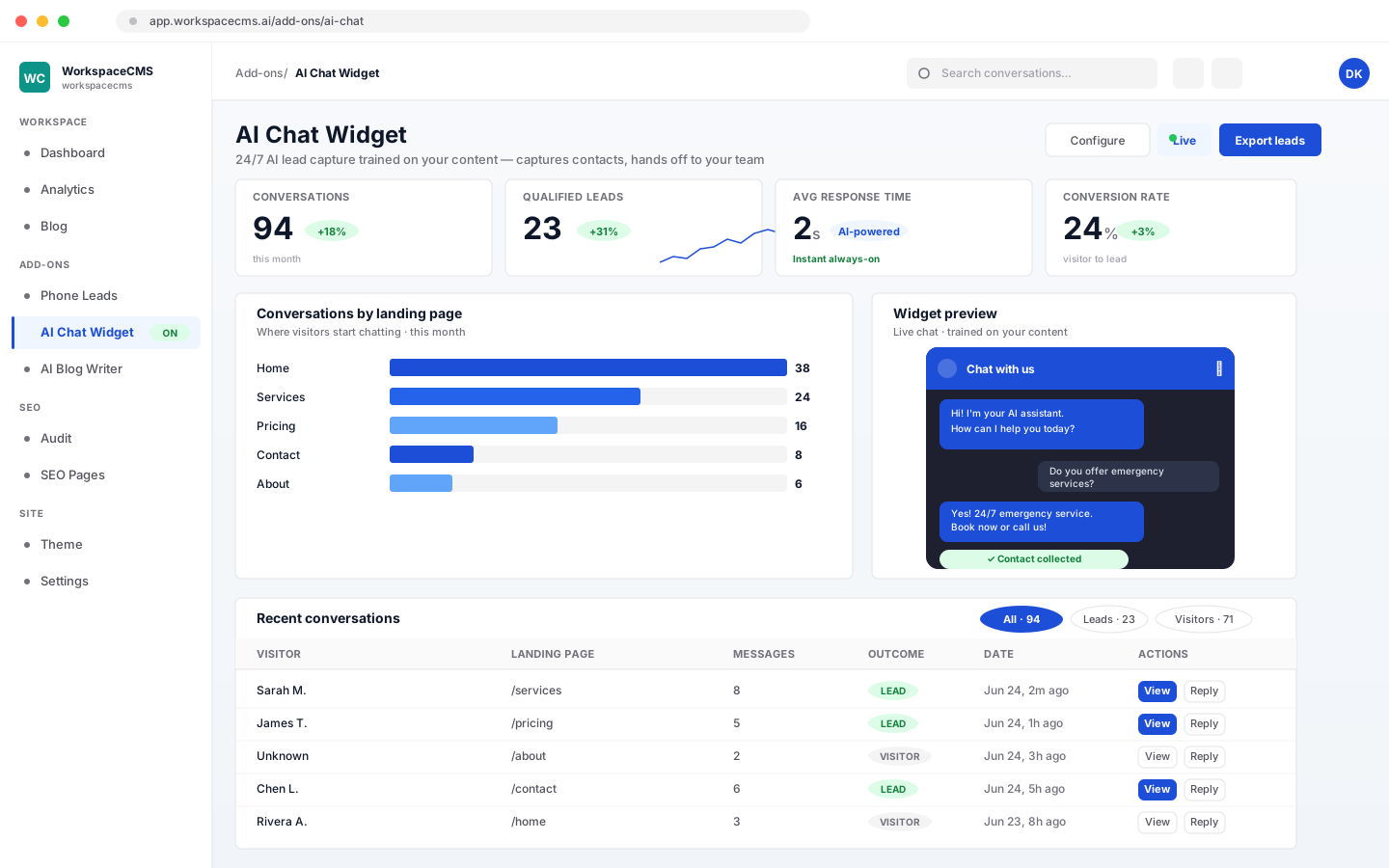
AI chat agent answering a visitor question on a website

AI Chat Agent

A chat box on your site that answers visitors day and night, learns from your services, FAQs and pages, and only answers from what it knows. It collects contact details before a visitor drifts off, books appointments where booking is on, and your team can take over any conversation.

  • Trained on your business details, FAQs and a crawl of your site
  • Optional pre-chat form for name, email and phone
  • Your team can reply from the inbox at any point
  • Books appointments right in the chat
  • Styled to match your site
See how the AI chat agent works
Website plans: Premium & Ultra, add-on on Essentials and GrowthStore plans: Included on Growth and Scale, $49/mo add-on on LaunchAI replies use AI credits
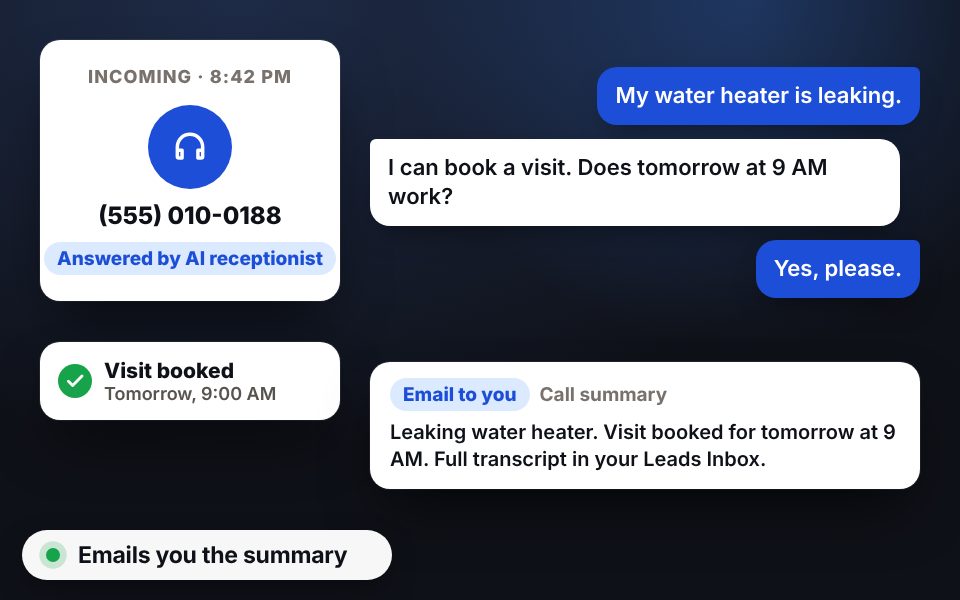
AI receptionist answering a customer phone call

AI Receptionist

When nobody can pick up, an AI voice agent does. It answers questions about your business, takes messages and emails you a summary of every call, and Missed Call Follow-up reaches back out to the callers you missed.

  • Answers calls after hours or when lines are busy
  • Takes messages and emails you every call summary
  • Missed Call Follow-up for the calls you did not catch
See how the AI Receptionist works
By Tactly™, our sister companyWebsite plans: Add-on, from $49/moStore plans: Add-on, from $49/mo
Form builder with drag-and-drop fields

Form Builder

Drag fields into place, or describe the form you want and AI builds it. Every submission lands in your dashboard and your email, sent under your business name with replies going wherever you choose. Spam protection is built in.

  • Drag and drop, or a form built from a description
  • Your sender name and reply-to address
  • Captcha, a hidden honeypot and rate limits against spam
  • Read, archive, mark spam and add notes to submissions
Website plans: Every planStore plans: Every store planAI-built forms use AI credits
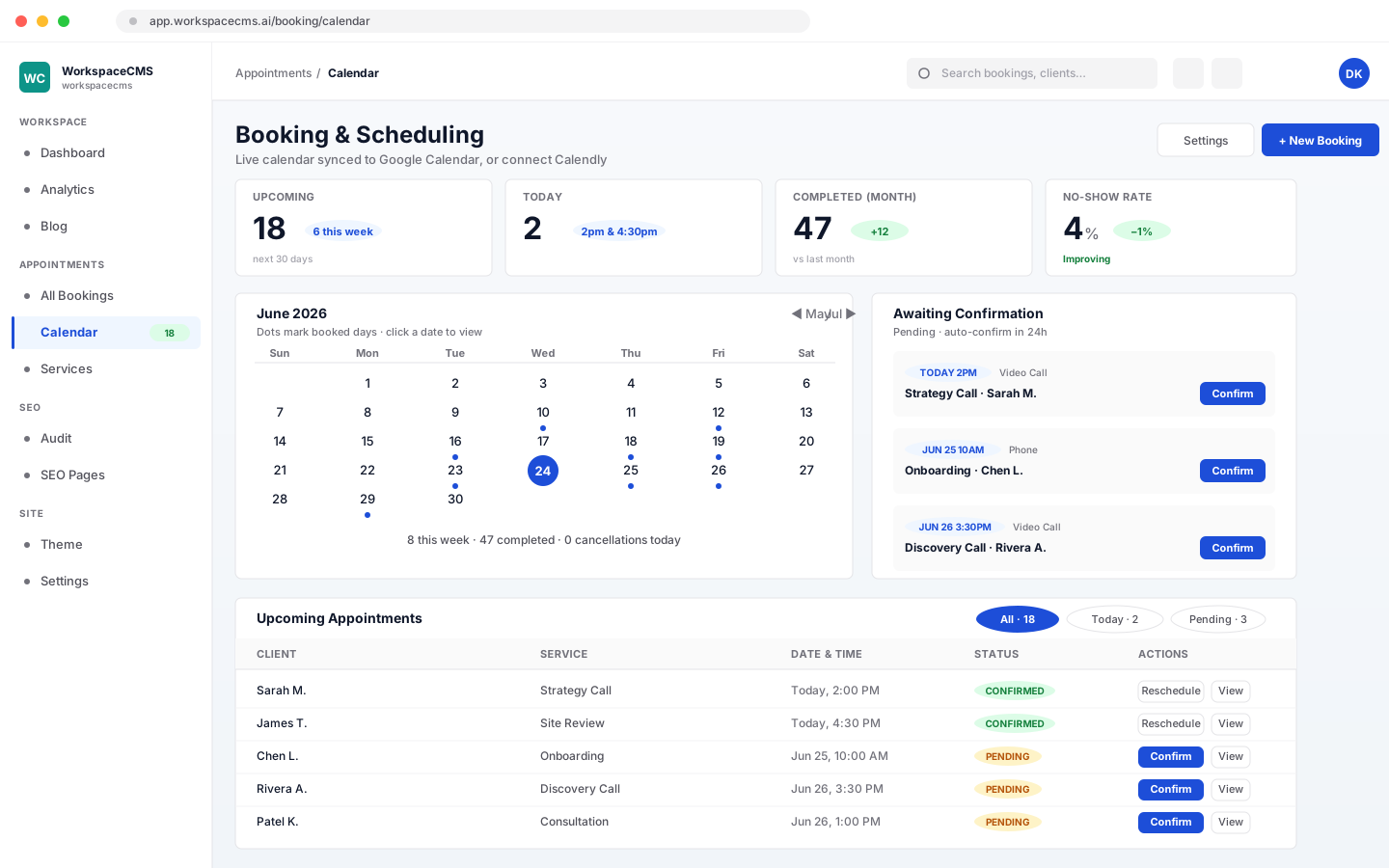
Booking calendar with appointment types and team availability

Booking and Scheduling

Customers book on your site at any hour. Set appointment types with their own lengths, let each teammate connect a Google Calendar and set their hours, and bookings go to whoever is free with no double booking. Already on Calendly? Connect it in one click.

  • Appointment types with their own lengths
  • Team calendars, booked to whoever is free
  • Minimum notice, booking windows and buffers
  • Confirmation and cancellation emails, plus an alert to you
  • The AI chat agent can book too
  • Or connect your own Calendly account
Website plans: Growth, Premium & UltraStore plans: Consultations and appointments on every store plan

Newsletters

A sign-up form builds your list automatically, and you send newsletters from your dashboard with your logo on them. AI can draft each issue from your latest posts, or you can write it yourself for free. Export your list whenever you want.

Shown in full above
Website plans: Growth, Premium & UltraStore plans: Free to 250, 500 or 1,000 subscribers by planAI drafts use AI credits
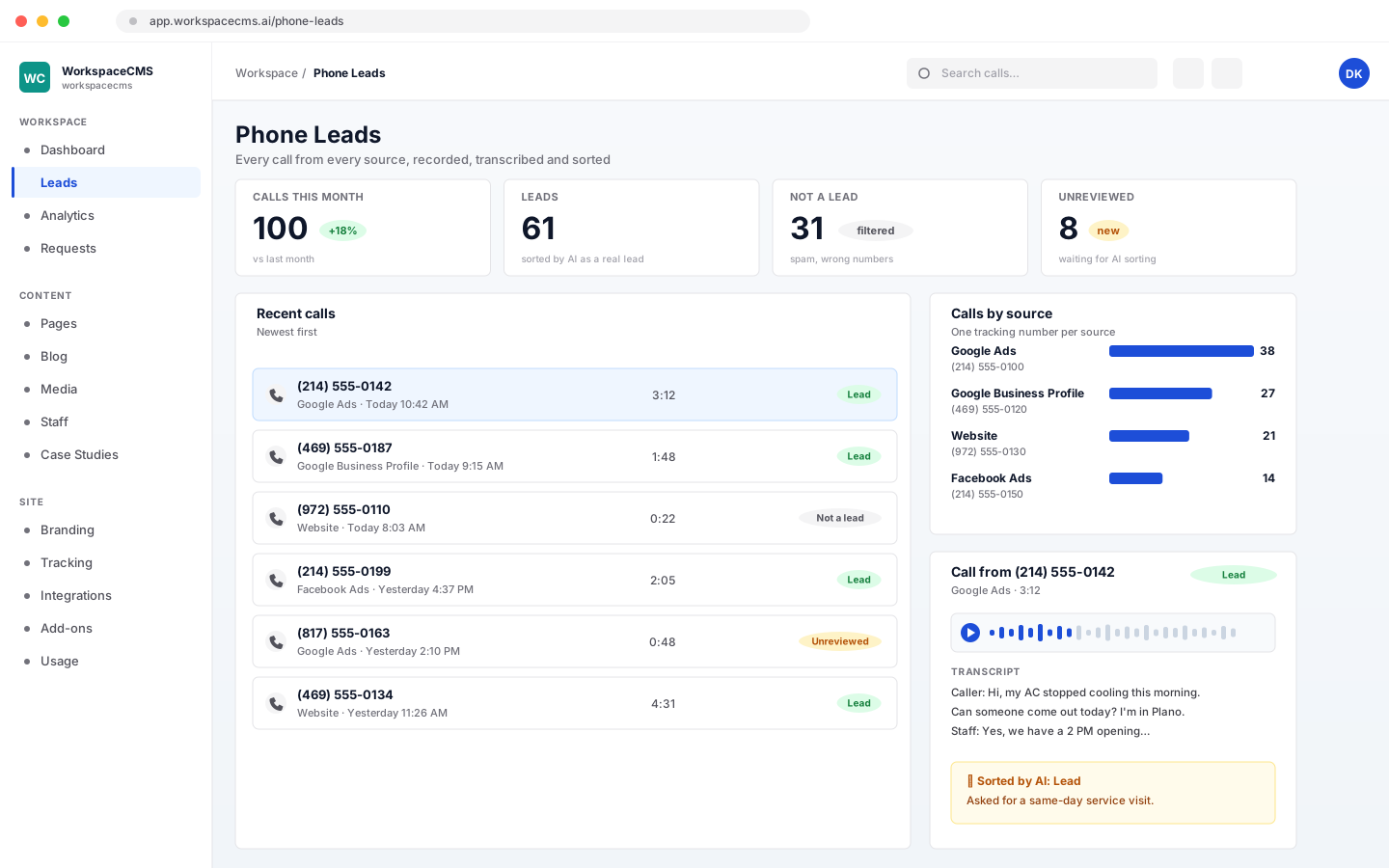
Call tracking dashboard listing calls by source

Call Tracking

Find out which ads and channels actually make the phone ring. Each source gets its own number, and every call is logged, recorded and transcribed, with AI sorting real leads from everything else. No separate CallRail account needed.

  • A tracking number for each traffic source
  • Recordings and transcripts for every call
  • AI sorts calls into leads and non-leads
See how call tracking works
Website plans: Add-on on any plan, from $25/moStore plans: Add-on, from $25/moAI call sorting uses AI credits
Show your work · 6 tools

Proof that sells for you

Reviews, galleries, before and afters, team bios and location pages that you keep up to date yourself, without a plugin for each one.

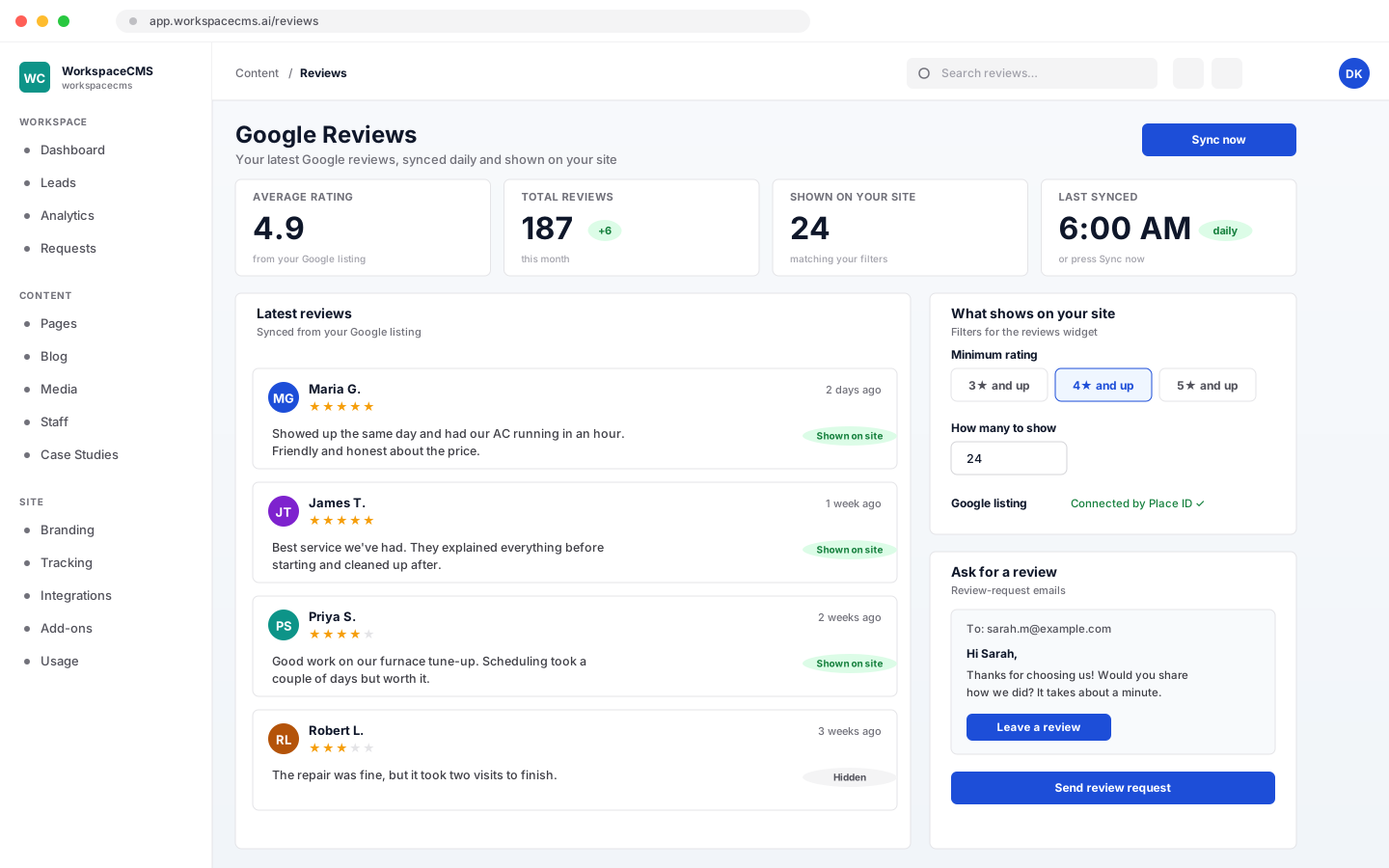
Google reviews widget showing star ratings on a website

Google Reviews on Your Site

Your newest Google reviews appear on your site and refresh every day on their own. Choose which ones show with rating and count filters, and send customers a request that makes leaving a review easy.

  • A daily sync from your Google listing, or sync now
  • Rating and count filters for what shows
  • Review-request emails to happy customers
  • Built in, with no plugin subscription
Website plans: Growth, Premium & UltraStore plans: Every store plan
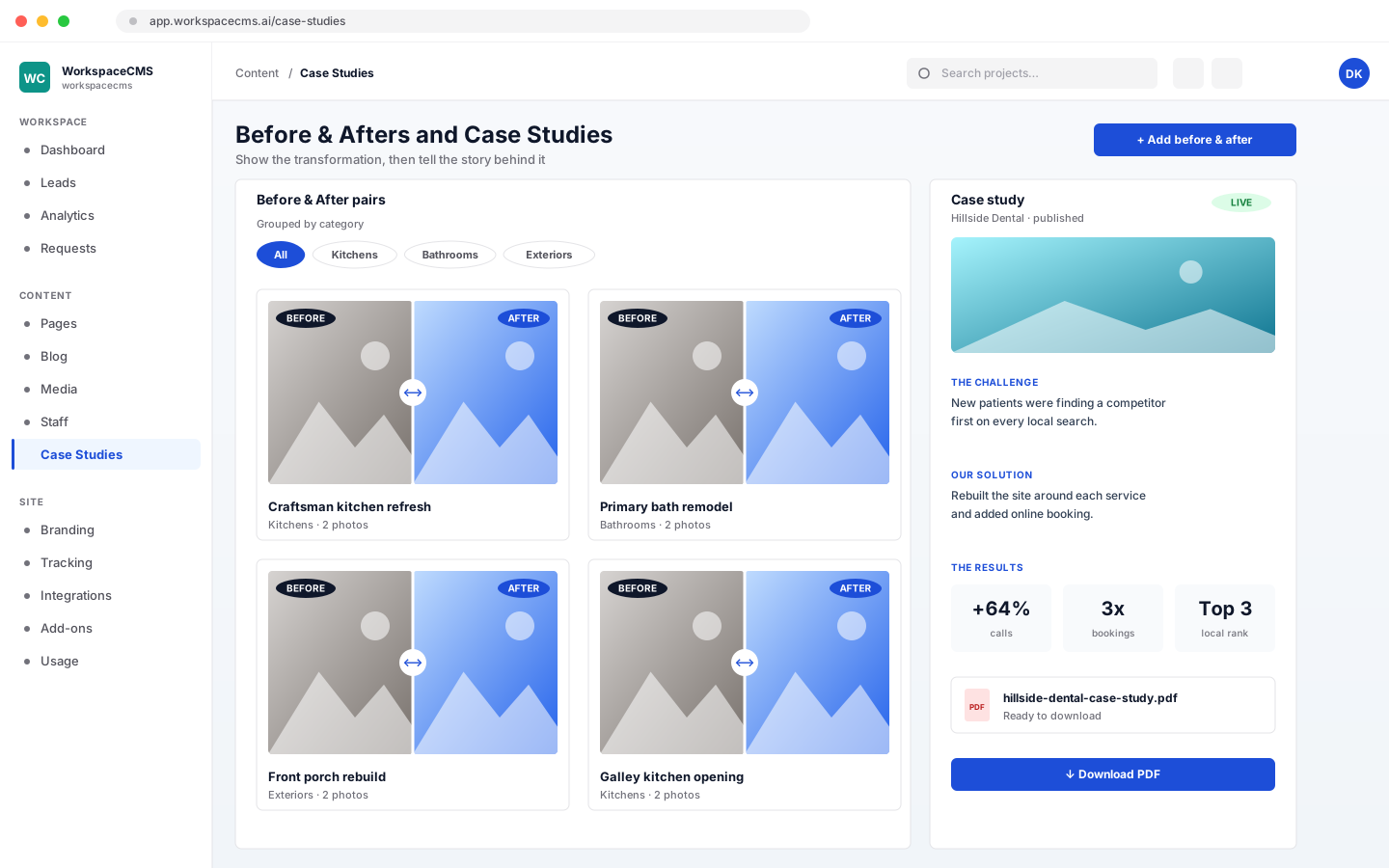
Before and after photo comparison with a case study

Before and Afters and Case Studies

Pair before and after photos by category, and write up case studies as the challenge, what you did and the result. Each case study comes with a downloadable PDF your sales team can send.

  • Before and after pairs by category
  • Case studies in challenge, solution and results
  • A PDF for every case study
Website plans: Growth, Premium & Ultra
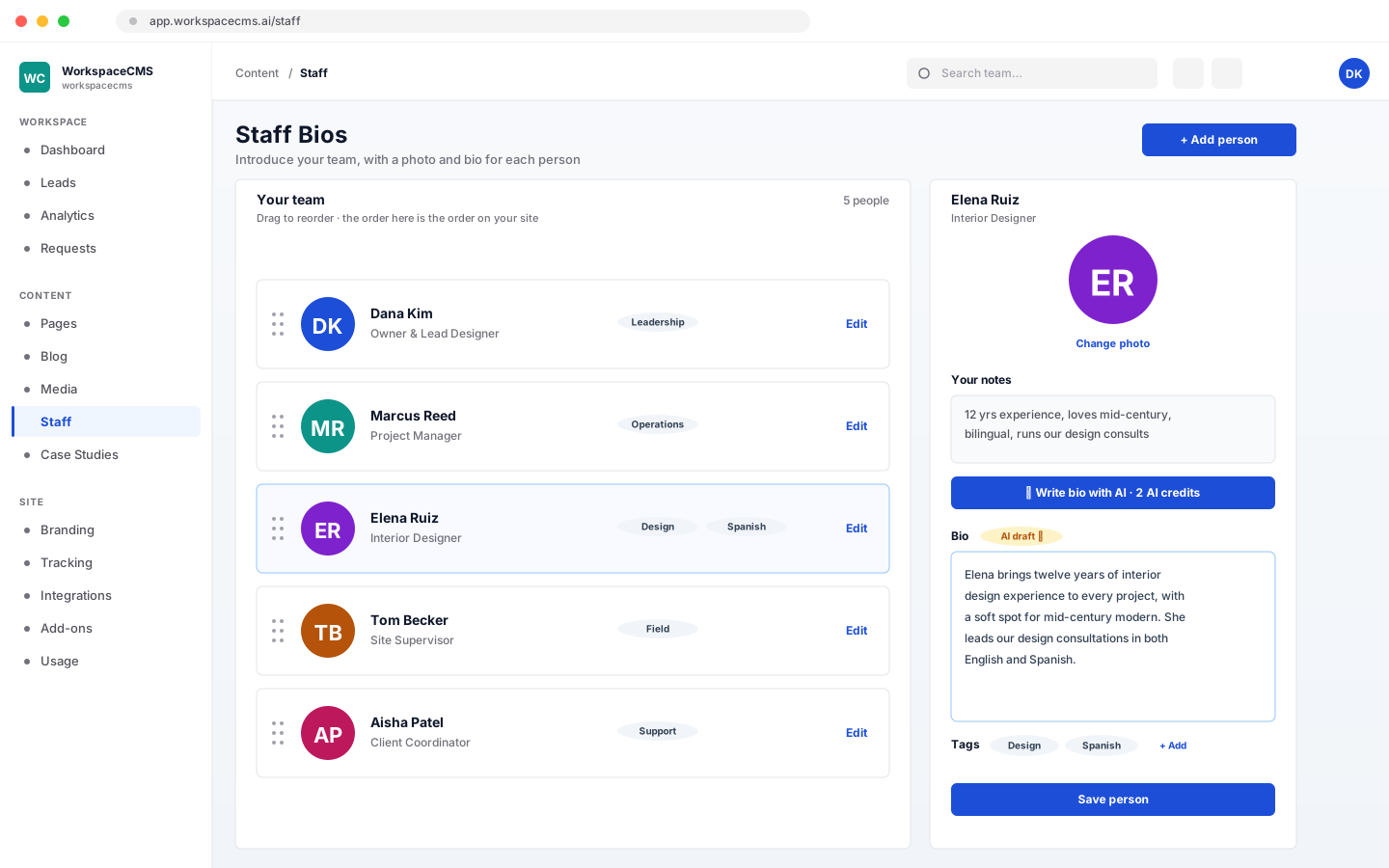
Team bios with photos and roles

Team Bios

Put faces to the business. Add a photo and bio for each person, drag them into order, tag them by role, and let AI turn a few notes into a finished bio.

  • A photo and bio per person
  • Drag to reorder, and tag by role
  • AI bios from your notes
Website plans: Every planStore plans: Every store planAI bios use AI credits
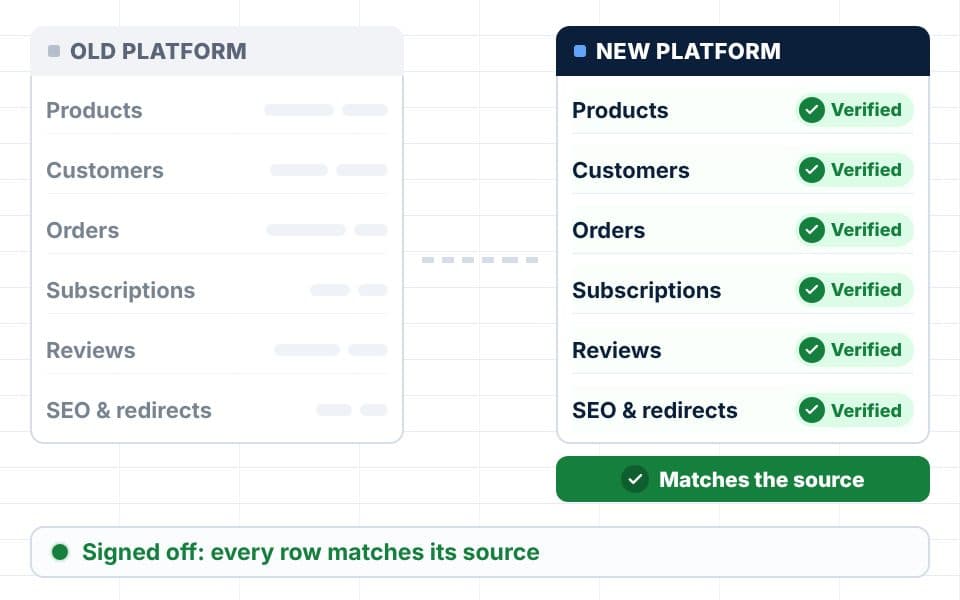
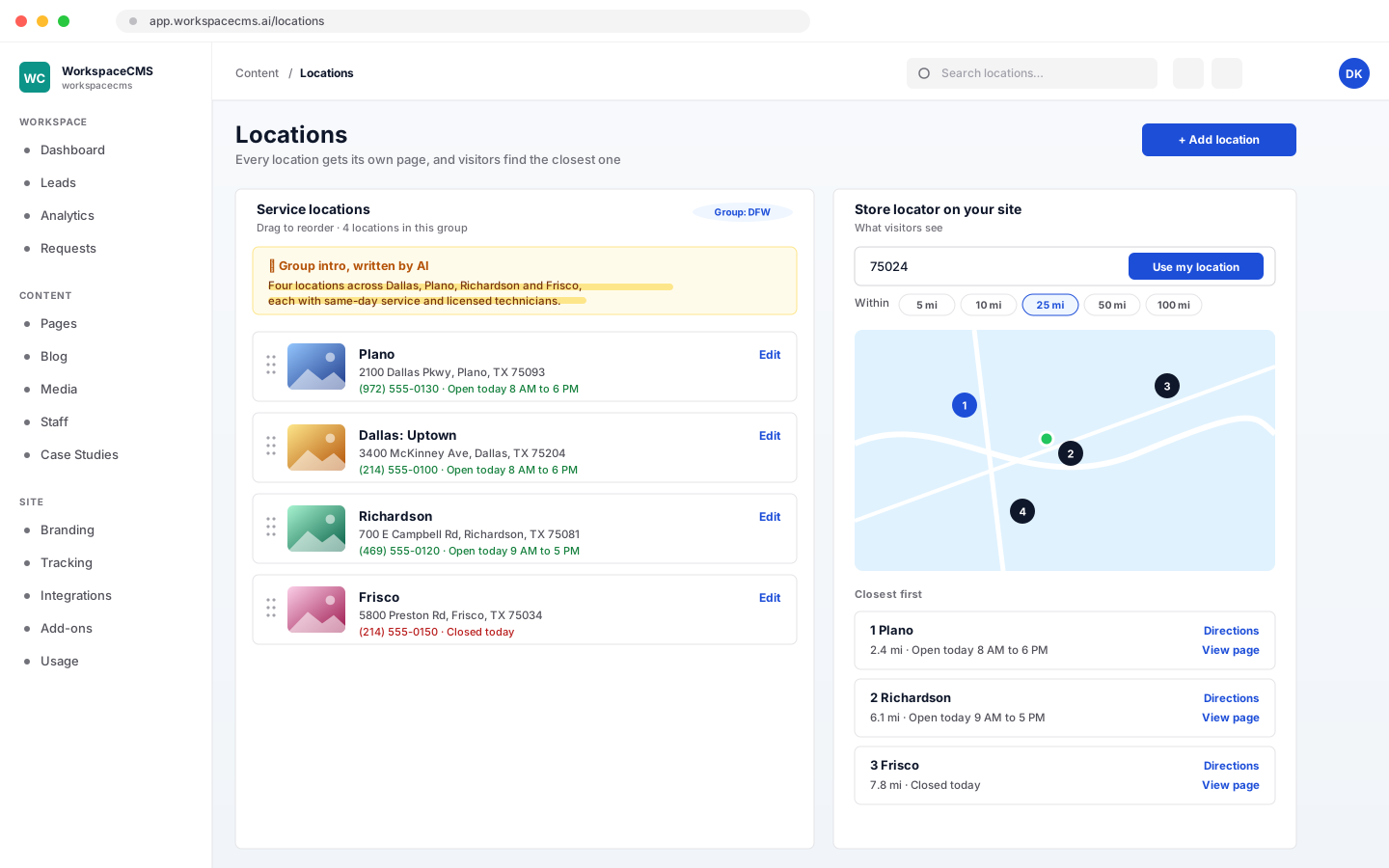
Location finder map with nearby branches

Location Pages

Each location gets its own page, and visitors can find the closest one by searching a ZIP code or city on a map. Manage every location from one panel.

  • A page for every location
  • A map with ZIP and city search by radius
  • All locations managed in one place
Website plans: Growth, Premium & UltraAI intros use AI credits
Instagram feed embedded on a website

Instagram Feed

Connect Instagram once and your latest posts show on your site by themselves, so the page always looks current without anyone touching it.

  • Connect once
  • New posts appear automatically
Website plans: Every planStore plans: Every store plan

Run your site · 10 tools

The controls behind the scenes

Analytics, a weekly summary, an AI agent for questions about your business, logins for your team and a clear meter for every AI action.

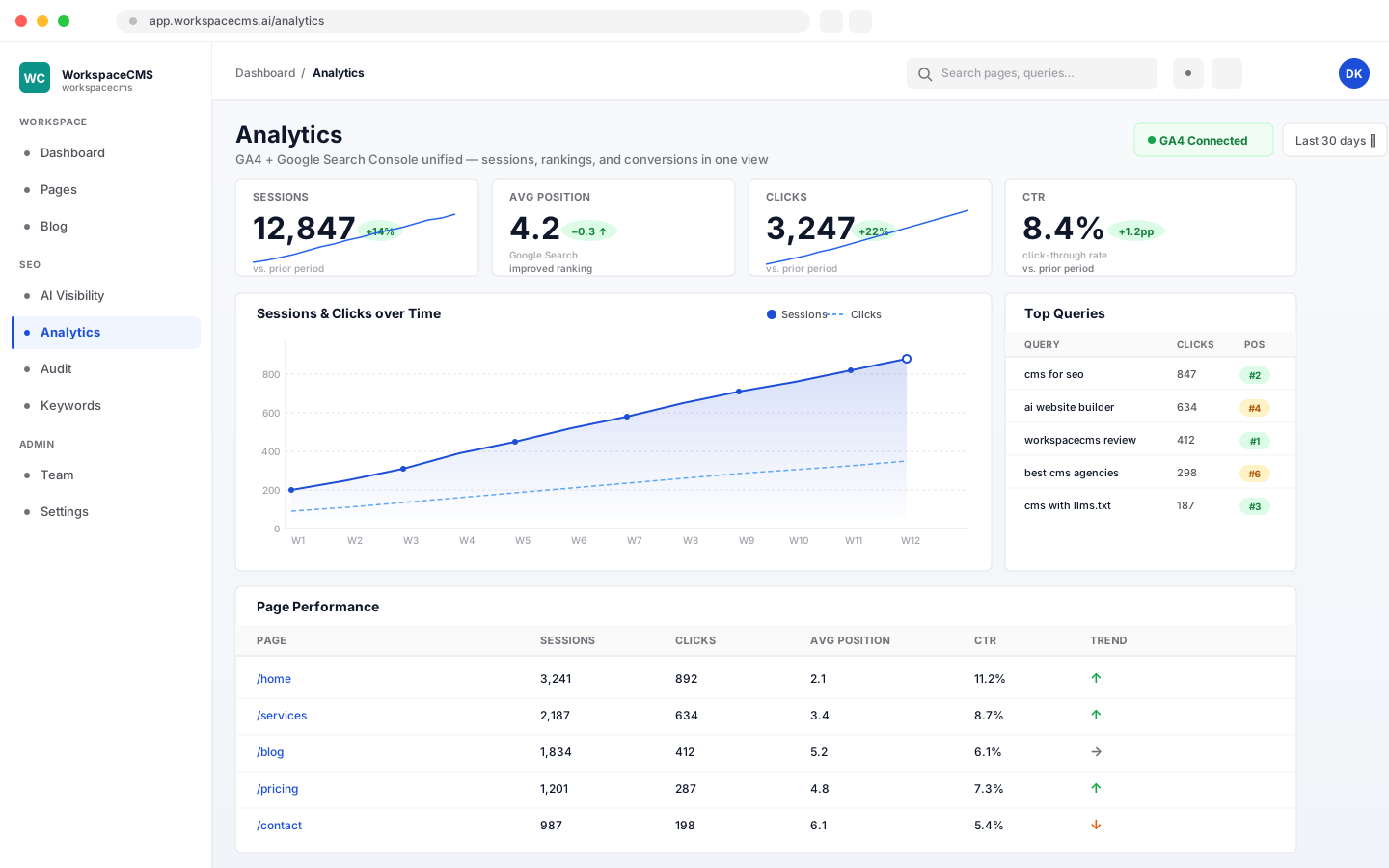
Analytics dashboard combining traffic, leads and search rankings

Analytics Dashboard

Visits, leads and Google rankings on one screen, pulled from Google Analytics 4 and Search Console so you never juggle three tabs. On Growth and up, AI explains in plain words what changed and why.

  • GA4 and Search Console together
  • A lite view on Essentials, the full view on Growth and up
  • AI insights that explain the numbers
  • A monthly report by email on Premium & Ultra
Website plans: Every planStore plans: Every store plan, with a monthly report on Growth and ScaleAI insights use AI credits
Monday summary email with leads, posts and site health

Monday Summary Email

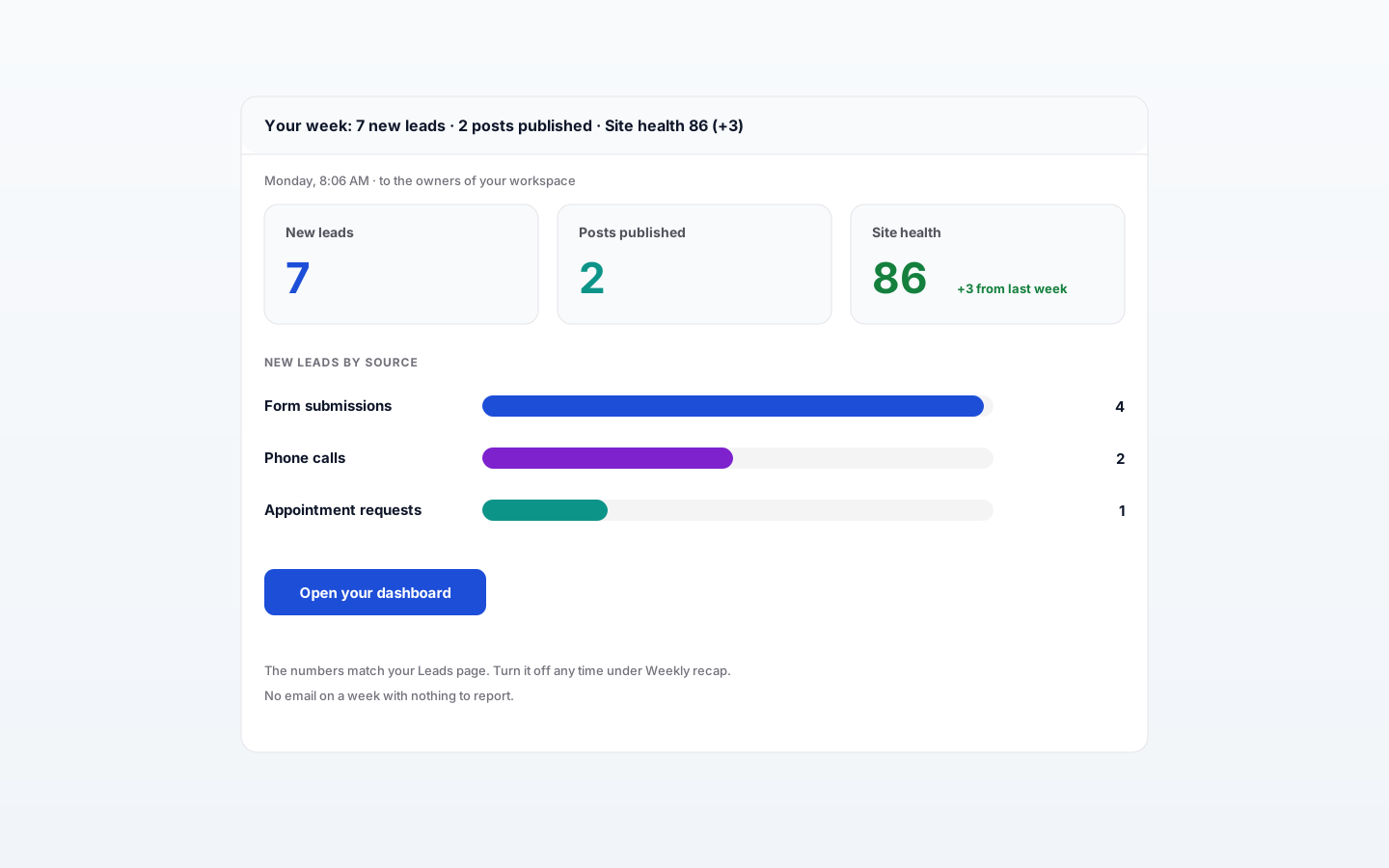
One short email every Monday morning: how many leads came in last week and from where, what was published, and your site health score with how it moved. Weeks with nothing to report are skipped.

  • New leads by source
  • Posts published that week
  • Your site health score and its trend
Website plans: Every planStore plans: Every store plan
Sage AI assistant answering a question about website traffic

Sage, Your Back-Office AI Agent

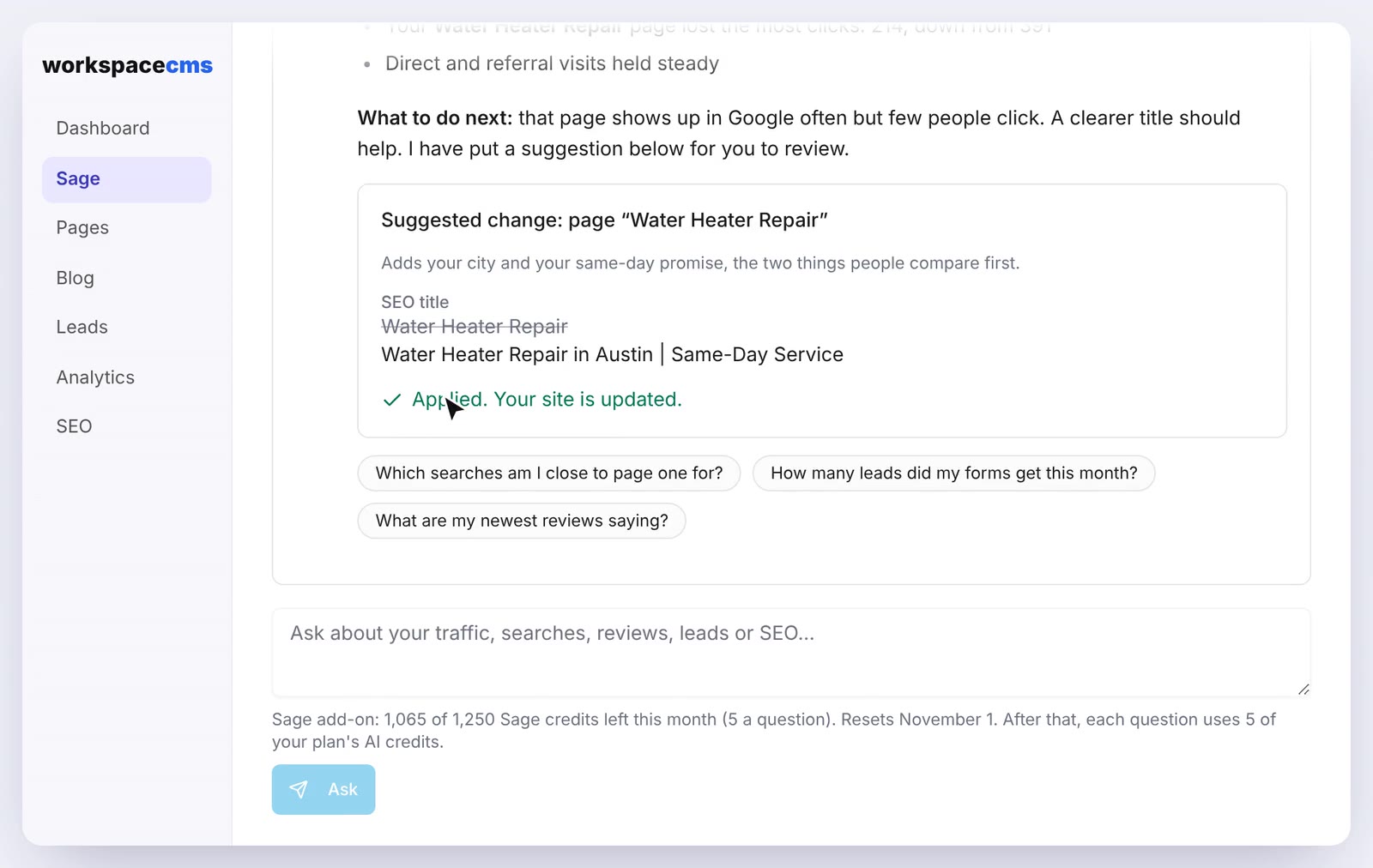
Sage lives in your dashboard, not on your site. Ask why traffic dipped, which searches bring people in, what your reviews say or how many leads came in, and it answers from your own analytics, Search Console, Google profile and leads. It suggests small fixes that only happen when you click Apply.

  • Answers from your own data, not guesses
  • Tells you when a source is not connected
  • Suggests fixes; nothing changes until you apply them
  • Only ever reads your own workspace
Meet Sage
Website plans: Growth, Premium & UltraStore plans: Every store plan; data questions use creditsEach question uses AI credits

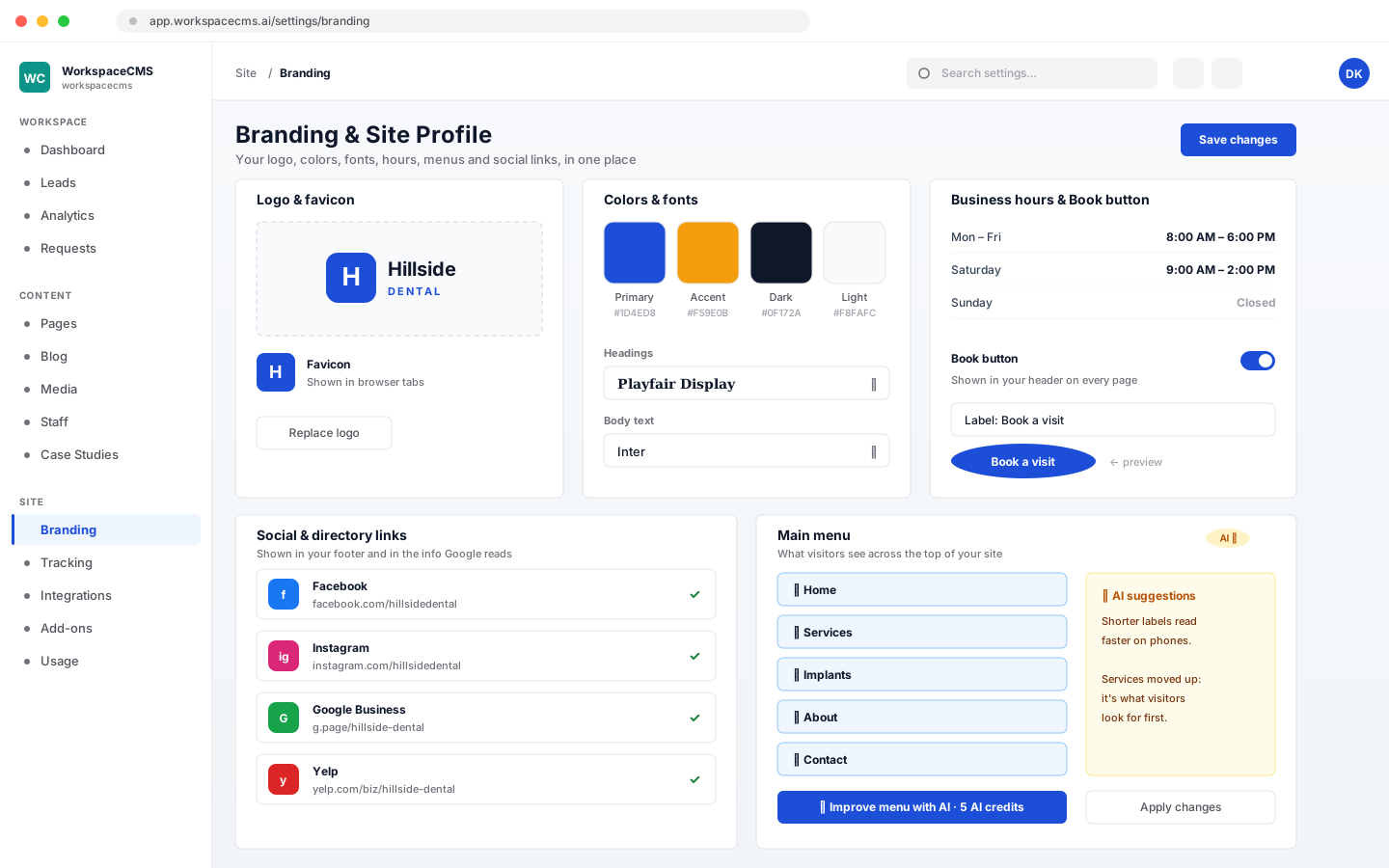
Branding settings with logo, colors and fonts

Branding and Site Profile

Logo, colors, fonts, favicon, business hours, menus and your Book button, all set in one place. Social and directory links you add show in the footer and in the details Google reads about you.

  • Logo, colors, fonts and favicon
  • Hours, menus and a Book button
  • Social links in the footer and your structured data
Website plans: Every planStore plans: Every store plan
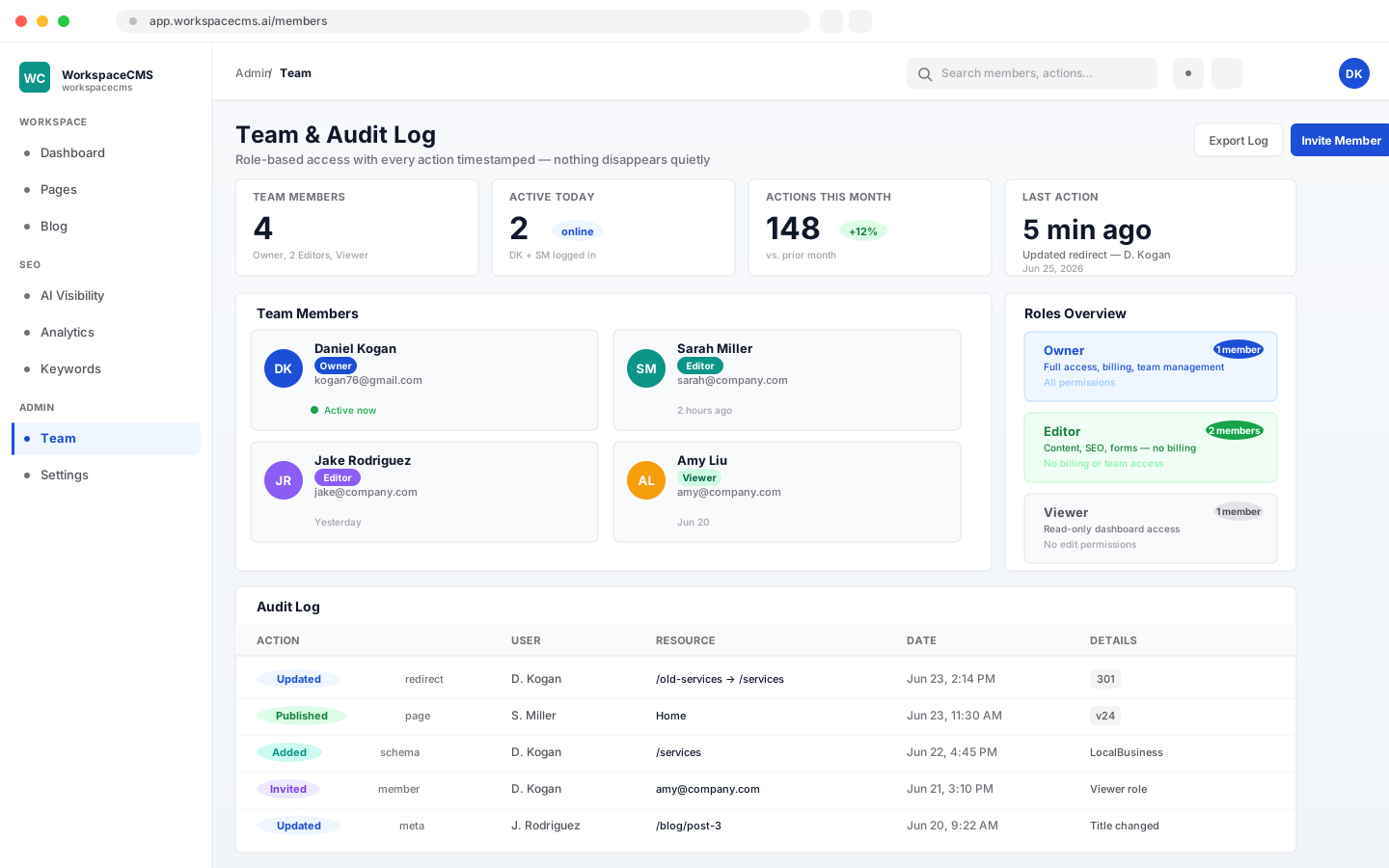
Team members list with roles and access levels

Team Logins and Roles

Give each teammate a login with the right level of access: Owner, Editor or Viewer. Invite people in one click, and every page and post keeps a version history behind it.

  • Owner, Editor and Viewer roles
  • One-click invites
  • Version history on everything
Website plans: Every planStore plans: 2, 4 or 8 logins by plan
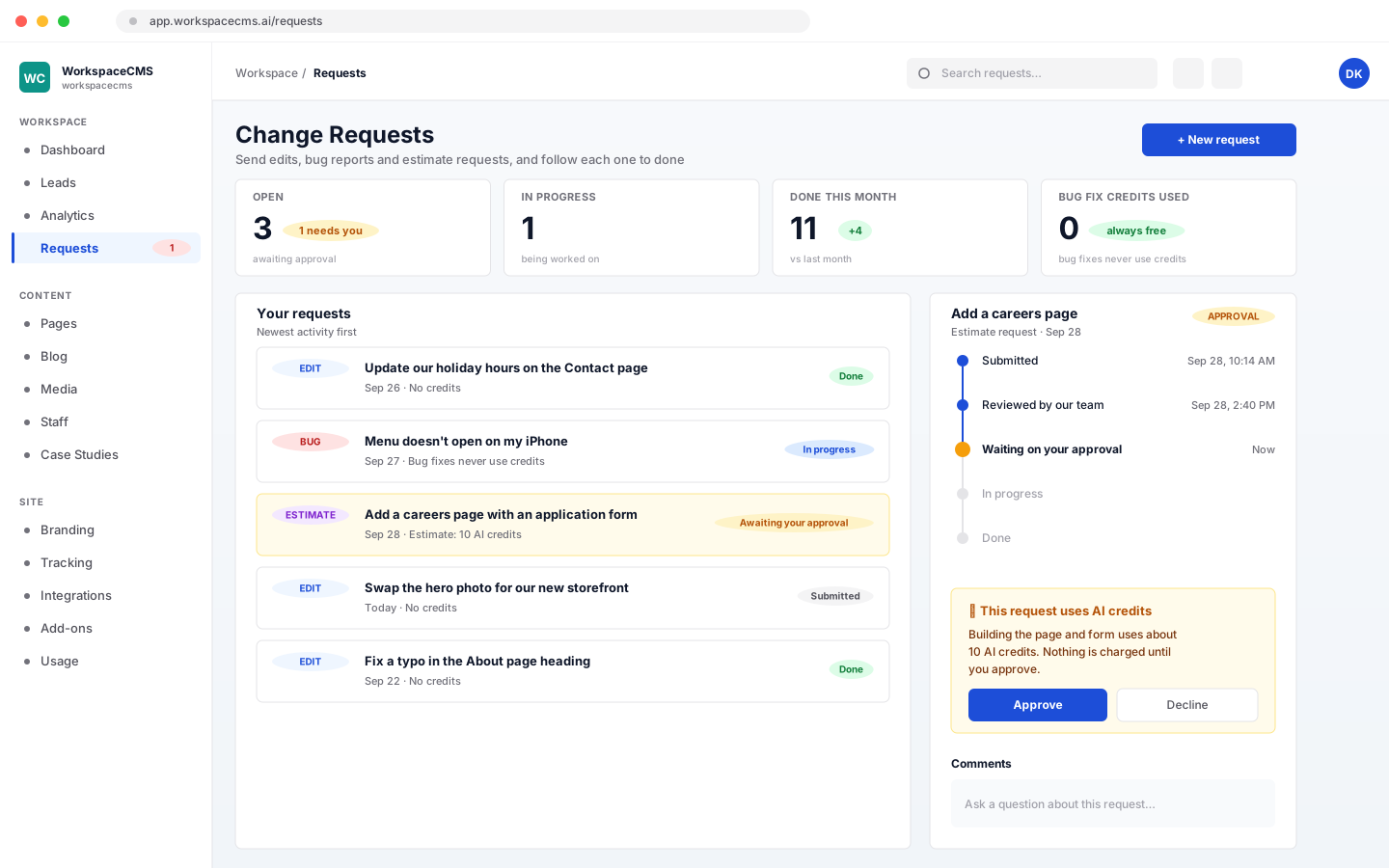
Change request list with statuses

Change Requests

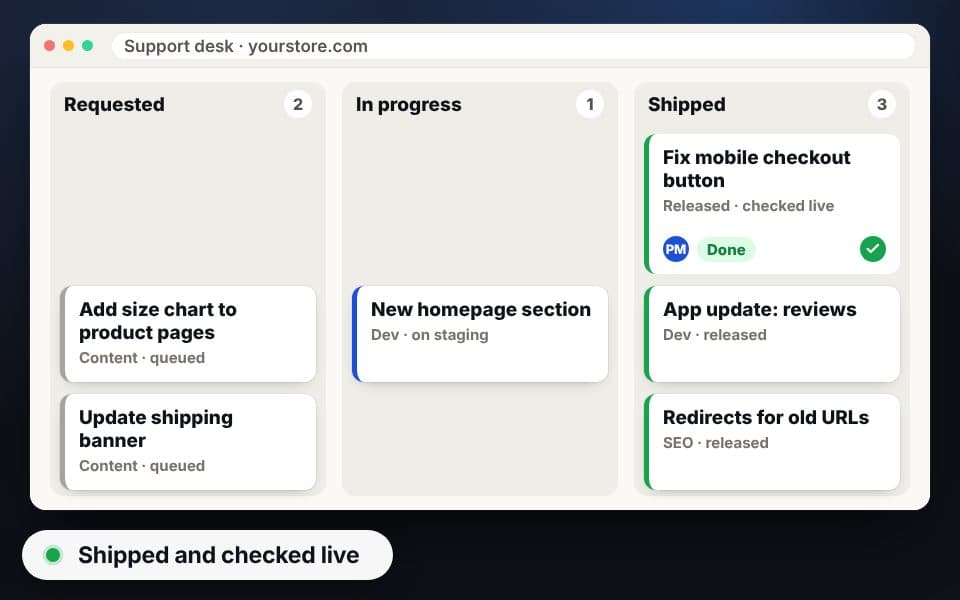
Ask for an edit, report a bug or request an estimate right from your dashboard, then follow it through to done. Anything that would use AI credits waits for your approval, and bug fixes never do.
  • Edits, bugs and estimates in one place
  • Track each request to completion
  • You approve any AI credit use first
Website plans: Every planStore plans: Unlimited, made for you on every store plan
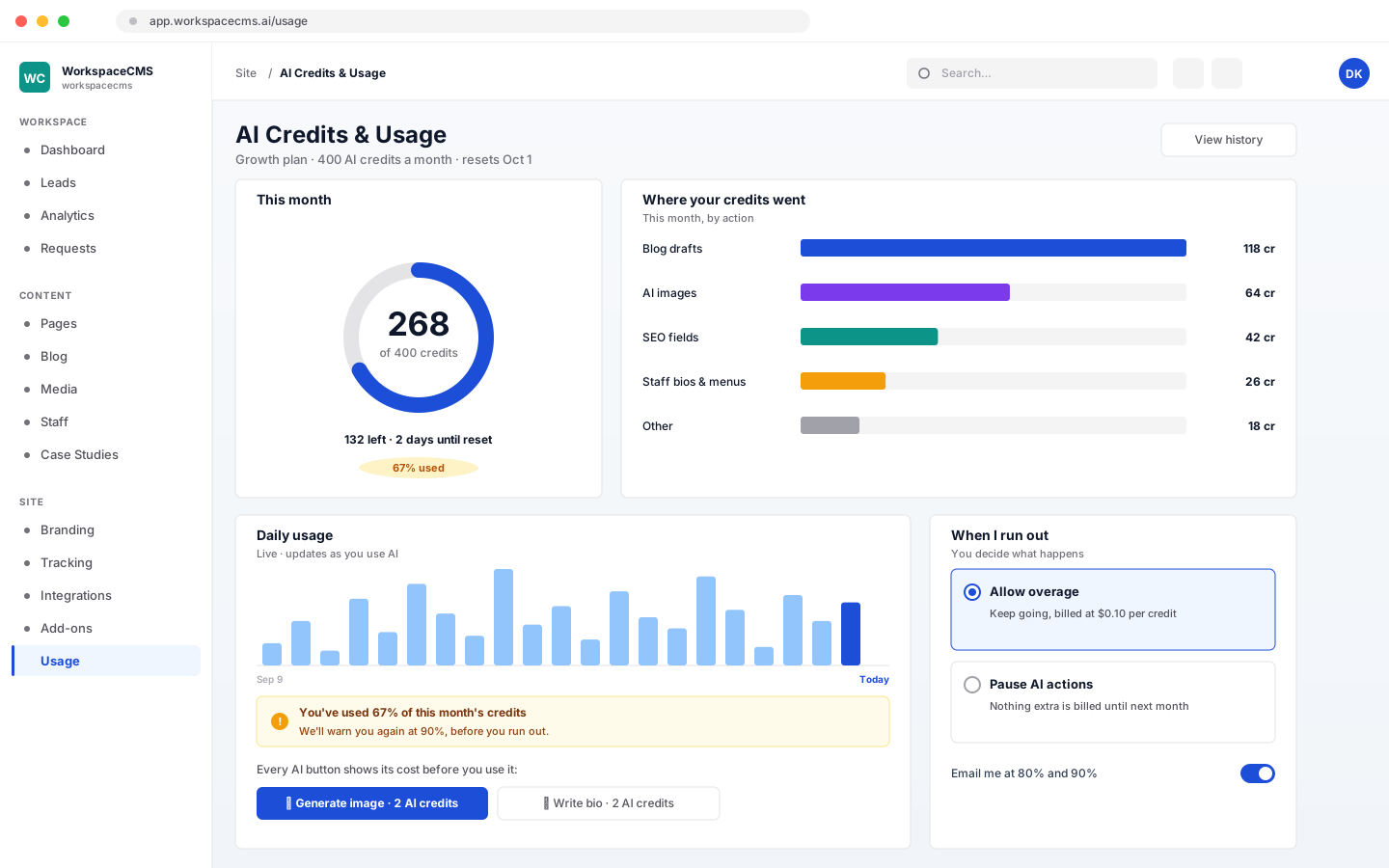
AI credits meter with monthly usage chart

AI Credits and Usage Meter

Every plan comes with a monthly AI credit allowance, and every AI button shows its cost before you press it. A live chart shows where credits go, you are warned before you run low, and you choose whether to allow overage or pause until next month.

  • A live chart of credit use
  • Warnings before you run out
  • Your choice: allow overage or pause
Website plans: Every planStore plans: 400, 1,200 or 2,000 credits a month by plan
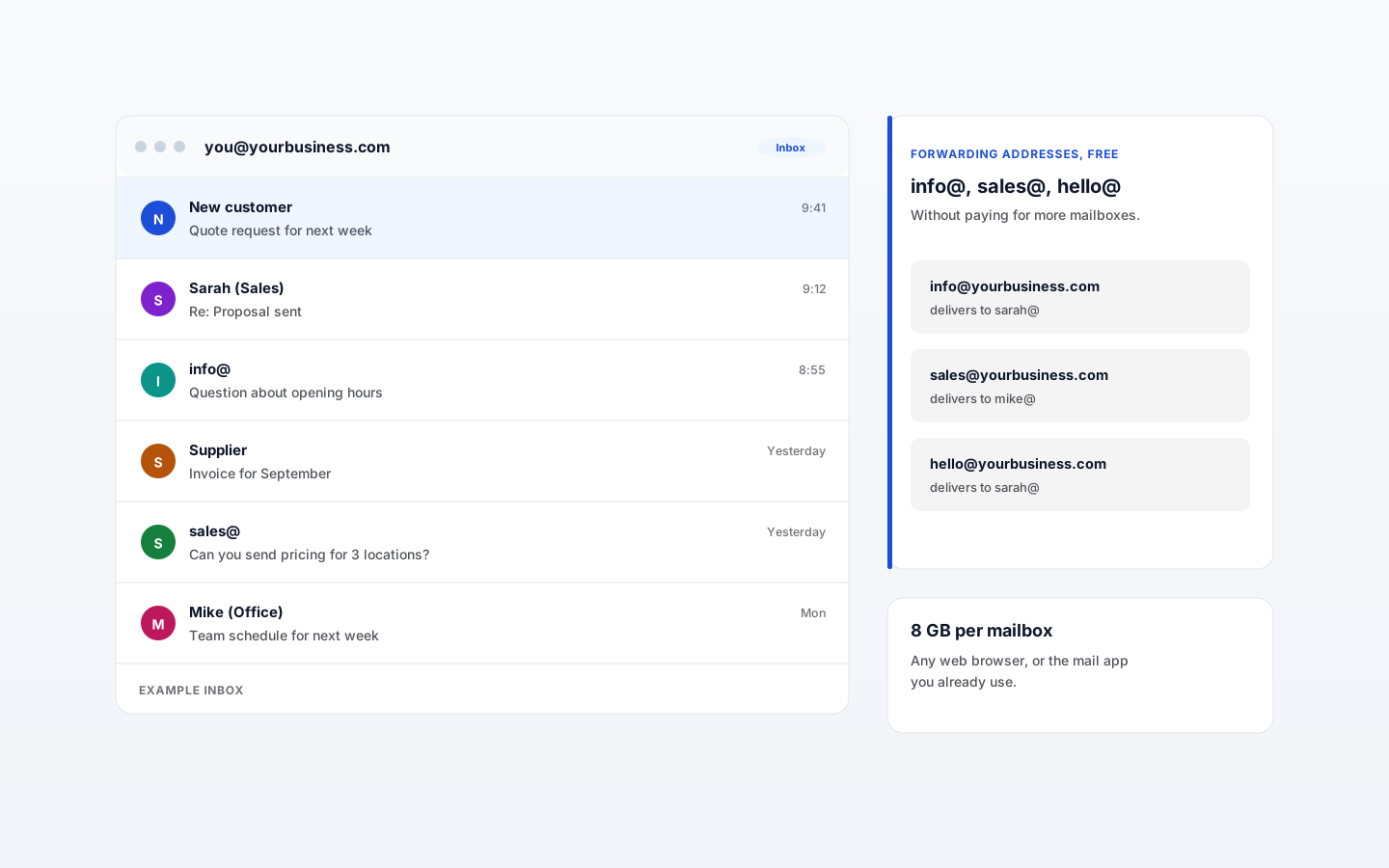
Business email inbox at a custom domain

Business Email

Email at your own domain for everyone on the team, managed from the same dashboard as your site. We check your DNS settings for you, and you read mail in any browser or the app you already use.

  • Guided domain setup, checked for you
  • Create mailboxes and reset passwords yourself
  • Free forwarding addresses like info@ and sales@
  • Spam and virus filtering, two-step sign-in and backups
See how Business Email works
Website plans: Add-on, $6/mo per mailboxStore plans: Add-on, $6/mo per mailbox
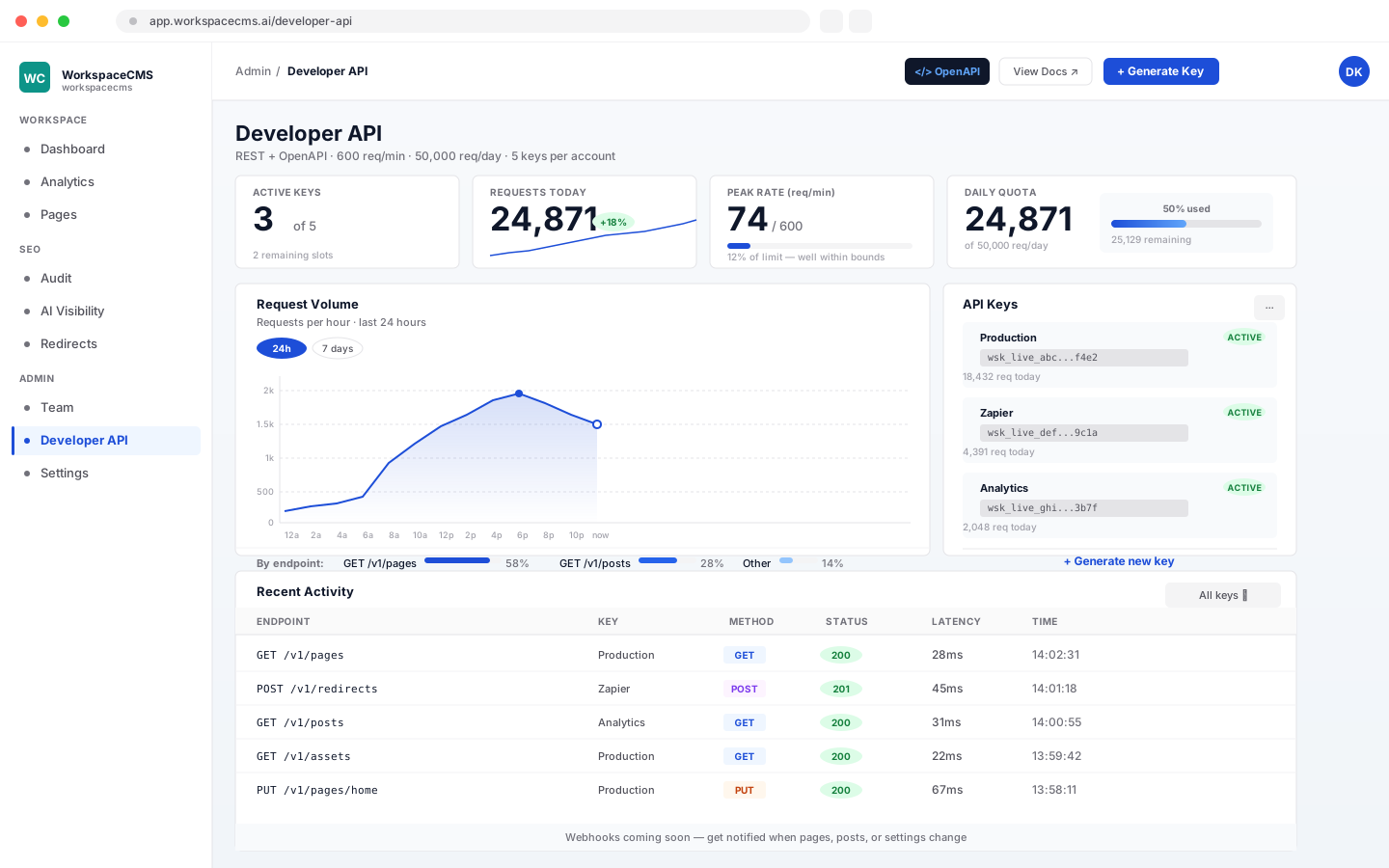
Developer API keys and request log

Developer API and MCP Server

For your developer, if you have one. A REST API reads pages, posts, media, redirects and SEO settings for headless builds, dashboards or automations, and a built-in MCP server lets AI coding tools stage changes for a person to publish.

  • REST access to pages, posts, assets, redirects and SEO
  • Draft keys that stage edits for a person to publish
  • An MCP server for Claude Code, Cursor and VS Code
  • A published OpenAPI spec and key rotation
Website plans: Premium & UltraStore plans: Included on Growth and Scale

For online stores

Selling on Shopify or BigCommerce?

Our eCommerce Website Plans put these tools on a new storefront we design and host on WorkspaceCMS, connected to your current Shopify or BigCommerce store. Nothing is built into your theme.

  • Products, search and cart come live from your store, and checkout stays exactly where it is.
  • Plans from $499/mo, with a free redesign every two years.
Example · store link

Does AI recommend you?

See whether ChatGPT, Claude, Perplexity, Gemini and Google AI Overviews mention your business, free, right here on 1Digital.

Run the free AI visibility check

Questions about the tools

Which tools come with every 1Digital website plan?

Most of them. The page editor, AI blog drafts, SEO controls, redirects, schema, the site audit, forms, the leads inbox, analytics, the Monday summary email and team logins are on every plan, Essentials included. The AI agents that run your marketing, such as Blog Autopilot and the AI Visibility Tracker, start on Premium, and the table above shows which plan includes what.

Do the AI agents publish anything without my approval?

Not unless you tell them to. Blog Autopilot, Social Automation and Lead Follow-up put their work in an approval queue, and each one waits for your approval unless you tell it not to.

What are AI credits?

Every plan comes with a monthly allowance of AI credits. Actions that use AI, such as drafting a post or writing image descriptions, draw from it, and every AI button shows its cost before you press it. Writing your own posts never uses credits.

Do these tools work with my Shopify or BigCommerce store?

Yes, through our eCommerce Website Plans. We design a new storefront on WorkspaceCMS and connect it to your Shopify or BigCommerce store. Products, search and cart come across live, checkout stays in your store, and nothing is built into your current theme.

Can I edit my website myself?

Yes. The page editor lets you change a headline, swap a photo or add a section whenever you like, with a version history on every page. Or send a change request from the dashboard and our team makes the change.

Is WorkspaceCMS a separate product I have to buy?

No. WorkspaceCMS is our own platform, and every 1Digital website and storefront runs on it. These tools come with your plan; a few, like Business Email and Call Tracking, are optional add-ons.

Want these working for your business?

Tell us about your business and we will show you which plan fits and what your site should look like.

Real strategists. Real AI tools. Real growth.  -  1Digital® since 2012