
Your blog, written and scheduled for you
Blog Autopilot is an AI agent inside your 1Digital dashboard. Tell it how your business sounds and whose blogs to keep an eye on, and it plans topics, writes full articles with images and SEO fields, and fills your calendar. You read, tweak and approve.
- Website plans: Included on Premium ($449/mo) and Ultra
- Store plans: Included on Growth ($799/mo) and Scale
What is Blog Autopilot?
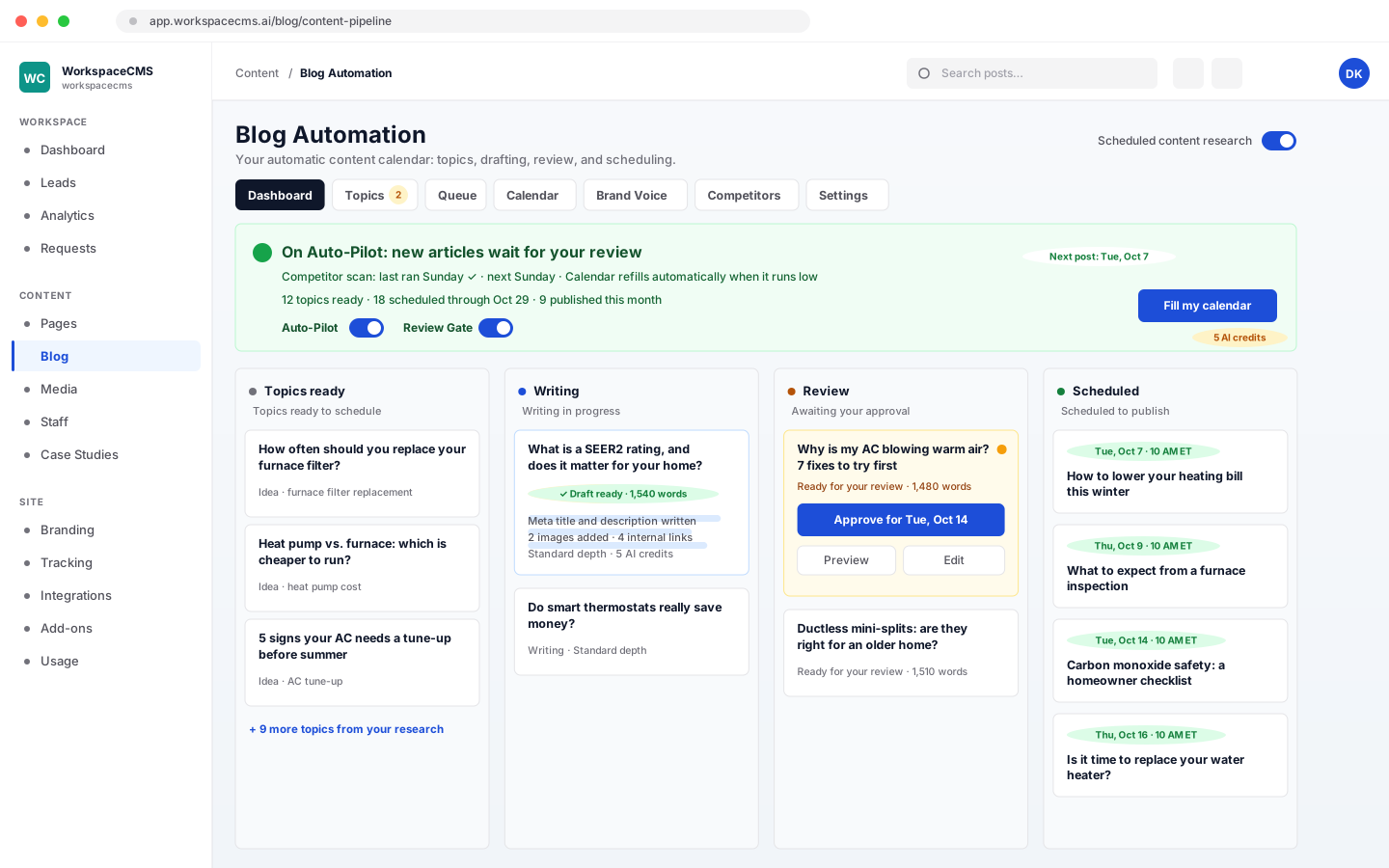
Blog Autopilot is an AI blogging agent included on 1Digital's Premium and Ultra website plans and on the Growth and Scale store plans. It learns your brand voice, finds topics by watching the competitor blogs you choose, writes search-ready articles with images, meta fields and links to your own pages, and schedules them up to 90 days ahead. With the review gate on, nothing publishes until you approve it.
- Your voiceTone, audience and the words you always use, set once
- Up to 90 days plannedThe calendar refills itself at the pace you choose
- Nothing goes live unseenEvery article waits in Review until you approve it
How it works
4 steps, shown as you will see them
- 1
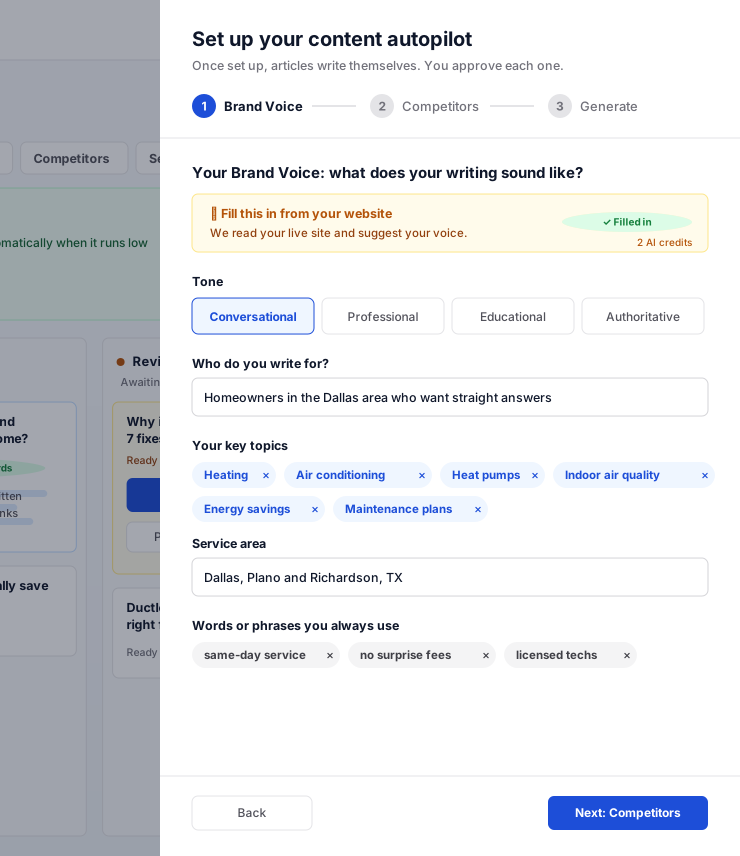
Teach it your voice
Setup starts from your live site: your tone, who you sell to, the topics you cover, where you work and the words you always use come in prefilled, and you adjust them.
- Prefilled from your own website
- Change it any time and new drafts follow
- 2
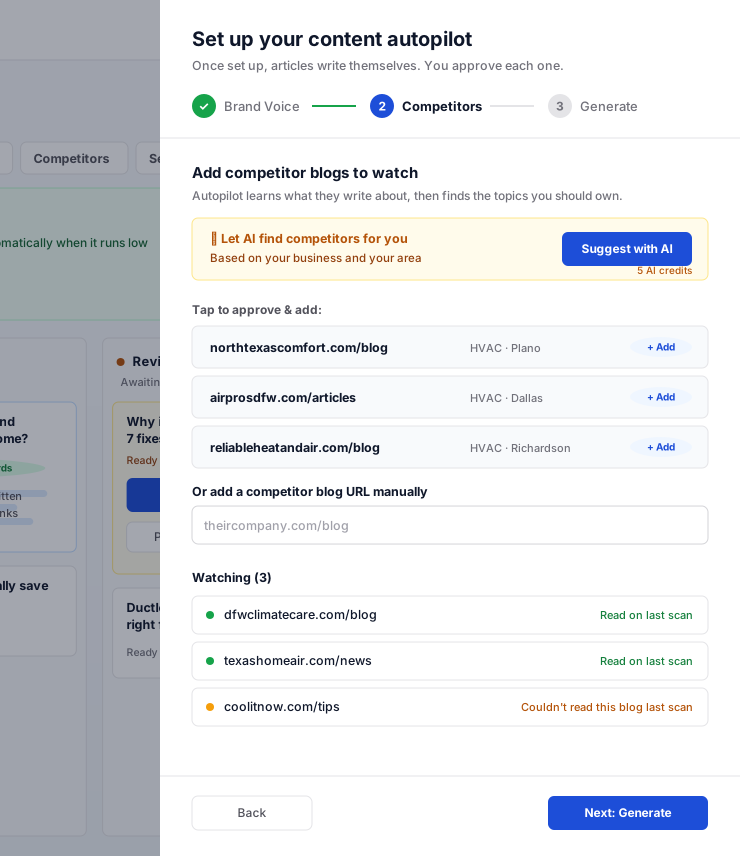
Pick the blogs to watch
Autopilot suggests competitors and you approve the ones that matter, or add any blog by its address. It checks their new post titles each week for topics worth covering on your site.
- AI suggestions you approve
- Search Console data used when it is connected
- 3
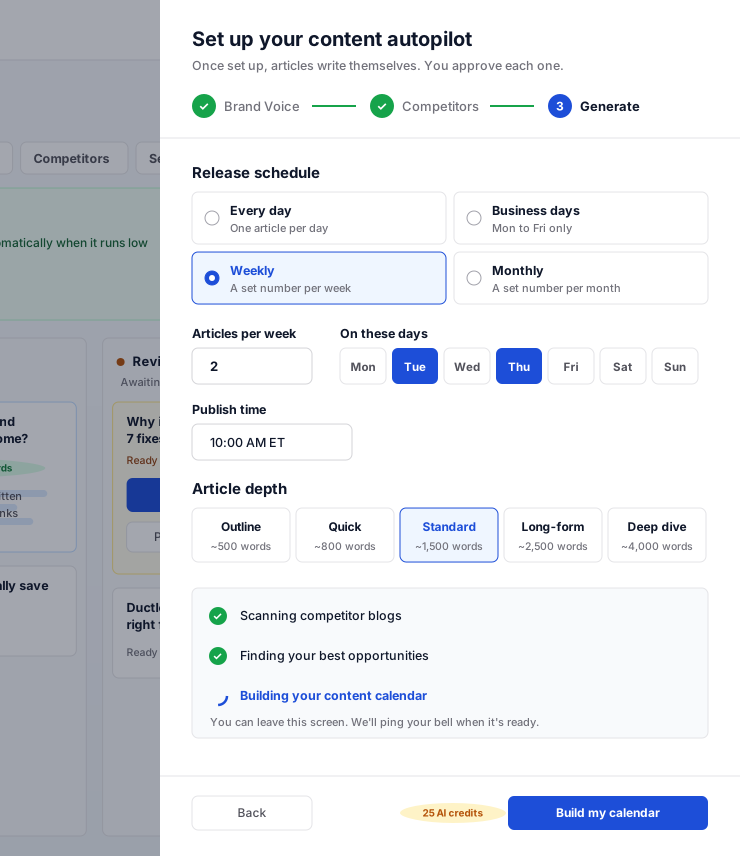
Set the pace and build the calendar
Choose daily, business days, weekly or monthly and how long each article should be, then build the calendar. It plans up to 90 days ahead and tops itself up whenever fewer than 14 days are left.
- Each article is written about 30 days before its date
- Pause or change the pace whenever you like
- 4
Approve, and it publishes
Every article moves across one board, from Topics ready to Writing, Review and Scheduled. Open one, edit anything, and approve it. Turn the review gate off once you trust it and it runs hands-free.
- A reminder when an article has waited 48 hours
- A Sunday summary of the week, skipped when nothing happened
What is inside
The details that make it hands-off
SEO fields on every article
Meta title, meta description and a focus keyphrase are written with the article, not left for later.
Images included
Each article gets a featured image and a social sharing image, made for that post.
Links to your own pages
Articles link to your services and other posts. Any link that does not point at a real page is removed before you see it.
No thin posts
An article that comes out too short is refused and rewritten, and every post is checked again when it publishes.
A low-queue alert
Set a floor and you get an email before the calendar runs dry.
Clear credit costs
An Autopilot article costs the same AI credits as an AI draft of that length, plus its two images. You see it before you build the calendar.
Where it comes included
Get Blog Autopilot with your plan
Articles are written with your plan's monthly AI credits. Pick the length and the pace to fit your plan, and change either whenever you like.
Website plans
- Essentials $89/moAI drafts one post at a time from your brief
- Growth $199/moAI drafts one post at a time from your brief
- Premium $449/moBlog Autopilot included
- Ultra $749/moBlog Autopilot included, with the most AI credits
eCommerce Website Plans
- Launch $499/moAI drafts one post at a time
- Growth $799/moBlog Autopilot included
- Scale $1,299/moBlog Autopilot included
Blog Autopilot questions
Will anything publish without me seeing it?
Does it copy my competitors?
Can I edit an article before it goes out?
How many articles will it write?
I'm on a plan without Autopilot. What do I get?
Can I still write my own posts?
Works alongside
The rest of the AI team
Put Blog Autopilot to work
Tell us about your business and we will show you the plan that includes it, and what your site and your first month of content could look like.