

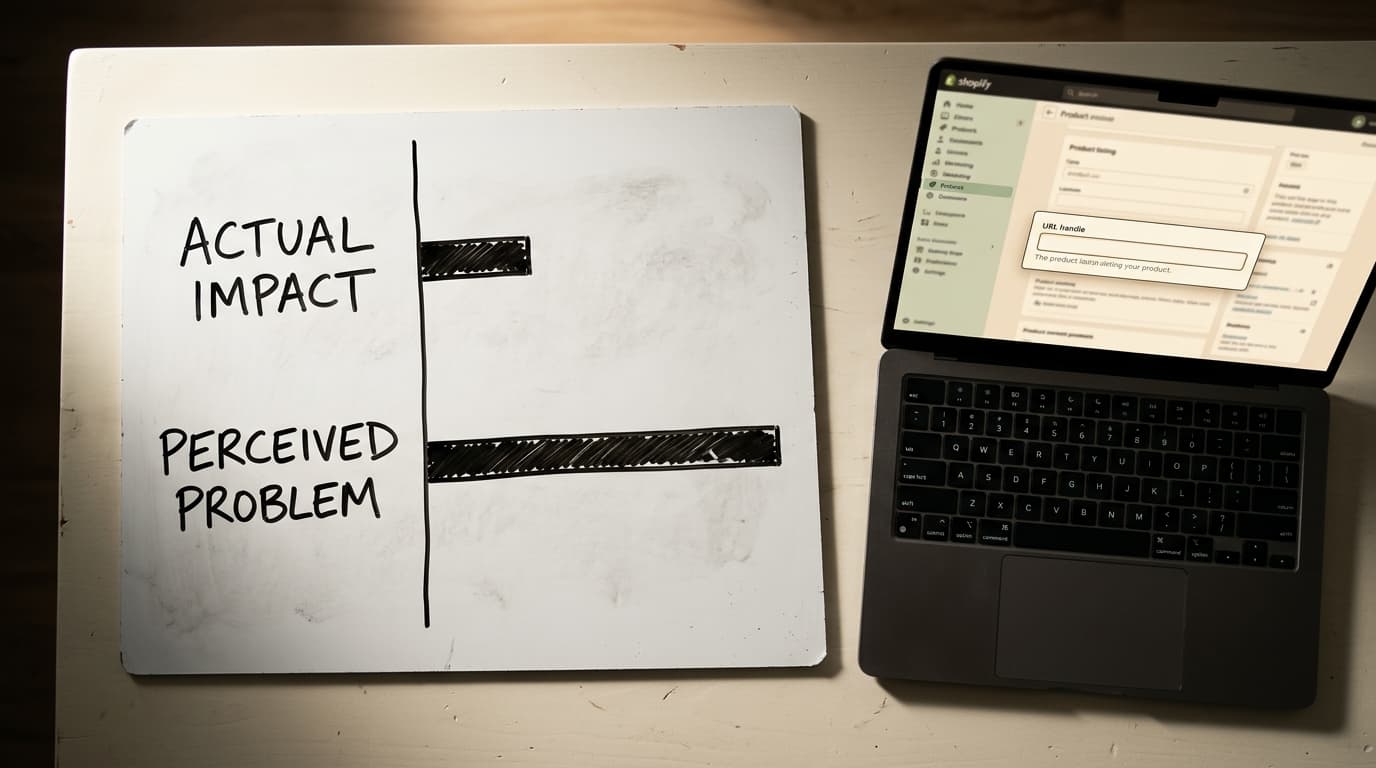
Shopify's fixed URL structure is not a significant SEO liability. The platform's default paths for /products/ and /collections/ are a recurring source of anxiety for SEO practitioners, but in practice, they are a minor factor compared to content quality, site speed, and technical fundamentals like canonicalization. The energy spent trying to "fix" this is almost always better spent elsewhere.
Shopify's URL Structure Isn't Broken, It's Just Inflexible
The SEO internet has a long tradition of arguing about ideal URL structures. The common wisdom is that URLs should be short, descriptive, and free of unnecessary subfolders. When a platform like Shopify enforces a structure that includes folders like /collections/ and /products/, it looks like a violation of that ideal. This leads to endless forum threads and blog posts asking if Shopify is "bad for SEO."
It is not. While you cannot change the core structure, you can control the most important part: the handle. The perceived problem is a distraction from the actual work of SEO.
The Anatomy of a Shopify URL
Shopify uses a consistent, templated structure for its primary content types. This predictability is a feature, not a bug, designed for platform stability across millions of stores. Understanding this template is the first step to managing it.
- Products:
https://yourstore.com/products/your-product-handle - Collections:
https://yourstore.com/collections/your-collection-handle - Pages:
https://yourstore.com/pages/your-page-handle - Blog Posts:
https://yourstore.com/blogs/news/your-article-handle
The part you control is the handle- the descriptive text at the end of the URL. This is where your optimization efforts should focus.
Common Failure Modes: Where Shopify URLs Go Wrong
The rigid structure itself is rarely the problem. The issues that arise are almost always secondary effects related to content duplication and internal linking. These are the patterns we see consistently in site audits.
Failure Mode: Duplicate Content from Collection Paths
Here's the root of the confusion. When a product is part of a collection, Shopify also makes it accessible via a collection-specific URL:
https://yourstore.com/collections/collection-handle/products/product-handle
If a product exists in five different collections, it can have six different URLs: one canonical /products/ URL and five collection-specific variants. This is classic duplicate content. Search engines see multiple URLs for the same page and may struggle to decide which one to rank.
Shopify's solution is the rel="canonical" tag. This tag is a piece of code in the page's <head> that tells search engines the "master" version of the page. In theory, all five of those collection URLs should have a canonical tag pointing back to the primary /products/your-product-handle URL.
The mistake to avoid: trusting that the theme or CMS handles this perfectly out of the box. Most modern themes do, but third-party apps, custom code, or older themes can break this implementation. If the canonical tag is missing or points to the wrong URL, you are diluting your ranking signals across multiple identical pages.
Failure Mode: Inconsistent Internal Linking
Even with a correct canonical tag, a secondary failure mode often appears: inconsistent internal linking. Your theme might correctly link to the canonical /products/ URL from some places, but a manually added link in a blog post or a link from a third-party app might point to the collection-specific version.
This sends mixed signals. You're telling Google one page is the master copy via the canonical tag, but you're linking to a different version internally. The platform is rigid; your linking strategy is not. This inconsistency weakens the authority of the canonical page.
How to Optimize Your Shopify URLs (Within the Guardrails)
Forget about removing /products/. Focus your attention on the elements you can actually control. These actions have a direct and measurable impact on your SEO performance.
1. Your Handles Are Your Only Levers
The handle (or "slug") is the one part of the URL you have complete control over. Make it count. Your handles for products, collections, and pages should be:
- Descriptive and Keyword-Rich: Use the primary keyword for the page (e.g.,
/products/merino-wool-running-socksinstead of/products/style-102a). - Concise: Remove stop words like "a," "an," and "the." Use hyphens to separate words.
- Permanent: Changing a URL handle later requires a redirect. Shopify creates these automatically, which is helpful, but it's always better to get it right the first time to avoid potential redirect chains or lost link equity.
2. Verify Your Canonical Tags Are Working
Do not assume. Verify. View the source code of a product page that lives in a collection. You can do this in most browsers by right-clicking and selecting "View Page Source." Search for "canonical".
You should find a line that looks like this:
<link rel="canonical" href="https://yourstore.com/products/your-product-handle" />
The URL in the `href` attribute should always be the short version, without /collections/. If it's not, or if the tag is missing entirely, your theme has a critical SEO flaw that needs to be fixed immediately.
3. Audit and Clean Up Your Internal Links
This is the single most impactful action you can take. Use a crawling tool like Screaming Frog or Ahrefs to perform a full crawl of your website. Once the crawl is complete, look for any internal links that point to product URLs containing /collections/.
Our technical SEO audits for Shopify always include a crawl to check for non-canonical internal links. It is a common and fixable error. Every one of these links should be updated to point directly to the canonical /products/ URL. This consolidates all your internal "link juice" to a single, authoritative page for each product.
The Honest Tradeoff: Why Shopify Locks This Down
Shopify's rigid URL structure isn't an oversight. It's a deliberate design choice that trades customization for stability and simplicity. The honest version is that for 99% of store owners, this is the correct tradeoff.
An enforced, predictable structure makes the platform easier to cache, update, and secure at massive scale. It also prevents non-technical merchants from accidentally creating a chaotic, broken site architecture that would be far worse for SEO than having /products/ in a URL. The invisible substrate is protected; the visible store remains stable.
Your next step is a crawl of your own site. Check that every internal link to a product page points to its canonical /products/ URL. That single fix is worth more than a hundred forum posts complaining about Shopify's defaults.
Frequently Asked Questions
Can I remove /collections/ or /products/ from my Shopify URLs?
No. Shopify's core URL structure is fixed and cannot be modified by merchants or apps. This includes the mandatory /products/, /collections/, and /pages/ directories. Attempts to work around this with complex proxy servers are not recommended and can cause significant technical issues.
Is Shopify's URL structure bad for SEO?
No, it is not inherently bad for SEO. While not matching the "ideal" short URL structure some SEOs prefer, it is a clean, consistent structure that search engines understand perfectly. Technical issues like duplicate content are managed with canonical tags. A site's success depends far more on content, authority, and user experience than on the presence of a subfolder in the URL.
How do I change a product URL in Shopify?
You can change a product's URL by editing its "handle." In the Shopify admin, go to the product page and scroll down to the "Search engine listing" section. Click "Edit" and change the text in the "URL handle" box. Shopify will automatically create a 301 redirect from the old URL to the new one, but it's best practice to update any internal links to the new URL directly.
Does having a product in multiple collections create duplicate content?
Yes, it creates multiple URLs for the same product, which is a form of duplicate content. However, Shopify is designed to handle this by using a rel="canonical" tag. This tag tells search engines that the primary /products/your-product URL is the master version, and all other collection-specific URLs should be ignored for ranking purposes. You should always verify that your theme is implementing this tag correctly.