

How To Optimize Your osCommerce Site For Speed

One of the best ways to increase your conversion rates is by creating a fast and easy experience for the visitors to your website. When you present a seamlessly designed website to a website visitor, you are much more likely to turn a visitor into a customer or to turn a one-time customer into a loyal one that keeps coming back for more. This is due to the fact that the customer experience in your store is based on your eCommerce storefront. When a customer walks into a brick-and-mortar store to go shopping, they are influenced by the design and lighting of the store as well as the speed in which they are helped by the people who work there, or how easily they can find the thing they need. When it is a potential customer going to your website, the customer will want to easily find what they need, without experiencing slow loading speeds or delays on the web browsers. This will make them wait longer and will make them more likely to abandon your site and turn to one of your competitors. That is why osCommerce optimization is so important for your website.
osCommerce is an industry leader when it comes to self-hosted eCommerce solutions. Its 280,000 members enjoy their 17 years of experience and almost 8,000 add-ons that are included with an osCommerce site for maximum customization. And as a self-hosted eCommerce solution, you are given the maximum amount of control over your eCommerce business. So, why wouldn’t you want it to reach its maximum potential with osCommerce optimization?
Tips for osCommerce Optimization to Increase Store Speed
First, you can find and use a variety of online website optimization tools to gain valuable information on what is slowing down your osCommerce site, and what specific modifications you can make. If something isn’t broken, then you don’t need to fix it. So, narrowing down on specific problems will help save you time and effort by focusing on the things that are really affecting your website speed.
One tip that not many people think of for osCommerce optimization is to check on is to reduce how many products are shown on your main page. The increasing amount of products or information you have on your main page will only cause the website to slow down, so try to find a balance between how many products you really need on the main page. You should also make sure that all of the default osCommerce features that you aren’t using are disabled. The default template for osCommerce is a common complaint among osCommerce merchants (despite the platform’s many good qualities and features) and if there are default features enabled just hanging around, it can definitely affect the speed and quality of your website. With that being said, if you have STS or Simple Template System with osCommerce installed, you may want to rethink your choice. Although it is an incredibly popular system for templates for osCommerce, it can negatively affect your website performance.
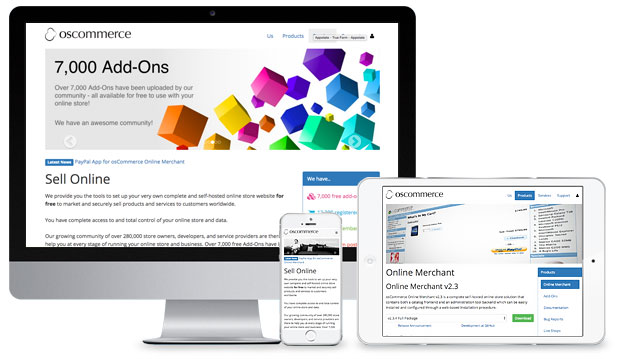
Another osCommerce specific change you can make for osCommerce optimization is to reduce the number of contributions you have added on. osCommerce has particularly known for its community developed contributions (or plugins), which is one of its great features. These vast amounts of add-ons and contributions allow for a fully customized website. However, with so many to choose from, it can be easy to add more than are truly necessary. This can cause the website speed to be reduced, so make an analysis of your website and determine which ones are actually needed for your website, and which ones can get cut loose.
Another factor that is important to consider is choosing the best hosting provider for your website. When you have an open-source or self-hosted eCommerce solution, you have to select your own hosting provider. This sometimes can create problems because you don’t always know how a hosting provider is going to be before you use it; also it can become a budgetary issue, if you couldn’t afford a better performing hosting provider then that was the choice you had to make. However, if you’ve been having problems with the speed of your osCommerce site, it could be related to your hosting provider. You can move your site to another hosting provider that can give you better store speed and performance, which will ultimately help your customer conversion rate. There are other relatively easy steps you can take to complete your osCommerce optimization. First of all, make sure you aren’t overloading your website with external links. Second, make sure you optimize your images on your site. If someone is trying to access your site and you have un-optimized images, this will severely increase page load and will reduce page speed and performance.
How 1 Digital Agency Can Help with osCommerce Optimization
If you have recently found yourself struggling with your osCommerce site with slow loading speeds and delays, or you’ve read this article and are still unsure of how to optimize your osCommerce site, then turn to 1 Digital Agency. At 1 Digital Agency, we are a full-service digital agency that is completely dedicated to helping your eCommerce business reach its maximum potential. We have teams of experts who are adept in open source and self-hosted eCommerce solutions, as well as customization and code so you can be sure they know how to navigate any web design. That’s why we can help you with your osCommerce optimization.
Our work doesn’t just end with osCommerce optimization. At 1 Digital Agency, we have design and development teams who can help in creating a new look or brand for your business and executing it flawlessly, or just updating bugs and glitches on your website to give it a refresh. To top it all off, we can help with osCommerce SEO or any digital marketing you need help with for your eCommerce business. Have any questions about our services and abilities? Contact us today or call us at 888-982-8269 and find out more about how we can help you with osCommerce optimization!
Editorial note: this article was first published in 2017. osCommerce is a long-established open-source platform that still exists, but it is now a legacy choice and the ecosystem has shrunk considerably; the speed and conversion fundamentals below apply to any self-hosted store, and the section on planning a migration has been added because it is the question most osCommerce merchants now actually face.
A Concrete osCommerce Speed Audit, Step by Step
"Optimize for speed" only helps if it's specific. On a self-hosted store like osCommerce, work the diagnosis in this order, because each step rules out a class of cause. Start with a measurement tool (such as Google's PageSpeed Insights or a waterfall analysis) on both a category page and a product page, not just the homepage, since they have different bottlenecks. Read the waterfall for the single largest contributor first - on most osCommerce stores it is unoptimized images, followed by render-blocking scripts from accumulated add-ons, followed by slow server response time. Fixing the biggest contributor before touching anything else is what separates a real speed gain from busywork.
For images specifically, the highest-leverage fix on an older store is serving correctly sized, compressed images in a modern format rather than full-resolution originals scaled down in the browser. For scripts, the add-on/contribution sprawl the original post warns about is usually the second biggest win: every contribution loads code on every page whether or not it's used, so auditing and removing unused ones measurably shortens the critical path. For server response, the original advice to reconsider the hosting provider remains correct - an under-resourced shared host caps how fast the store can ever be regardless of front-end work.
Speed Is Necessary but Not Sufficient for Conversion
Speed removes a reason to leave; it does not by itself create a reason to buy. Once the store loads acceptably, the conversion levers that matter most on a self-hosted catalog are the same ones that matter anywhere: a checkout with minimal friction and no surprise costs, product pages that answer the buyer's real questions, visible trust signals at the point of hesitation, and a mobile experience that is genuinely usable rather than merely shrunk. A fast store with a confusing checkout still loses the sale; the two have to be fixed together, which is why a speed project and a conversion review belong in the same engagement.
The Question Most osCommerce Merchants Now Face: Stay or Migrate
Because the platform is now a legacy choice, the honest strategic question for many osCommerce stores is whether continued optimization is the best use of budget or whether a migration to a modern, actively maintained platform would deliver more. There is no universal answer, but the decision framework is consistent: weigh the ongoing cost and security risk of maintaining aging self-hosted software against the one-time cost of migrating, and factor in whether the store's growth is being capped by platform limitations rather than by traffic. If a migration is on the table, treat it as an SEO-critical project - preserve URLs and implement 301 redirects, carry over product and category content, and validate indexation afterward - because a careless replatform can erase years of ranking equity that the speed work was meant to protect.
Frequently Asked Questions
What single change usually helps an old store's speed the most? Properly sized, compressed, modern-format images. It is the most common bottleneck on legacy stores and one of the least disruptive to fix.
Will faster pages alone increase conversions? They remove a major reason visitors abandon, but conversion also depends on checkout friction, trust, and mobile usability. Speed is a prerequisite, not the whole answer.
Is it worth optimizing osCommerce, or should I migrate? It depends on whether the platform is capping growth and on your tolerance for maintaining legacy software. Either path benefits from an expert assessment before you commit budget.
Whether the right move is optimizing your current osCommerce store or planning a careful migration off it, the work rewards diagnosis over guesswork. The development team at 1Digital Agency works across self-hosted and modern platforms and can assess which path actually serves your store. Contact us or call 888-982-8269.