
Shopify B2B SEO: The Core Challenge and the Direct Answer
Shopify B2B SEO requires a deliberate architecture that keeps gated wholesale content out of duplicate-content traps while exposing enough public-facing category and product information for search engines to index and rank. On Shopify Plus, the Company Accounts, Catalogs, and Price Lists features create authenticated sessions that hide pricing and inventory from crawlers by default. That is both a privacy feature and an SEO liability if you do not compensate with a parallel public content layer. The fix is not complicated, but it requires four specific configuration decisions described below.
How Shopify Plus B2B Features Interact with Google's Crawler
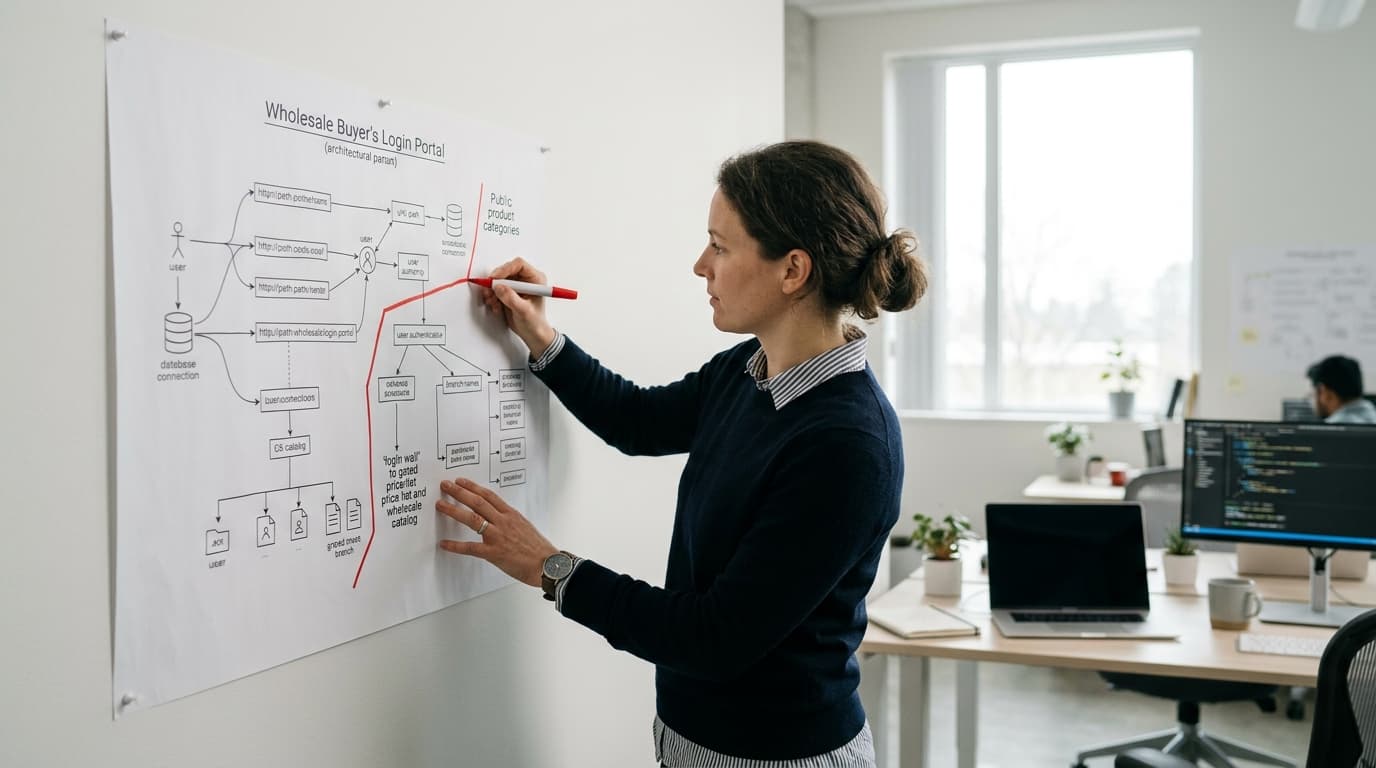
When a buyer logs into a Company Account on Shopify Plus, Shopify sets an authenticated session cookie and serves them a custom Catalog with account-specific Price Lists. Googlebot does not carry cookies between requests, so it sees either the public storefront or a login wall, never the authenticated experience. That matters for three reasons:
- Price List pages are not indexed. If your product descriptions, metafields, and technical specifications live exclusively inside a Catalog assigned to a Company Account, Google never reads them.
- Duplicate URLs can appear across catalogs. Shopify Plus generates canonical product URLs, but if you have customized collection handles for different buyer segments, you can accidentally create near-duplicate pages with thin public content.
- Login-required landing pages earn zero organic traffic. A wholesale inquiry form behind authentication cannot rank for "wholesale distributor [product]" because Googlebot cannot reach it.
The implication is clear: your public storefront must do the SEO heavy lifting, and your authenticated B2B experience must be additive rather than the only place substantive content exists.
Configuring Company Accounts and Catalogs Without Sacrificing Crawlability
Shopify Plus lets you assign a Company Account one or more Catalogs, each with its own Price List (fixed prices or percentage adjustments) and product scope. The SEO-safe approach is to treat the public product catalog as your canonical content layer and use Catalogs purely to adjust pricing and payment terms, not to house unique product descriptions.
Concretely, that means:
- Write full product titles, descriptions, and metafields (material specs, certifications, MOQ notes) on the public product record in Shopify admin, not inside a Catalog-specific override.
- Use a single canonical URL structure for every product:
/products/[product-handle]. Avoid creating separate wholesale collection handles that mirror retail collection handles with thin content variations. - If you restrict a product to B2B buyers only using the Catalog availability toggle, add a public
/pages/wholesale-inquirypage targeting the same keyword intent. That page can rank; the authenticated product page cannot.
Price Lists do not generate indexable pages on their own, so there is no duplicate-content risk from Price List configuration itself. The risk comes from collection architecture and from moving product content into Catalog-specific metafield overrides that Googlebot never sees.
Wholesale SEO Keyword Strategy: Targeting the Right Intent Layer
B2B buyers search differently from retail consumers. A retail buyer searches "stainless steel water bottle." A wholesale buyer searches "stainless steel water bottle wholesale MOQ 500" or "bulk insulated bottle supplier USA." These are lower-volume but high-intent queries with close-to-zero competition from D2C brands optimizing for retail terms.
Build your wholesale SEO keyword map around three intent layers:
- Supplier/distributor queries: "[product category] wholesale supplier," "[product] bulk distributor [region]." Target these with a dedicated
/pages/wholesaleor/collections/wholesale-[category]page that is publicly accessible. - Specification queries: "[product] MOQ," "[product] case pack quantity," "[material] certification." Target these with thorough public product descriptions and a downloadable spec sheet linked from the product page.
- Account-type queries: "open wholesale account [brand]," "net 30 wholesale [category]." These belong on a publicly indexed wholesale application or inquiry page with a visible form. (On WorkspaceCMS-managed stores, a form builder is included on every plan; on Shopify you can build this natively or via a third-party app.)
Cluster your content so that each collection page targets a supplier or distributor query, each product page targets a specification query, and one or two standalone pages cover account-type queries. Internal linking between these layers signals topical depth to Google.
Structured Data for B2B Product Pages
Shopify's default theme outputs Product schema, but it typically includes retail pricing from the price Liquid variable. For B2B stores where pricing is hidden behind authentication, output the schema without a offers.price property, or set offers.availability to https://schema.org/OnlineOnly paired with a priceSpecification node noting that pricing requires a trade account. This avoids a schema validation error for missing price and still gives Google a parseable product entity.
Additionally, add Organization schema to your wholesale landing page naming your company as a B2B supplier with makesOffer pointing to your product categories. This is underused in wholesale SEO and helps Google understand your site's commercial model independent of product-level signals.
Handling Duplicate Content Across Retail and Wholesale Storefronts
Many Shopify Plus merchants run a retail storefront and a separate B2B storefront on the same plan, either as a separate store or as a password-protected second theme. If both storefronts share product descriptions verbatim, you face a duplicate content problem even though the URLs may differ across domains or subdomains.
The practical resolution depends on your setup:
| Storefront Structure | Duplicate Risk | Recommended Fix |
|---|---|---|
| Single Shopify Plus store, authenticated B2B section | Low: authenticated pages are not indexed | Ensure all substantive content exists on public product URLs |
| Two separate Shopify stores (retail + wholesale) | High: both storefronts indexed if not protected | Password-protect the wholesale store or add canonical tags pointing to retail URLs |
| Subdomain wholesale store (wholesale.brand.com) | Medium: treated as separate domain by Google | Write unique wholesale-specific descriptions; add cross-domain canonical only if content is identical |
| Single store, wholesale collection mirrors retail collection | High: near-duplicate collection pages | Consolidate into one canonical collection; use metafields for wholesale-specific content blocks |
For a two-store setup, the cleanest long-term solution is to run the B2B store as password-protected for existing accounts (bypassing the password via Customer Account login) and invest all SEO effort in the retail store's public pages, then convert wholesale traffic through a prominent trade program application page.
Technical SEO Checklist for Shopify B2B
Run through these 10 configuration checks before considering your Shopify B2B SEO setup complete:
- Confirm that
/robots.txtdoes not block/collections/or/products/paths used for wholesale categories. - Verify that all public product pages output a self-referencing canonical tag (Shopify does this by default, but custom themes sometimes break it).
- Check that metafields carrying technical specifications (certifications, dimensions, MOQ) are rendered in the page HTML, not loaded asynchronously via JavaScript after page load.
- Set
noindexon paginated Price List or Catalog review pages if any are publicly accessible:/account/paths are blocked by Shopify's default robots.txt, but custom app routes may not be. - Use Shopify's Markets feature to assign correct
hreflangtags if you serve wholesale buyers across multiple regions. A UK distributor and a US distributor should not compete on the same English URL. - Ensure the wholesale application or inquiry page is internally linked from the main navigation, footer, and at least three product or collection pages. Orphaned pages do not rank.
- Add breadcrumb schema to collection and product pages to earn sitelinks in search results. Shopify's Dawn theme includes this; heavily customized themes often strip it.
- Confirm page speed on the public product pages. A 2025 Google Core Web Vitals report found that Largest Contentful Paint above 4 seconds correlates with a 24% reduction in organic click-through rate on commercial queries.
- Create an XML sitemap entry for every publicly accessible wholesale collection and landing page. Shopify auto-generates sitemaps, but custom pages added via a page builder may require manual sitemap inclusion.
- Test Google Search Console's URL Inspection tool on three to five key wholesale product URLs to confirm Googlebot sees the rendered HTML including product descriptions, not a login redirect.
Shopify B2B SEO FAQ
Does Shopify Plus B2B automatically block wholesale pages from Google?
Only authenticated pages behind Company Account login are invisible to Googlebot by default. Public product and collection pages are indexed normally. If you assign products exclusively to a Catalog and mark them unavailable on the public storefront, those product pages become inaccessible to crawlers. You need a public equivalent page targeting the same keyword intent.
How do Price Lists affect SEO on Shopify Plus?
Price Lists do not generate standalone indexable URLs, so they carry no direct SEO impact. The indirect impact is on product schema: if you suppress pricing on public product pages because pricing is account-specific, ensure your structured data omits the offers.price property rather than outputting a blank or zero value, which triggers schema errors in Google Search Console.
Should a B2B Shopify store target different keywords than its retail counterpart?
Yes, and the distinction is significant. Retail queries target product benefits and consumer use cases. B2B queries target supply terms: MOQ, case quantities, lead times, certifications, and distributor or supplier relationships. Building a separate keyword cluster for each intent layer and mapping it to dedicated pages prevents cannibalization and gives you a stronger topical authority signal in each segment.
Is a separate wholesale subdomain or subdirectory better for SEO?
A subdirectory (brand.com/wholesale/) consolidates domain authority and is generally preferable. A subdomain (wholesale.brand.com) is treated as a separate site by Google, splitting your link equity. Use a subdomain only if your wholesale storefront requires a fundamentally different technical setup, such as a separate Shopify store instance, that makes a subdirectory impossible to implement cleanly.
What is the fastest way to find B2B-specific keyword opportunities for a Shopify store?
Pull your existing retail product URLs into Ahrefs or Semrush, then append wholesale-intent modifiers: "bulk," "wholesale," "distributor," "supplier," "MOQ," "case pack," "net 30." Filter results for queries with a keyword difficulty below 30 and monthly search volume above 50. Those are your quick-win targets. Layer in competitor gap analysis by entering three to five wholesale competitor domains and identifying which B2B-intent keywords they rank for that your store does not.