

Advanced Klaviyo + Shopify Integration: What the Basic Setup Misses
The standard Klaviyo–Shopify integration syncs orders, products, and email subscribers automatically once you install the app and connect your store. That foundation works, but it leaves the most powerful capabilities untouched: granular web tracking, custom profile properties pulled from Shopify metafields, and metric-based automation triggers that go beyond "placed order." This guide picks up where the official setup documentation stops.
Understanding Klaviyo's Web Tracking Architecture on Shopify
Klaviyo tracks on-site behavior through two mechanisms that run in parallel: the passive JavaScript snippet (loaded from the Klaviyo app embed block) and active klaviyo.track() calls you trigger explicitly. Most Shopify merchants rely entirely on passive tracking, which captures Active on Site, Viewed Product, and Added to Cart events automatically once the embed is enabled.
The limitation is that passive tracking only fires reliably for identified profiles, meaning visitors who have submitted a Klaviyo form or clicked a tracked email link during that browser session. Anonymous visitors generate Browse Abandonment data internally, but that data cannot power flows until Klaviyo resolves the anonymous ID to a real profile. For stores with high direct or paid-traffic volume, this creates a measurable gap: a 2024 Klaviyo benchmark report found that stores with explicit identify calls on account-login and checkout-step events saw Browse Abandonment flow trigger rates 2–3x higher than stores using passive tracking alone.
To close that gap, add the following identify call to your Shopify theme's customers/account.liquid template and to the checkout page if your plan allows script injection:
klaviyo.identify({
  '$email': {{ customer.email | json }},
  '$first_name': {{ customer.first_name | json }},
  '$last_name': {{ customer.last_name | json }}
});
This single addition means any logged-in customer browsing your catalog is immediately cookied and trackable, converting previously anonymous Browse Abandonment signals into actionable flow triggers.
Custom Event Tracking: Moving Beyond Default Shopify Metrics
Klaviyo's default Shopify metrics cover the purchase funnel well, but they tell you nothing about behavioral signals that predict purchase intent: quiz completions, loyalty point redemptions, bundle configurator interactions, or video plays on a product page. Each of these is a candidate for a custom klaviyo.track() event.
The architecture of a custom event matters because it determines what properties are available for segmentation and flow filters. Every klaviyo.track() call accepts an event name and an optional properties object. Properties become filterable dimensions immediately, so design them with segmentation in mind rather than raw logging in mind.
A well-structured custom event for a product quiz looks like this:
klaviyo.track('Completed Product Quiz', {
  'Quiz Name': 'Skin Type Finder',
  'Result SKU': 'SPF-50-SENSITIVE',
  'Result Category': 'Sunscreen',
  'Score': 82,
  'Recommended Price': 34.00
});
With that structure, you can build a segment of profiles who completed the quiz, scored above 75, and were recommended a product over $30, then send them a flow triggered the moment they complete the quiz rather than waiting for them to add to cart.
One trade-off to plan for: custom events count against Klaviyo's metric limit (300 unique metrics per account on most plans). Audit your existing metrics quarterly and suppress any custom events that have not triggered a flow or populated a segment in 90 days.
Custom Profile Properties and Shopify Metafields
Klaviyo profile properties are key-value pairs attached to a contact record. The native integration syncs a useful default set: email, phone, total order count, total revenue, and predicted lifetime value. What it does not sync automatically are Shopify customer metafields, which often carry the richest merchant-defined data: loyalty tier, wholesale account status, subscription cadence, or VIP flag.
There are three reliable methods to push Shopify metafield data into Klaviyo custom properties:
- Klaviyo Custom Properties via API on order creation: Use a Shopify Flow automation or a lightweight serverless function (Cloudflare Workers or Vercel Edge Functions work well) triggered by the
orders/createwebhook. Query the customer's metafields, then PATCH the Klaviyo profile using the/api/profiles/endpoint with the metafield values as custom properties. - Shopify Customer Account Extensions: If you run Shopify's new customer accounts (released in late 2023 and now widely adopted), you can surface a UI component that calls your backend to sync metafield data to Klaviyo whenever the customer logs in and their metafields have changed.
- Third-party sync tools (Elevar, Mecka, Littledata): These middleware platforms have pre-built connectors that map Shopify metafields to Klaviyo properties without custom code. The trade-off is an added monthly cost (typically $50–$300/month depending on order volume) and a dependency on a vendor's data pipeline rather than your own.
Whichever method you choose, name your custom properties with a consistent schema. Use snake_case or Title Case consistently, and prefix merchant-specific properties (e.g., loyalty_tier, wholesale_status) to distinguish them from Klaviyo-native properties. This prevents accidental overwrites and makes property lists readable when you are building segments six months later.
Metric-Based Flows: Triggering on Custom Events and Properties
The real payoff of advanced tracking is automation that fires on precise behavioral signals rather than the generic "Added to Cart" trigger that every competitor is also using. Klaviyo's flow builder supports two trigger types that unlock this: Metric triggers (fire when a specific event is tracked) and Profile Property triggers (fire when a property crosses a threshold, such as loyalty points reaching 500).
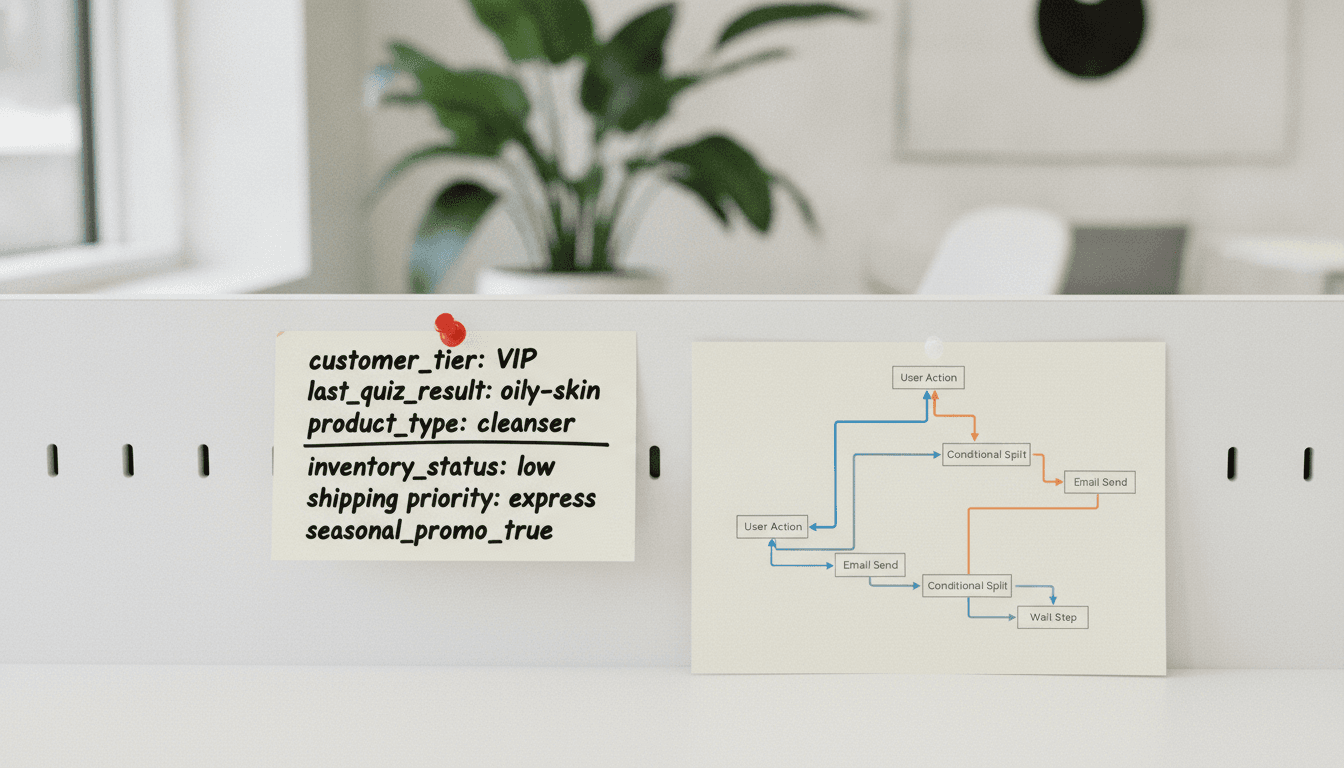
A high-performing advanced flow pattern is the Post-Quiz Nurture sequence:
- Trigger: Completed Product Quiz metric fires.
- Filter: "Placed Order" metric is zero in the last 180 days (net-new customers only).
- Email 1 (immediate): Surfaces the quiz result product with a specific benefit explanation, not a generic hero image.
- Wait: 2 days.
- Conditional split: Has viewed the result product page since the trigger? If yes, send a social-proof email. If no, send an educational email about the product category.
- Email 3 (day 5): Urgency close with a time-limited offer if no purchase has occurred.
This sequence consistently outperforms standard abandoned-cart flows for stores with product discovery tools because it intercepts intent earlier and uses the quiz result data (pulled from event properties using Klaviyo's dynamic blocks) to make every email specific rather than generic.
For Profile Property triggers, the most common advanced use case is loyalty tier upgrade flows. When your backend PATCHes the Klaviyo profile to change loyalty_tier from "Silver" to "Gold," a profile-property-change trigger can fire a congratulatory flow automatically, no manual campaign needed. Configure the trigger condition as "loyalty_tier equals Gold" and add a flow filter that checks the property changed in the last 24 hours to prevent the flow from re-triggering on unrelated profile updates.
Server-Side Event Tracking for Shopify Checkout
Shopify's checkout is a restricted environment. Third-party JavaScript has limited access on the checkout pages themselves (unless you are on Shopify Plus with script editor access or using Shopify's Web Pixels API, introduced in Shopify 2.0). This means browser-side Klaviyo tracking can miss checkout-step events entirely for standard Shopify plans.
The solution is server-side event tracking via Klaviyo's Events API (v2 endpoint: https://a.klaviyo.com/api/events/). Use a Shopify webhook for checkouts/update to POST an event to Klaviyo's API from your server or serverless function each time a checkout advances a step. Include the customer email (available in the checkout payload once the contact step is complete) as the profile identifier.
This approach has two concrete advantages over browser-side tracking: it is not blocked by ad blockers (which suppress Klaviyo's JS on roughly 30–40% of desktop sessions according to multiple publisher studies), and it fires regardless of whether the customer has the Klaviyo cookie set. The trade-off is added infrastructure: you need a webhook receiver, error handling, and retry logic, since failed server-side events are silent unless you build observability in.
Advanced Klaviyo Shopify Setup FAQ
Does enabling Klaviyo's server-side tracking replace the JavaScript snippet on Shopify?
No. Server-side and client-side tracking are complementary. The JavaScript snippet handles cookie-based identity resolution, Browse Abandonment tracking, and on-site form display. Server-side events fill gaps where JavaScript is blocked or restricted, particularly on checkout pages. Run both in parallel for complete coverage.
How many custom profile properties can a Klaviyo account store per contact?
Klaviyo does not publish a hard cap on custom properties per profile, but accounts are limited to 300 unique metric types. Custom properties themselves are unlimited in count per profile, though Klaviyo's UI only displays the 100 most recently updated properties in the profile view. All properties remain accessible via the API and in segment filters regardless of display limits.
Will custom Klaviyo events conflict with Shopify's native Klaviyo integration metrics?
Only if you name a custom event identically to a Klaviyo-native metric (e.g., naming your event "Placed Order"). Klaviyo merges events with identical names into the same metric, which corrupts your native order data. Prefix all custom events with a distinctive namespace (e.g., "Store: Completed Quiz") to prevent any collision.
How do I sync Shopify customer metafields to Klaviyo without a developer?
Littledata and Elevar both offer no-code metafield mapping interfaces that connect to Klaviyo. Littledata's Shopify connector specifically maps named metafields to Klaviyo custom properties through a point-and-click field mapper in their dashboard, with no webhook configuration required. Expect a setup time of roughly 30–60 minutes for a straightforward mapping, plus ongoing costs based on order volume.
Can Klaviyo flow triggers use both a metric trigger and a profile property condition at the same time?
Yes. Every Klaviyo flow has a primary trigger (a metric or a list/segment membership change) plus optional flow filters and conditional splits based on profile properties, metric history, or predictive analytics values. You can trigger on the "Completed Product Quiz" metric and immediately filter the flow to only continue for profiles where loyalty_tier equals "Gold," combining event-based and property-based logic in a single flow without any workarounds.