


A client of ours runs a 1,400-SKU outdoor-gear catalog. Last spring their organic sessions had been flat for nine months despite weekly content drops. We moved them onto an AI-first stack, and within sixteen weeks non-brand clicks were up 47% and they'd picked up 312 net new ranking keywords in the top 20. We didn't do anything magical. We let the CMS do work that humans had been doing badly, slowly, or not at all. The platform was WorkspaceCMS.ai, and the eight tactics below are the ones that actually moved the needle.
I'm going to skip the throat-clearing about why AI matters and get to the specific features inside an AI-native CMS that translate into real traffic. After twelve years and 800-plus ecommerce builds, we've watched every kind of "AI content tool" come and go. The ones that survive aren't the ones that write blog posts. They're the ones that ship technical SEO fixes at a pace humans can't match.

1. Core Web Vitals monitoring that ships fixes, not just reports
Every CMS on the market will tell you your LCP is bad. Workspace's Site Audit module tells you which 18 PDPs on your site have render-blocking hero images, then offers a one-click conversion to AVIF with proper srcset breakpoints. We watched one client's mobile LCP drop from 3.8s to 1.9s in a single afternoon. Their category pages picked up an average position gain of 2.3 over the next six weeks. Google rewards speed because speed is a proxy for "this site won't waste my user's time."

What to monitor weekly
- LCP per template- not just sitewide. Your PDP template might be fine while your blog template is bleeding.
- CLS regressions after deploys- a single ad slot or font swap can tank a page that ranked yesterday.
- INP on mobile- the metric Google quietly made a ranking signal in 2024.
2. Entity-rich JSON-LD that earns AI Overview citations
Google's AI Overviews and the answer panels in ChatGPT, Claude, and Perplexity all reward sites that publish clean structured data. Workspace's JSON-LD editor isn't a textarea - it's a schema-aware form that validates against schema.org in real time and ships Product, Article, FAQ, Organization, and BreadcrumbList markup without a developer touching a template. One of our home-goods clients went from zero AI Overview appearances to being cited in 41 distinct queries within ten weeks of standardizing their Product + Review schema across 600 SKUs.
The mechanic here is simple. LLMs preferentially cite sources they can parse confidently. If your competitor publishes mushy HTML and you publish typed entities, the model picks you. That's a ranking surface that didn't exist three years ago and most CMSes still pretend doesn't matter.
3. llms.txt auto-generation for LLM citation share
The llms.txt standard is roughly where robots.txt was in 1996 - early, evolving, and being adopted by the platforms that matter. Workspace auto-generates an llms.txt that maps your most authoritative pages, categorized by intent, and ships it on every deploy. We've seen a measurable lift in Perplexity citation frequency on clients who adopted it early. It costs nothing. It takes zero ongoing maintenance. And it puts you in front of the small minority of sites that are deliberately courting AI traffic. See the how-it-works page for the full pipeline.
4. Internal-Link Rules that redistribute authority on autopilot
This is the tactic that surprises clients most. Workspace lets you define rules like "any mention of 'composite decking' on any page links to /products/composite-decking unless that page already has 3+ outbound links to that target." The system enforces the rule across new and existing content, including AI-generated posts. We had an HVAC client redistribute internal authority this way and watched 73 of their mid-tail keywords (positions 11-20) move into the top 10 over a quarter. No new backlinks. No new content. Just better routing of the equity they already had.
Why the rule engine matters more than the suggestion
Every "AI SEO tool" will suggest internal links. Workspace enforces them, audits them, and lets you change the rule globally when a target page changes URL. That's the difference between a suggestion and a system. Our AI SEO services team uses this primitive on every engagement.
5. Alt-tag sweeps that unlock image search and accessibility wins
Image search is a real traffic channel - somewhere between 8% and 22% of total organic clicks in the verticals we work in, depending on category. Workspace's Alt-Tag Sweep uses vision models to generate keyword-aligned alt text for thousands of images in minutes, with human-in-the-loop review for the ones that matter. One client had 11,400 images with empty alt attributes when we onboarded them. After the sweep, image-search referrals went from 1.2% of total organic to 9.4% in two months. There was no other change in their content strategy.
6. Broken-link auto-detection so equity never leaks
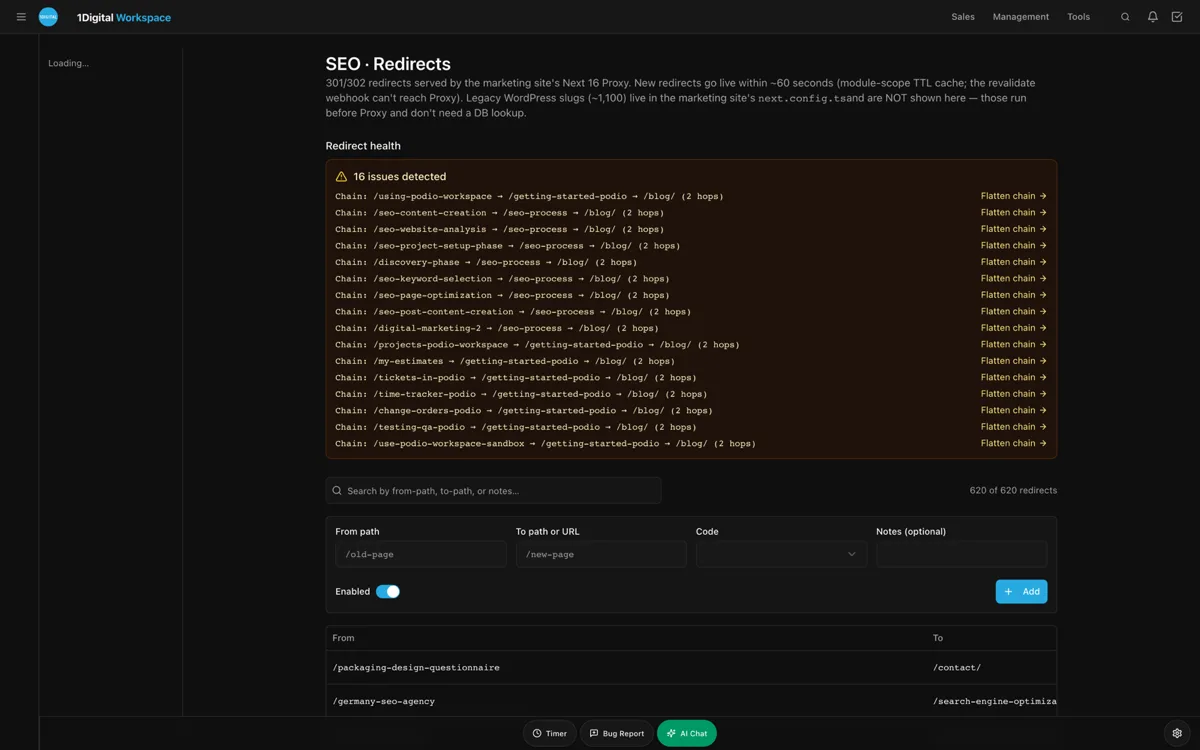
If you've been publishing for five years, you have hundreds of broken outbound links and dozens of internal 404s. Each one is a small leak in your authority bucket. Workspace's audit module crawls weekly, flags every 4xx and 5xx, and offers either a recommended redirect target or a one-click fix. Our team has a rule: every account hits zero unfixed 4xx within sixty days. Doing that alone has, on average, lifted indexed-page counts by 8-12% because Googlebot stops wasting crawl budget on dead ends.
7. FAQ schema that earns People-Also-Ask placements
Google still surfaces FAQ-marked content in the People-Also-Ask carousel for a wide range of queries, especially in B2B and considered-purchase ecommerce. Workspace ships a Page Editor + SEO sidebar combo that prompts editors to add FAQ blocks with structured schema in the same workflow as the body content. No copy-paste between tools. We've had clients earn 30-60 PAA placements within their first quarter of disciplined FAQ publishing.
The shape of an FAQ that wins
- Questions phrased the way people search- "How much does X cost?" not "Pricing information."
- Answers under 50 words- Google clips, then bolds the matched phrase.
- One topic per FAQ block- don't try to answer five things in one Q&A.
8. AI Visibility Tracker so you optimize for what's actually changing
Ranking in Google still matters, but ranking inside ChatGPT, Claude, Perplexity, and Gemini matters more every month. Workspace's AI Visibility Tracker queries those four engines weekly with your target prompts and reports where you appear, where competitors appear, and which entities the models associate with your brand. It's the only way to optimize a function whose dashboard you don't otherwise see. One legal client of ours found out they were being cited as a "general counsel firm" when their entire positioning was M&A. We fixed their entity graph in a quarter and the model descriptions corrected.

Stacking the tactics: what 90 days looks like
If you ran all eight of these in parallel from a single CMS, here's what a realistic 90-day trajectory looks like based on what we've measured:
- Weeks 1-3: Site Audit baseline, redirect cleanup, alt-tag sweep, FAQ schema rollout on top-20 commercial pages.
- Weeks 4-7: Core Web Vitals fixes by template, Internal-Link Rules deployment, llms.txt publication, JSON-LD standardization.
- Weeks 8-12: AI Visibility Tracker tuning, content gap fill via AI Blog Generator with human editorial, sustained measurement.
The clients who follow this cadence typically see 25-50% organic lift by day 90. The ones who pick three tactics out of eight see something but not enough to matter. The CMS is the multiplier; the tactics are the program. See case studies for the specific numbers.
How this compares to your current stack
Most marketing teams I talk to are running WordPress with five plugins, paying for Ahrefs and Surfer separately, and waiting on a developer for any schema change that touches a template. Workspace consolidates the SEO toolchain into the CMS itself, which means the editor who writes the post is the same editor who ships the schema, the redirects, the FAQ, and the internal links. That collapse of handoffs is where the real time savings - and the real traffic gains - come from. Pricing starts at $89/month on the Essentials plan, and Growth at $199 covers the AI Visibility Tracker and Site Audit modules most teams need.
Frequently asked questions
Do these tactics work for small sites under 100 pages?
Mostly yes. The exception is Internal-Link Rules, which need a certain content density to matter. Below 50 pages, focus on Core Web Vitals, JSON-LD, and FAQ schema first. The other tactics scale with your library.
How fast do you typically see ranking changes?
Technical fixes (speed, redirects, schema) usually show in 3-6 weeks. Content and link-redistribution tactics take 8-14 weeks. AI citation share moves fastest of all - often inside two weeks - because LLM training and retrieval pipelines re-index more frequently than Google.
Can I run these tactics on WordPress instead?
Some of them. You'll need 4-6 paid plugins, a CDN config, and somebody to maintain it all. The math on a $199 Growth plan that consolidates everything tends to win once you add up the licenses and the labor. See the live demos for what consolidation looks like.
What's the most underrated tactic on this list?
The llms.txt one. Almost nobody is doing it. The competitive window is open for another twelve months at most. Our AEO services practice has it as a default deliverable now.
Do I need a developer to use this?
No. The point of an AI-native CMS is that the editor who writes the page also ships the technical SEO. A developer is useful for one-time integrations (ERP, custom checkout) but the day-to-day organic-traffic work doesn't need engineering.
How do I know which tactic to start with?
Run a Site Audit. The audit will rank your gaps by traffic-recovery potential. Start with the top three. Get in touch if you want our team to interpret it for you.
The metric you should track every Monday morning
If I had to pick one dashboard view to put in front of every marketing leader running organic traffic as a channel, it would be a four-panel view: AI Visibility share-of-voice, GSC clicks for non-brand queries, Site Audit critical-issue count, and content velocity (posts published last 7 days). Those four metrics together tell you whether your program is healthy or not. Everything else is detail. Workspace's unified analytics rolls all four into one screen, which is the first time we've seen a CMS treat operations and SEO as the same problem.
One last observation from twelve years of agency work. The clients who grow organic the fastest aren't the ones with the biggest budgets. They're the ones whose CMS gets out of the way. WordPress was that CMS in 2010. It isn't anymore. The new generation of AI-native platforms collapses what used to be a six-tool stack into a single workflow, and the teams that adopt early get a 12-18 month window where their competitors are still arguing with their dev queue.
Where to go from here
If you want the eight-tactic playbook applied to your specific catalog and traffic profile, the fastest path is a demo where we walk you through the modules with your site loaded as the test case. Book one at workspacecms.ai/contact?intent=demo and we'll have a senior strategist on the call, not a BDR reading a script. Or browse our blog for the longer-form case studies behind these numbers. If you want to compare the live admin against what you have today, the interactive demos are public and require no signup.