
For Restaurants, Cafés & Multi-Unit Groups
Restaurant Web Design
Built to Fill Tables
Nobody visits a restaurant website to browse. They arrive hungry, on a phone, with one question - what's on the menu, are you open, can I book, where do I park. A restaurant site is judged entirely by how fast it answers.

Trusted by 400+ Brands · Certified Partners




Years in eCommerce
Of results, scale, and quality at the enterprise level.
Expert Team
Specialists across SEO, AI SEO, PPC, design, dev, and strategy.
US Core + Global Talent
US core team for clear communication; vetted global specialists for international client work.
Reputation Score
Rated 4.9/5 across 100+ verified client reviews.
You Don't Need a Platform. You Need a Site That Answers Questions.
Most web design pages - ours included - are organized around platforms. That framing is useful when you sell products online and the platform runs your catalog, cart, and checkout. A restaurant has none of that. There is no product catalog to migrate, no checkout to optimize, no abandoned-cart sequence to write. There is a menu, a calendar of covers, a phone that rings, a room to rent out, and a neighborhood full of people deciding where to eat in the next ninety minutes.
Read moreShow less
So the platform question is the wrong first question. The right one is: what does someone need from this website, and how few taps does it take to get it? Answer that honestly and the technology choice becomes obvious rather than agonizing. For an independent restaurant or a growing group, the right answer is almost never a heavy eCommerce stack you pay to maintain - it is a fast, managed, SEO-native site where staff can change tonight's hours without a support ticket to a developer. That is exactly what we built WorkspaceCMS to be, and 1Digital® is the team behind it.
The craft is the same craft we apply to custom website design for national brands - discovery, information architecture, a real design system, accessibility, performance. What changes is the brief. A restaurant brief is short, brutal, and specific.
Restaurant web design, step by step
One site that works on every screen
Most restaurant customers find you on a phone. We plan each page so it rearranges for the screen in front of them rather than shrinking, then build it fast and accessible, with the call to action exactly where the visitor is ready to get in touch.
- ›Layouts planned around how restaurant customers decide
- ›Mobile-first, fast loading and accessible from the start
- ›Built for search from the first wireframe, not bolted on later
The Brief
Six Jobs a Restaurant Website Has to Do
Sessions on restaurant sites are short and intent-loaded. Nearly every one of them is one of these six errands. Design decisions get easy once you rank them for your own room - a chef-driven tasting counter and a fast-casual with a lunch rush do not have the same order.
See the menu - right now, on a phone
The menu is the product page of a restaurant. It is the most-requested thing on the site and the thing most often buried in a download. It has to be real HTML text, readable one-handed, and reachable from the top of every page without a second tap.
Confirm you are open
Hours are a conversion asset. Kitchen close, last seating, brunch windows, patio season, holiday closures, and the difference between bar hours and dining-room hours all decide whether someone leaves the house.
Book a table
A reservation widget is a hand-off to a third party. Where it sits, how it loads, whether it works before the page finishes rendering, and what happens on a sold-out night are design decisions - not vendor defaults.
Place an order
Pickup, delivery, and catering are three different flows with three different mindsets. A single generic “Order Online” button collapses them into one and forces the guest to guess.
Get there
Address, cross street, parking situation, transit, entrance photo. Directions intent is the highest-value traffic a restaurant site receives and the easiest to under-serve.
Book the room
Private dining, buyouts, and off-premise catering are the highest-margin inquiries a restaurant gets. They deserve their own page, their own photography, and a form that captures date, headcount, and event type - not a shared contact form.
How Restaurant Websites Actually Fail
Restaurant sites rarely fail because they are ugly. They fail because the fastest path to an answer is blocked, or because the answer is wrong. The list below is what we find in most restaurant audits, in rough order of damage done.
- The menu is a PDF. It is invisible to search, painful on a phone, unreadable to screen readers, and out of date the moment the kitchen changes a dish.
- The menu is a photograph of a printed menu - same problems as the PDF, with zero selectable text.
- Hours live in four places (site, Google, Instagram bio, a plugin) and disagree with each other.
- The homepage is a full-screen video with the address and phone number below the fold on mobile.
- The reservation widget is the last thing to load, so the first tap does nothing.
- Every ordering link goes to a third-party marketplace page, so the restaurant pays commission on guests it already earned.
- The site is built around the interior photography and forgets that most sessions last less than a minute and have one question.
- Seasonal and holiday changes require a developer, so nothing gets updated during the weeks that matter most.
Notice how many of those are content-operations problems wearing a design costume. A restaurant changes more often than almost any other small business - specials, seasons, staffing, holiday hours, a supplier falling through on a Thursday. If the site cannot keep up with the kitchen, it will drift out of true no matter how good the launch looked.
Page Architecture
The Sitemap We Start From
Restaurants are often talked into single-page sites because the content feels small. It is a trap: one page can only rank for one thing, and it forces every guest through the same scroll regardless of what they came for. Splitting the content gives each intent its own landing place and each search its own target.
Home
One glance answers: what kind of restaurant, where, open now, and the two actions you want most (reserve, order). Everything else is secondary.
Menus (one page per menu)
Dinner, lunch, brunch, bar, dessert, tasting, kids, catering - each as its own indexable page with structured items, descriptions, and allergen or dietary markers. Separate pages let each menu rank for its own intent and let you unpublish brunch without touching dinner.
Reservations
The booking flow plus the policies that prevent no-shows and phone calls: party-size limits, cancellation window, large-party handling, waitlist behavior.
Order / Takeout
Pickup and delivery split explicitly, with your own first-party ordering placed above the marketplaces.
Private Events & Catering
Room capacities, layouts, minimums, sample packages, gallery, and a structured inquiry form. This is the page that pays for the redesign.
About / Our Story
Chef, sourcing, history, team. This is the page AI assistants quote when someone asks what makes the place worth visiting.
Visit
Directions, parking, transit, accessibility of the entrance and restrooms, dress code, and photos of the actual door.
Gift Cards, Careers, Press
Low-traffic, high-intent. Each one removes a phone call from the host stand.
Multi-unit groups add a location layer on top: a locations index and a full page per address, each with its own hours, menu variations, booking link, and photography. Franchise and group operators should plan that structure before launch - retrofitting locations into a single-site build is where redesign budgets go to die.
Where Design Decisions Become Local Rankings
Restaurant discovery is a local-pack game, and the website is the corroborating evidence. A search engine cross-checks what your Google Business Profile claims against what your site says. If the hours disagree, if the address is trapped inside a header image, if the phone number is a graphic, or if the cuisine is only implied by photography, you have handed the engine ambiguity - and ambiguity loses to the competitor down the street who spelled everything out.
The same properties decide whether an AI assistant can recommend you. Assistants answer from text they can parse. Dish names, dietary markers, service styles, neighborhood, price positioning, private-room capacity, and reservation policy all need to exist as readable words somewhere on your site. Structured data for the restaurant, its menus, and its locations reinforces the same facts in a machine-first format. None of this is exotic - it is what an ordinary, well-organized site looks like when nobody hid the important parts inside a picture.
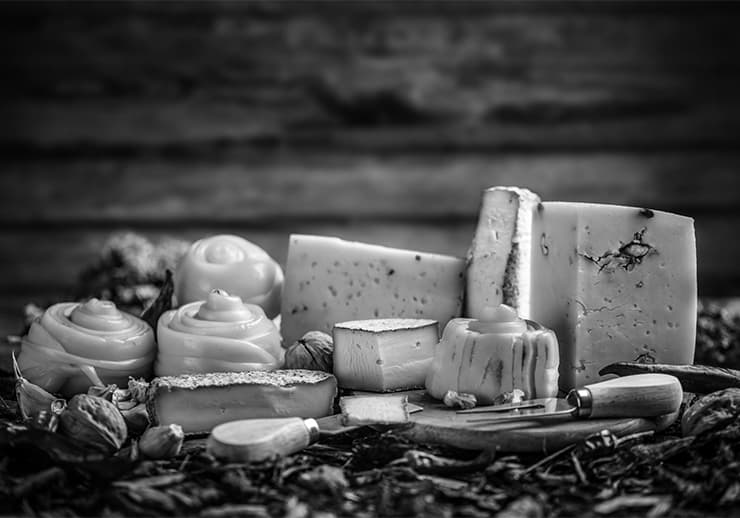
Design carries the performance side too. Food photography is the heaviest asset class in this vertical, and restaurant traffic skews to phones on cellular networks outside the building. We plan image budgets, sizes, and loading priority at the layout stage rather than compressing our way out of trouble afterwards, and we keep the two actions that matter - reserve and order - interactive before the hero has finished decorating itself. If you want the ranking side handled alongside the build, that work lives on our local SEO and Google Business Profile services. Off-premise revenue has its own playbook on caterers SEO, and bar-led venues should also read SEO for bars and pubs.
How We Run a Restaurant Build
We start in your dining room, not in Figma. What is the guest mix - regulars, tourists, corporate lunch, date night, family? Which revenue line has the most headroom: covers, takeout, private events, catering? What does the host stand get asked on the phone all day? Those answers set the hierarchy of the homepage and the order of the navigation, and they are worth more than any trend.
From there: information architecture and menu structure, then a design system - typography that survives at price-list sizes, contrast that holds over food photography, components for menu sections, hours, location cards, and event inquiries. Then build, accessibility QA, performance passes, redirect mapping if you are replacing an existing site, and a handover that shows your managers how to change hours and publish a special. After launch we keep iterating on the paths that matter, the same discipline we bring to conversion optimization work elsewhere.
- 01
Discovery in the dining room
Guest mix, the revenue line with the most headroom, and what the host stand gets asked on the phone all day.
- 02
Information architecture
The sitemap and the menu structure - what gets its own page, and in what order the navigation reads.
- 03
Design system
Typography that survives at price-list sizes, contrast that holds over food photography, components for menus, hours, locations and event inquiries.
- 04
Build
The system assembled into real pages, with the menu, booking and ordering paths wired to your actual providers.
- 05
Accessibility & performance QA
Accessibility QA and performance passes, plus redirect mapping if you are replacing an existing site.
- 06
Handover & iteration
A handover that shows your managers how to change hours and publish a special, then continued iteration on the paths that matter.
Built on
Restaurant Sites We've Already Built
Three live WorkspaceCMS builds running the structure described above - HTML menus, hours with one source of truth, and booking or order paths sitting where a hungry guest expects them. Open any of them and use it the way a guest would.
- restaurant.workspacecms.ai
 View the live demo →
Ember & Oak
Menu, reservations and private events without a PDF menu
- taps.workspacecms.ai
 View the live demo →
Ridgemont Brewing
Taproom hours, events and on-site experience up front
- bakery.workspacecms.ai
 View the live demo →
Flour & Fold Bakery
Order-ahead and catering split into separate paths
What You Actually Get
The Plan Most Single-Room Restaurants Start On
Those demos all run on WorkspaceCMS, which raises the obvious next question: what is included, and who edits it once we hand it over? This walkthrough of the Essentials plan answers both - the pages, the hosting, the support, and how a manager changes tonight's hours or publishes a special without calling a developer.
Introducing
Your Industry. Your CMS. Managed for You.
- Unlimited managed edits - shipped on your plan's SLA
- SEO baked into every page, post, and location
- Technical SEO on every plan; AI schema and internal linking on Premium & Ultra
Restaurant Web Design - FAQ
Why can’t we just keep our menu as a PDF?
Because a PDF is a dead end for every audience at once. Search engines struggle to associate its contents with your restaurant’s page, phones render it as a pinch-and-zoom document, screen readers frequently get nothing usable from it, and updating a dish means re-exporting and re-uploading a file. An HTML menu - real headings, real item text, real prices - is crawlable, quotable by AI assistants, editable in minutes, and readable one-handed on a phone in a parking lot. Keep the PDF as a printable extra if you like; it should never be the primary menu.
Should the site push our own ordering or the delivery marketplaces?
Both, but not equally. Guests who arrive on your website have already chosen you - sending them to a marketplace hands a commission to a platform for demand you generated, and hands over the guest relationship with it. Design the page so first-party pickup and direct ordering come first and read as the default, with marketplace links present but secondary for the guests who genuinely want delivery through an app they already have. The same logic applies to reservations: your own booking path first, the aggregator second.
How does restaurant web design affect local SEO?
Local ranking rewards consistency and specificity, and both are design outputs. Your name, address, and phone should be rendered as text in the page markup - not baked into an image - and match your Google Business Profile exactly. Hours should have one source of truth so the site never contradicts the profile. Each menu, each location, and each service (private dining, catering, takeout) should have a URL a search engine can rank on its own. Photography, entity-clear copy, and structured data for the restaurant and its menus complete the picture. We plan those alongside your local SEO work rather than retrofitting them after launch.
What does AI visibility mean for a restaurant site?
People increasingly ask an assistant “where can I get gluten-free pasta near me that takes reservations at eight,” and the assistant answers from text it can read. If your dietary markers live in a PDF, your hours live in an image, and your private-dining capacity lives only in a sales deck, you are unanswerable - a competitor with plain, well-structured pages gets named instead. Designing for AI visibility here is unglamorous: write the facts as text, give each one a stable home, mark them up, and keep them current.
What accessibility and compliance issues are specific to restaurants?
Restaurant sites concentrate several of the most common accessibility failures: menus as images or PDFs, low-contrast type over food photography, decorative script fonts used for prices, and reservation widgets that cannot be completed with a keyboard. We design menus and booking flows to WCAG 2.2 AA - contrast, focus states, semantic structure, screen-reader-usable widgets - the same standard behind our accessibility work. Separately, allergen and dietary information and any nutrition disclosures your operation is obligated to publish need a durable, editable home on the site rather than a one-off graphic. Regulatory obligations vary by jurisdiction and by how many locations you operate - confirm yours with counsel, then we make the site express them clearly.
We have several locations. One site or many?
One site, with a real page per location. Each location page carries its own address, hours, phone, menu variations, booking link, photos, and parking notes, and each is indexable on its own - that is what lets an individual neighborhood rank instead of a generic brand page. Share the brand story, careers, and gift cards across the group. The part that decides whether this works long-term is editing: if updating holiday hours across locations takes a developer, it will not happen. That is why we build multi-unit restaurant sites on WorkspaceCMS, where those edits are routine.
Let's Fix the Path From Search to Seat
Tell us about your room, your service model, and where you think guests are falling off. We will come back with a sitemap, an honest read on what your current site is costing you, and a plan for the menu, booking, and event pages.