
For Law Firms & Legal Practices
Law Firm Web Design
Built For Consultation Intake
A law firm website has one job: turn an anxious stranger with a problem into a scheduled consultation with the right attorney. We design and build sites around that path - practice-area architecture, credentialed attorney bios, bar-compliant copy, and intake that works on a phone at midnight.

The 1Digital® Difference
AI in our toolkit. Humans in the driver’s seat.
Our strategists, designers, developers, and writers are human. The proprietary AI we built makes them faster and sharper - not the other way around.
- Human strategy
- Human copywriting
- Our own AI tools
- Real growth
Trusted by 400+ Brands · Certified Partners




Years in eCommerce
Of results, scale, and quality at the enterprise level.
Expert Team
Specialists across SEO, AI SEO, PPC, design, dev, and strategy.
US Core + Global Talent
US core team for clear communication; vetted global specialists for international client work.
Reputation Score
Rated 4.9/5 across 100+ verified client reviews.
You Are Not Buying A Platform. You Are Buying An Intake Path.
Most web-design pages ask you to pick a platform first. That question is the wrong starting point for a law firm. Your site does not have a catalogue, a cart, or a fulfillment problem. It has one conversion event - a qualified prospective client asking to speak to a lawyer - and everything on the page either moves someone toward that moment or gets in the way of it.
That single event has several honest entry points, and a good firm site serves all of them without forcing a choice. Some visitors will call, and they want the number visible on a phone screen without scrolling or pinching. Some will not call, because the matter is embarrassing or urgent or because they are reading at 1 a.m. - they want a short form or a scheduler. Some are comparison-shopping three firms in one browser session and want to read an attorney bio deeply before committing to any contact at all. Some arrived from a referral and are only verifying that you are real, licensed, and still practicing. A site tuned only for the first group leaks the other three.
Because the destination is a service business rather than a store, we build law firm sites on WorkspaceCMS - our own platform, built and maintained by the same team that designs the site. That matters for a firm more than it does for most businesses: practice groups change, attorneys join and leave, and a bar rule or a case result forces a copy change on a Tuesday afternoon. Editing shouldn't require a developer ticket or a plugin update that breaks the bio template.
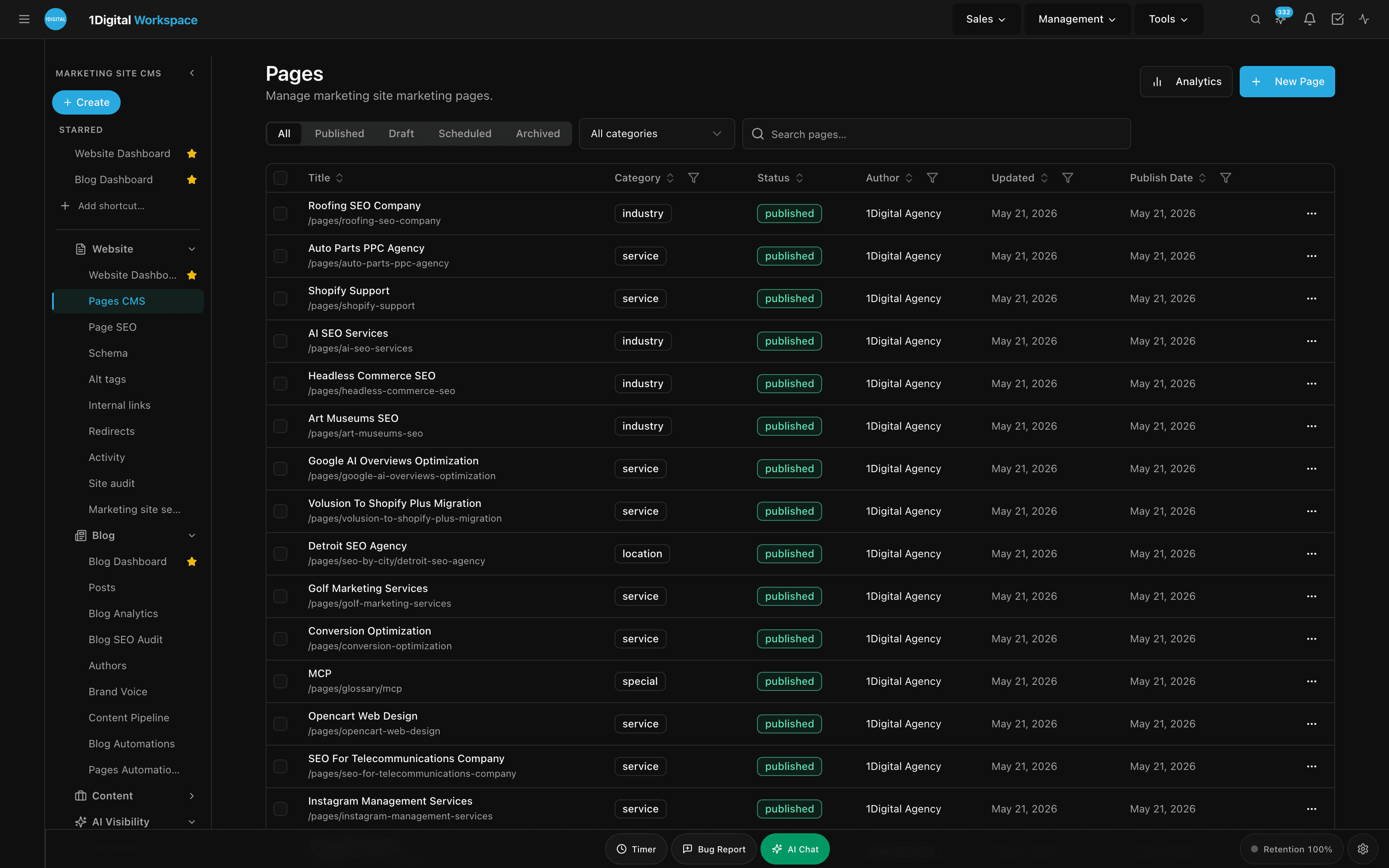
Law Firm web design, step by step
One site that works on every screen
Most law firm customers find you on a phone. We plan each page so it rearranges for the screen in front of them rather than shrinking, then build it fast and accessible, with the call to action exactly where the visitor is ready to get in touch.
- ›Layouts planned around how law firm customers decide
- ›Mobile-first, fast loading and accessible from the start
- ›Built for search from the first wireframe, not bolted on later
The Platform We Just Named
What A Managed WorkspaceCMS Site Actually Is
“We build on our own platform” is a claim until you can see what it means day to day. This explainer walks the managed model itself - what is included, who makes an edit and how quickly, and what your firm is no longer responsible for. That is the part worth understanding before you compare proposals, because it is the difference between owning a website and owning a maintenance obligation.
Trust Is The Product. Design Is How You Deliver It.
Legal is a high-stakes purchase made by people with no way to evaluate quality directly. Nobody can read your briefs and grade them. So visitors substitute proxies - and every one of those proxies is a design decision.
- ›Real photography of real attorneys. Stock imagery of an anonymous handshake, a gavel, or a marble courthouse column is the single loudest signal that a site was assembled from a template. A prospective client is trying to picture the person who will sit across from them.
- ›Credentials shown as structure, not prose. Bar admissions, jurisdictions, court admissions, education, publications, and speaking history belong in scannable, consistently formatted blocks on every bio - not buried in a paragraph that reads like a wedding toast.
- ›Specificity over adjectives. “Aggressive advocacy” is what every competitor says. A page that explains what actually happens in the first thirty days of a case, what the fee arrangement looks like, and who the client will speak to week-to-week does more persuasive work than any tagline.
- ›Reviews and recognitions placed where doubt occurs. Not a logo bar stranded on the homepage - social proof positioned on the practice-area page and beside the contact form, at the moment the visitor is deciding.
- ›Accessibility as a design constraint. We build to WCAG 2.2 AA - contrast, keyboard navigation, focus states, semantic structure, screen-reader support. For a firm whose clients may include people with disabilities and whose own practice may involve accessibility law, shipping an inaccessible site is a self-inflicted credibility problem. See our accessibility compliance approach.
How Law Firm Sites Fail
The failure modes in this vertical are consistent enough to be a checklist. Almost every rebuild we're brought in on has several of them at once.
One “Practice Areas” page listing eight practices
It ranks for nothing and answers nobody. Each practice deserves its own page because each one attracts a different person with a different question and a different urgency.
Attorney bios treated as a directory
Bios are frequently the highest-intent pages on a firm site - people search lawyers by name. Thin bios with a headshot and two sentences waste the strongest entity signal the firm owns.
A contact form with fourteen fields
Long forms feel like intake paperwork before anyone has agreed to represent anyone. Ask for the minimum needed to route and call back; qualify on the phone.
Mobile as an afterthought
Legal intent is often generated by a bad day - an arrest, a crash, a served petition - and that traffic is overwhelmingly on a phone. Tap-to-call has to be reachable with a thumb, not found in a hamburger menu.
A site nobody can update
A custom WordPress build with an abandoned page-builder plugin becomes read-only within two years. Stale bios and dead practice pages are a trust problem, not just a maintenance one.
A redesign that discards its own rankings
Firms routinely relaunch and lose years of accumulated organic visibility because URLs changed without redirects. Redirect mapping and schema preservation are part of the build, not a post-launch cleanup.
The Page Architecture We Build
The information architecture below is the default we start from and then adapt to the firm's practice mix, office footprint, and referral patterns. It is designed so that adding a practice group or an office next year is a content task, not a redesign.
Home
Positioning, practice entry points, the firm’s proof, and a visible path to consultation. Not a slideshow.
One hub per practice area
What the matter involves, how the firm handles it, who leads it, what the process and fee structure look like, and a practice-specific consultation CTA.
Sub-pages beneath each hub
For the specific matter types and questions that hub attracts - the long-tail layer that rarely exists on a template site.
An attorney bio template
With structured credentials, practice affiliations, matters and publications, Person schema, and a direct contact path to that attorney.
A location page per office
Address, parking and courthouse proximity, staffed hours, and the practice groups seated there. These are what feed local visibility.
An insights library
Where attorneys publish on their own practice areas - the durable authority asset, and the material AI engines quote.
Contact and consultation
Short form, scheduler, tap-to-call, and clear expectations about response time and what the first call covers.
Built on
What This Architecture Looks Like Built
Three service-business sites built on WorkspaceCMS by the same team - the same intake-first structure described above, applied to firms whose buyers are also making a high-trust, high-consideration decision. Open any of them; they are live sites, not mockups.
- law.workspacecms.ai
 View the live demo →
Sterling & Reyes Trial Attorneys
Personal injury firm - practice-area hubs and a case-evaluation intake above the fold
- cpa.workspacecms.ai
 View the live demo →
Meridian & Co.
Professional-services layout where credentials carry the trust load, shown as structure
- wealth.workspacecms.ai
 View the live demo →
Northcrest Advisory
High-trust advisory site built for a long consideration cycle and a scheduled first conversation
Compliance Is A Design Constraint, Not A Disclaimer
Attorney advertising is regulated by state, and the rules differ on disclaimers, how case results may be framed, how specialization or expertise may be claimed, contingent-fee disclosure, and which jurisdictions a page may solicit in. Firms usually discover this after launch, when the design has no room for the language their ethics counsel requires.
We design for it up front. Disclaimer slots are built into the templates that need them - results modules, testimonial blocks, practice hubs, and paid landing pages - so required language sits legibly in the layout rather than shrunk into gray six-point type at the bottom. The same applies to the intake form: a clear no-attorney-client- relationship notice and a confidentiality expectation belong in the form UI, where the person submitting will actually read them. Your ethics counsel owns the wording; our job is to make sure the design can carry it in every jurisdiction the firm practices in, and that a routine content edit can't silently strip it out.
How These Design Decisions Feed Local SEO And AI Visibility
Design and discoverability are the same decision made twice. The structure that helps a worried person find the right page is the structure a search engine uses to understand the firm - and increasingly, the structure an AI assistant needs in order to name you in an answer.
Read moreShow less
A page per practice area gives you something to rank; a single combined list gives you nothing to rank. A location page per office, with consistent name, address, and phone details, is what a Google Business Profile listing points at and what reinforces the firm as a real entity in a specific place. Structured attorney bios let Google resolve each lawyer as a named entity rather than a string of text, which is what makes name searches, credential matching, and knowledge-panel behavior work. Fast, stable, accessible pages are ranking inputs on their own.
AI answer engines raise the bar in the same direction. They quote passages, not pages, so writing that states a claim plainly and attributes it to a named attorney with visible credentials is far more quotable than marketing prose. Clean heading hierarchy, direct question-and-answer formatting, and schema that identifies the organization, its attorneys, and its locations all make a firm easier to cite. None of that is bolted on afterward - it comes from the same architecture decisions above.
The website is the foundation; the ranking program is a separate, ongoing discipline. If you want the compounding organic side - practice-area content depth, GBP work, citation cleanup across legal directories, and review velocity - see legal SEO services and local SEO. Firms running Local Service Ads alongside organic should start with attorneys SEO. For the broader design methodology behind every build, see custom website design, and for turning existing traffic into more consultations, conversion optimization.
Request a proposal
Tell us about your firm
Share your practice mix, office locations, and how intake works today. A senior strategist replies with a scope, a pricing band, and a draft site architecture.
Law Firm Web Design - FAQ
What platform should a law firm website be built on?
For a service business with no catalogue or checkout, the platform question is really a maintenance question: who updates the site, how fast, and what breaks when they do. We build law firm sites on WorkspaceCMS, our own platform, so bios, practice pages, and disclaimer language can be edited without a developer and without a plugin stack that drifts out of support. eCommerce platforms are the wrong tool here - they optimize for products and carts you don't have.
How is this different from your legal SEO service?
This page covers the asset: design, information architecture, templates, intake paths, accessibility, and the build itself. Legal SEO is the ongoing program that grows visibility on top of that asset - practice-area content depth, Google Business Profile work, citation cleanup across legal directories, and review velocity. The design work makes the SEO program possible; it doesn't replace it. Most firms do the build first precisely so the SEO investment has somewhere to land.
Do you write the practice-area content, or do our attorneys?
Both, and the split matters. Our strategists own architecture, page briefs, headings, and the conversion copy around each practice. Substantive legal explanation is drafted with - and always reviewed by - the attorneys who practice it, because attributed, credentialed writing is what earns trust with clients and citations from search and AI engines. Anything asserting a legal position or a case outcome goes through the firm before it ships.
How do you handle state bar advertising rules in the design?
We treat required disclaimers as first-class layout elements rather than fine print. Templates that commonly need them - case-results modules, testimonials, practice hubs, paid landing pages, and the intake form - have dedicated, legible slots, and the wording is supplied and approved by the firm's ethics counsel. Because rules differ by jurisdiction, firms with multiple offices get per-jurisdiction variants rather than one lowest-common- denominator block of text.
Will a redesign cost us the rankings we already have?
It will if the redesign ignores them, which is the most common way firms lose ground. We inventory existing URLs and their organic performance before anything is rebuilt, map every retired URL to its closest replacement with 301 redirects, preserve title and heading structure on pages that already rank, carry over structured data, and monitor after launch. Pages that perform are treated as assets to protect, not blank slates.
What does the engagement look like from start to launch?
Discovery first - practice mix, intake reality, competitive set, existing content and rankings - then information architecture and wireframes for the templates that carry the site (home, practice hub, attorney bio, location, insight, contact). Design follows on those templates, then build on WorkspaceCMS, content migration and authoring, accessibility and redirect QA, and launch. After launch we stay on for iteration; hosting plans include managed edits by ticket, which is how bios and practice pages stay current.
The Humans Behind the Work
A Few of the People You'll Work With
Every engagement is run by a named strategist. Here's the team.

Dan K.
Founder & CEO

Michael P.
Senior Director of Business Development

Matt L.
Director of Merchant Success

Joe C.
Assistant Director of Merchant Success

Sam M.
Senior Sales Strategist

Barry L.
Senior SEO & AI Strategist

Lindsay U.
Senior SEO & AI Strategist
Maria C.
PPC Strategist

Luisina C.
PPC and Social Strategist

Jon L.
Senior Designer

Michael E.
Senior Copywriter

Rebeca T.
Senior Content Writer

Lovely E.
Content Producer

Ruth M.
Content Producer

Anton K.
Sr. Solutions Architect

John T.
Search Strategist
Introducing
Your Industry. Your CMS. Managed for You.
- Unlimited managed edits - shipped on your plan's SLA
- SEO baked into every page, post, and location
- Technical SEO on every plan; AI schema and internal linking on Premium & Ultra