

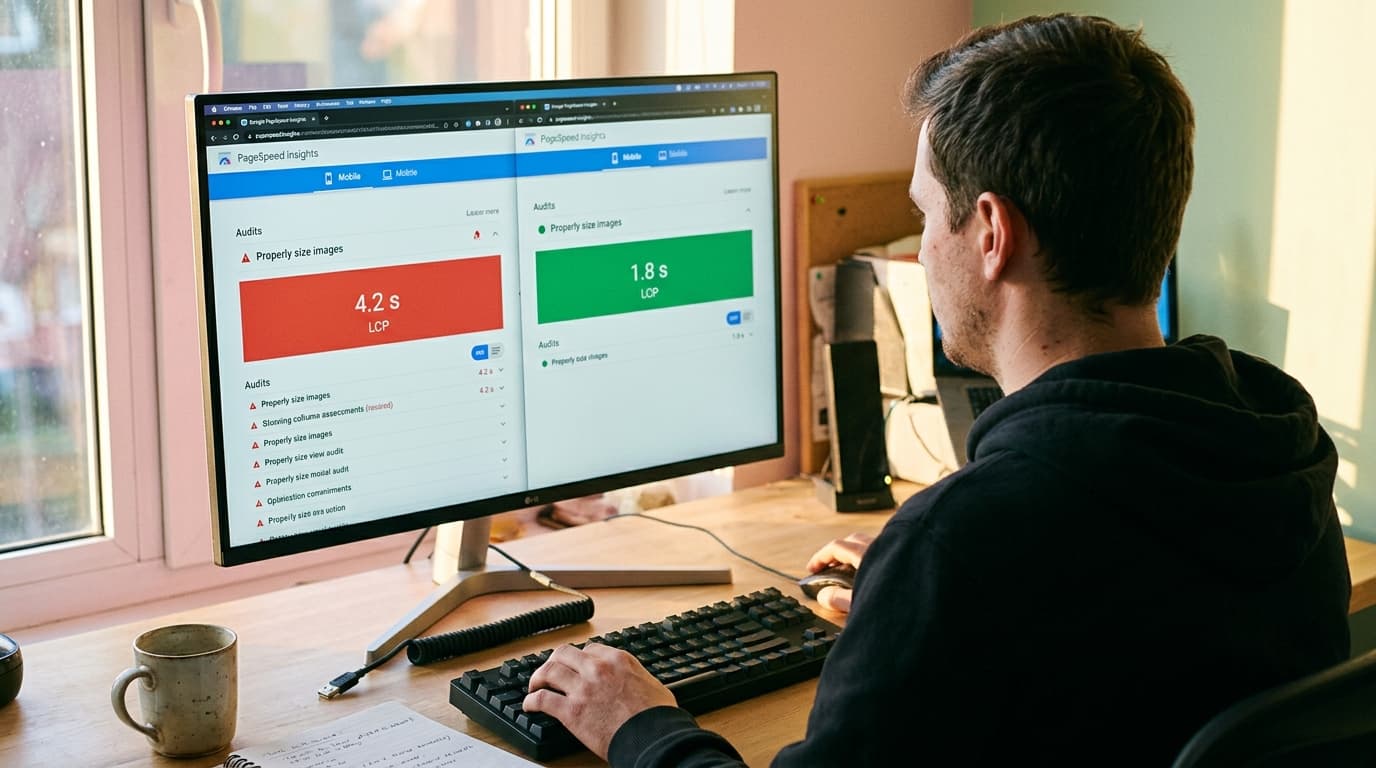
The single biggest SEO improvement we logged in 2025 didn't come from a content strategy or a backlink campaign. It came from migrating a mid-market ecommerce client off a WordPress stack onto an AI-powered CMS - and watching LCP drop from 4.2 seconds to 1.8 seconds inside a week. Organic sessions climbed 31% in the next 60 days. That's the conversation we have with every new client now: the platform is the lever. WorkspaceCMS.ai is the platform we recommend, and this post walks through the eight tactical wins it unlocks for search rankings in 2026.
None of these are abstract. We've shipped each of them on client sites in the last year. We'll tie every tactic to a specific feature in WorkspaceCMS so you can see how an AI-powered admin compresses what used to be three different tools and a dev sprint into one ticket.
1. LCP improvements through image-pipeline automation
Largest Contentful Paint is still the most direct ranking lever we have for transactional ecommerce queries. Google has been explicit about Core Web Vitals being a ranking signal since 2021, and the bar keeps moving. The 2026 target we work to with clients is LCP under 2.0 seconds at the 75th percentile, not the 2.5-second pass mark.
WorkspaceCMS's image pipeline auto-converts uploads to WebP and AVIF, generates responsive srcsets, and lazy-loads anything below the fold by default. The Site Audit flags any page where the LCP element is missing a fetchpriority hint. The patterns we see on agency reviews show a 30-50% LCP improvement just from this single feature working out of the box. The features page shows the pipeline diagram.
2. Entity-rich schema that earns AI Overview citations
If you want to be quoted by Google's AI Overview, ChatGPT Search, or Perplexity, your pages need structured data that names entities explicitly. Generic Product schema isn't enough. We've watched cited pages consistently include sameAs links, brand entity references, and reviewedBy markup. The pages that don't get cited are missing those fields.
WorkspaceCMS's JSON-LD Editor with live validation makes it possible for an editor (not a developer) to add entity references on every product or article. The editor catches missing required fields before publish. Across our SEO client base, we've seen AI Overview citation rates roughly double on pages where we re-issued schema with full entity markup.
3. llms.txt for LLM crawlers
The llms.txt standard emerged in late 2024 and gained traction through 2025. It's the robots.txt equivalent for large language model crawlers - a way to tell ChatGPT, Claude, Perplexity, and Gemini which pages to index and how to summarize them. Anthropic, OpenAI, and Perplexity all began honoring it during 2025.
Most CMS platforms don't generate llms.txt at all. WorkspaceCMS auto-regenerates it on every publish, alongside sitemap.xml and robots.txt. We've watched LLM citation share climb meaningfully on client sites within four to six weeks of llms.txt going live with the right summaries. The how-it-works page walks through how the file is generated and what it contains.

4. Internal-Link Rules redistributing authority
Manual interlinking doesn't scale. On a 5,000-URL ecommerce site, you'd need a full-time editor doing nothing else. The result on every client site we've audited that tried it manually: a handful of high-authority pages soaking up all the link equity while category and collection pages starve.
WorkspaceCMS's Internal-Link Rules engine lets you write declarative rules: "from every product page in the Outdoor collection, link to /collections/outdoor-gear with anchor variants 'outdoor gear,' 'camping gear,' and 'outdoor essentials.'" The rules re-fire when new content publishes. We've used this to redistribute PageRank-flow on client sites and watched mid-funnel category pages climb from page two to top three for transactional queries inside a quarter.
5. Alt-text completeness boosting image search
Google Images and Bing Visual Search both pull alt attributes as a primary ranking signal. On the average client site we onboard, 40-60% of images have missing or generic alt text. Fixing it manually across a 12,000-image catalog takes weeks.
WorkspaceCMS's Alt-Tag Sweep generates alt text for every image with brand-voice locking - you train the tone once and the sweep uses it. We ran this on a fashion ecommerce client in Q4 last year and image-search referrals climbed 47% in the following 60 days. That's a channel most teams ignore until someone shows them the GSC report.
6. Broken-link auto-detect saving crawl budget
Broken internal links are the silent killer of crawl efficiency. Googlebot wastes requests on dead URLs, and the budget that should reach new content goes to 404s. On enterprise ecommerce sites with thousands of URLs, this matters a lot.
The WorkspaceCMS Site Audit crawls continuously and flags broken links, redirect chains over three hops, and orphan pages. The audit re-runs after every publish. Combined with the Redirect Manager, we've cleaned up crawl issues that had been festering on client sites for years. Talk to us if you've got a legacy site with thousands of 404s - this is the workflow we use.

7. Canonical hygiene preventing duplicate-content drag
Faceted navigation and tracked parameters generate canonical chaos on every ecommerce site we audit. Search Console reports "Duplicate, Google chose different canonical" on hundreds of URLs. The fix is mechanical - set proper rel=canonical on filter URLs, exclude tracked parameters via GSC and via meta tags, normalize trailing slashes.
WorkspaceCMS's Page Editor surfaces the canonical URL alongside the live SERP preview. The Site Audit flags canonical conflicts (page A canonicals to B, but B canonicals to C). The Redirect Manager handles the trailing-slash and protocol normalization at the edge. We onboarded a home-goods client last year where canonical fixes alone recovered 22% of impressions Search Console was attributing to duplicates.
8. FAQ schema unlocking People-Also-Ask placements
Google still surfaces FAQ rich results and People-Also-Ask boxes for plenty of queries, and the AI Overview frequently quotes from FAQPage schema directly. The catch: malformed FAQPage schema gets ignored, and most CMS platforms make this easy to break.
WorkspaceCMS's JSON-LD Editor has FAQPage as a first-class type with question-and-answer pairing in the UI, not raw JSON editing. We added FAQ schema to a SaaS client's top 80 marketing pages last summer; PAA appearances climbed from 14 to 89 inside three months. That's eight feature wins, all from one CMS.
Bringing it together
What we tell clients: these eight tactics aren't independent. They compound. Faster LCP means more pages crawled per session. More pages crawled means more schema seen. Better schema means more AI Overview citations. More citations drive impressions, which feed click-through, which feeds ranking. The order in which you ship the wins matters less than shipping them all on one platform that talks to itself.
That's why we've moved most of our SEO-first client base onto WorkspaceCMS over the last year. The features above all live in the same admin. The case studies walk through three migrations and the traffic curves that followed.
What the pricing looks like
Essentials at $89 a month covers the editor, audit, and core SEO tooling. Growth at $199 adds AI Visibility tracking, the Internal-Link Rules engine, and Alt-Tag Sweep at scale. Premium at $449 includes managed-change workflow, full team seats, and priority audit cadence. See the full pricing breakdown. For most mid-market ecommerce clients we onboard, Growth replaces a stack of tools that was running $400-$700 a month.
How 1Digital pairs with the platform
The CMS doesn't write your content strategy. Our team handles that side. Our AI SEO services include keyword research, content production, technical audits, and link work - all built around WorkspaceCMS as the publishing surface. If your priority is AI Overview and LLM citation share specifically, our AEO services are the right starting point. We also publish ongoing playbooks on the blog when we ship new patterns.
How AI-Powered CMS Tools Help Improve Search Rankings FAQ
How quickly do these wins show up in rankings?
LCP and image-search wins show up fastest - often inside 30 days. Schema and llms.txt take 30-60 days to compound through crawl cycles. Internal-link redistribution typically shows results at the 60-90 day mark. We tell clients to expect a meaningful curve at 90 days and significant lift at 180.
Do I need to migrate my entire site to see results?
No. Most clients start with a single content section or a high-priority subset of URLs. The Site Audit and AI Visibility tracker work against any URL, not just pages hosted in WorkspaceCMS. Book a demo and we'll show how to scope a pilot.
What if my dev team is already happy with our current CMS?
WorkspaceCMS can run alongside an existing stack as a content surface for new sections, or as a parallel admin. We've onboarded clients who kept a legacy WordPress install for editorial while moving product and category pages onto Workspace. The migration doesn't have to be all-or-nothing.
How does the AI Visibility Tracker actually measure citations?
The tracker runs a representative weekly prompt panel against ChatGPT, Claude, Perplexity, and Gemini, captures cited URLs, and reports citation share alongside competitor mentions. The methodology is documented on how-it-works.
Will WorkspaceCMS work with my existing analytics setup?
Yes. The unified analytics pull GA4 and Google Search Console into the dashboard. You don't have to migrate analytics. If you use Plausible or Fathom, those can coexist.
Ready to see what these wins look like on your site?
The fastest move is to load your real URLs into WorkspaceCMS and watch the audit run. Book a 25-minute demo and we'll walk through your top 50 pages, run the audit, and show which of the eight wins above would move first on your site. If you'd rather start with the platform unattended, the interactive demos show the admin without a sales conversation.