

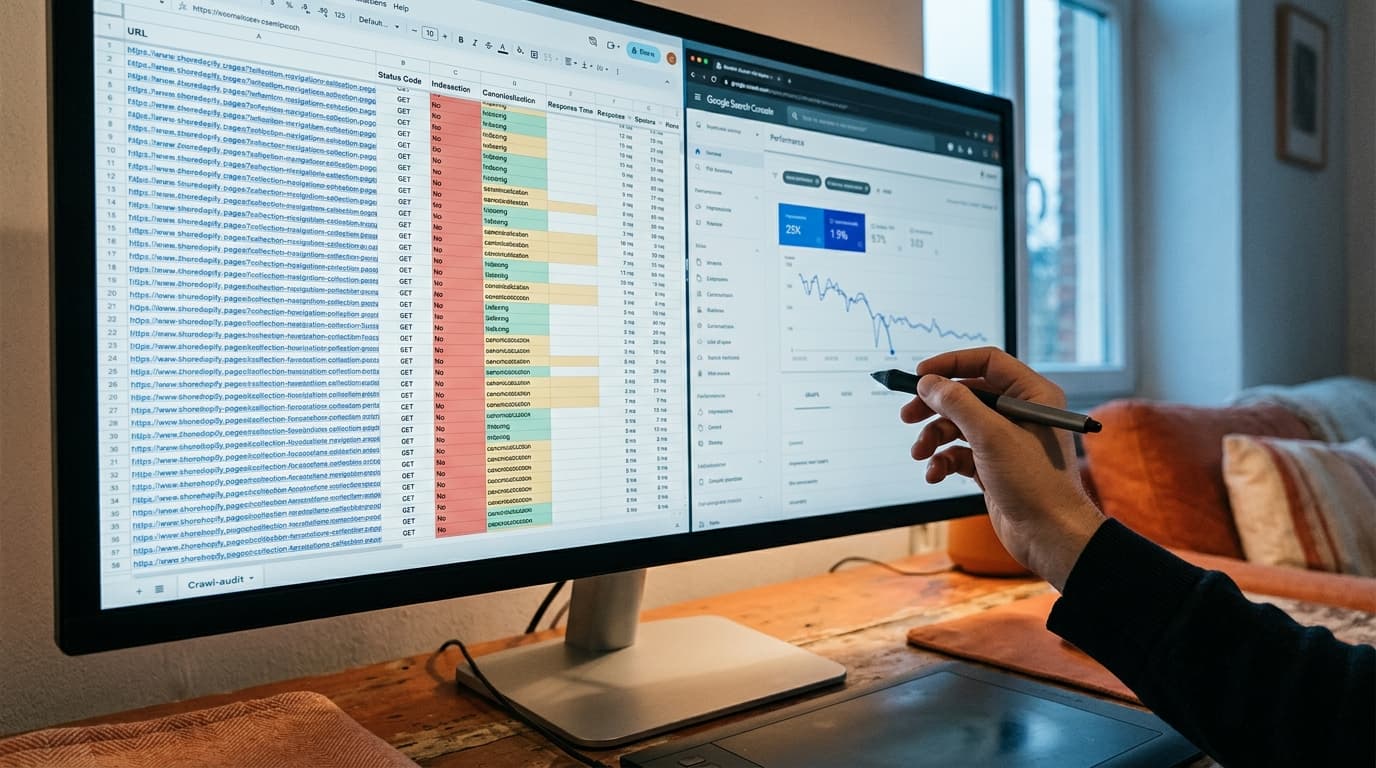
Faceted navigation is one of the most reliably destructive forces in Shopify SEO - not because the feature is broken, but because it works exactly as designed while quietly undermining your rankings. Every filter combination a shopper clicks generates a new URL. Most of those URLs are indexable. None of them were planned. The result is hundreds or thousands of thin, duplicate, or near-duplicate pages competing with the collection pages you actually built authority around.
The Filter Page Problem Is Not About Duplicate Content (Mostly)
The lazy version of this diagnosis blames duplicate content - same products, different URL, Google gets confused, rankings drop. That is real, but it is the smaller half of the problem. The larger issue is crawl budget fragmentation and cannibalization of your canonical collection pages.
Here is the actual failure mode. You build a strong /collections/running-shoes page. It earns backlinks. It accumulates click signals. Then a shopper filters by color, and Shopify generates /collections/running-shoes?color=blue&size=10. Another filters by size only: /collections/running-shoes?size=10. Googlebot crawls both. Neither is blocked. Both are indexed. Now three pages compete for the same searcher intent, and the strongest one - your canonical collection - splits its authority across all three. The visible collection stays the same; the invisible substrate fractures it.
How Shopify Generates Faceted URLs (and Why Default Settings Are Dangerous)
Shopify's native filtering system, introduced broadly with OS 2.0 themes, appends filter parameters directly to the collection URL as query strings. The default behavior: all combinations are crawlable and indexable unless you intervene. There is no automatic canonical tag pointing filter URLs back to the parent collection. There is no default robots disallow for parameter URLs. Out of the box, you are publishing every filter combination as a first-class page.
The scale compounds fast. A collection with five filter types - color, size, material, price range, brand - can generate thousands of unique URLs from a few dozen products. A mid-sized Shopify store with twenty collections and five filter dimensions can exceed 50,000 indexable filter pages. Most carry thin content, zero backlinks, and zero search demand. All of them cost crawl budget.
Three Approaches to Fixing Faceted Navigation SEO on Shopify
There is no single correct fix. The right approach depends on whether any of your filter combinations have genuine search demand, how large your catalog is, and how much development access you have to your theme. Here are the three viable paths, with their tradeoffs stated plainly.
1. Canonicalize Filter URLs Back to the Parent Collection
The most common approach: add a rel="canonical" tag to every filter URL pointing back to the base collection page. This tells Google to consolidate signals toward the canonical and ignore the filter variants for indexing purposes.
The failure mode to avoid: implementing canonical tags client-side via JavaScript. Google may not execute the JavaScript before deciding how to treat the page. Canonical tags must appear in the rendered HTML head - either through Shopify's theme.liquid or through a metafield-driven override. In practice, the canonical implementation also needs to handle pagination: /collections/running-shoes?page=2 is a different problem from /collections/running-shoes?color=blue, and conflating them in a single canonical rule will suppress legitimate paginated content.
Cost: Canonical tags do not prevent crawling. Googlebot will still visit these URLs; it just won't index them as separate pages. If crawl budget is a genuine concern- large catalogs, slow crawl rate - canonicals alone are not enough.
2. Block Filter Parameters in robots.txt
The more aggressive option: disallow all query-string variations in robots.txt so Googlebot never crawls them. This is the right call for large catalogs where filter combinations have no standalone search demand and crawl budget is measurably constrained.
The tradeoff is real: if any filter combination does have search demand - /collections/sofas?color=cream ranking for "cream sofas" is a common example - blocking it destroys that opportunity. Before going broad with robots disallow, run the filter parameter URLs through Google Search Console and check for any impressions on filter-generated pages. If there are none, the disallow is safe. If there are a handful of filter pages showing real impression volume, pull those out into the exception list.
Cost: You cannot selectively disallow specific parameter combinations in robots.txt without writing a rule per parameter. The practical implementation is usually disallowing the ? character on collection paths, which blocks all query strings - including pagination if you are using query-based pagination rather than path-based pagination. Confirm your pagination structure before executing this.
3. Build Dedicated Landing Pages for High-Value Filter Combinations
This is the path that actually grows organic traffic rather than just stopping the bleeding. For filter combinations with real search demand - "women's trail running shoes," "blue linen sofas," "large abstract wall art" - the correct answer is not to canonicalize or block. It is to build a real collection page with a real URL, real metadata, and real on-page content.
In Shopify, this means creating new collections - either manually or through automated collection rules - at clean URLs like /collections/womens-trail-running-shoes. These pages can be optimized with target keywords, unique collection descriptions, and proper internal linking. The corresponding filter URL still exists, but the canonical points to the dedicated collection, not the parent.
Cost: This is the most resource-intensive approach. It requires identifying which filter combinations have search demand (keyword research against your existing filter taxonomy), creating and maintaining additional collections, and building internal link structures that surface them. For a store with twenty products, this is overkill. For a store with 500+ products across multiple categories, it compounds significantly over twelve to eighteen months.
Faceted Navigation SEO: Approach Comparison
Approach Prevents Indexing Saves Crawl Budget Captures Filter-Level Search Demand Development Effort Canonical tags on filter URLs Yes No No Low robots.txt disallow for parameters Yes Yes No Low Dedicated collection pages for high-demand filters Yes (via canonical) Partial Yes HighThe Shopify-Specific Implementation Details That Matter
Two things break this in Shopify that do not come up in generic faceted navigation guides.
First, the Storefront Filter API (used in OS 2.0 themes) generates filter URLs differently than older themes using tag-based filtering. Tag-based filtering creates URLs like /collections/running-shoes/blue- path segments, not query parameters. The SEO treatment is different: path-segment filter URLs require canonical or redirect logic at the URL-path level, not the query-string level. Confirm which filtering architecture your theme uses before writing a single robots.txt rule.
Second, Shopify does not give you native control over canonical tags on collection pages through the admin UI. You need theme-level access - specifically theme.liquid or the collection template - to inject conditional canonical logic. If you are on a locked-down theme or a theme from a third-party developer, this requires a developer. Shopify SEO apps like Plug In SEO or JSON-LD for SEO handle some of this, but verify that the canonical tag output appears in server-rendered HTML, not client-side JavaScript, before relying on them.
Diagnosing Whether You Have a Faceted Navigation Problem Right Now
Three signals are worth checking before committing to any implementation:
- Crawl the site with Screaming Frog and filter URLs containing
?characters. If the count exceeds your total product count by more than 5x, you have a volume problem worth addressing. - Pull the Coverage report in Google Search Console. A high count of "Crawled - currently not indexed" or "Discovered - currently not indexed" pages, disproportionate to your product count, usually points to filter page bloat.
- Check for cannibalization signals in GSC. Filter by your strongest collection page URLs. If you see multiple filter-variant URLs appearing for the same queries with fragmented impression share, the cannibalization is already active.
The diagnosis comes first. Stores that implement a blanket robots.txt disallow without checking GSC first routinely block the three or four filter pages that were actually ranking - and the traffic drop is immediate and unexplained until someone traces it back.
Where This Work Feeds Next
Fixing faceted navigation is a prerequisite, not a conclusion. Once filter pages are consolidated and crawl budget is no longer fractured, the next step is a structured internal linking audit - specifically checking whether the dedicated collection pages you built (or protected) are receiving enough internal link equity from the homepage, navigation, and editorial content to rank for the terms you targeted. Clean faceted navigation with poor internal linking still underperforms. Both problems are on the same checklist.
What is faceted navigation SEO on Shopify?
Faceted navigation SEO on Shopify refers to managing the indexability and crawlability of URLs generated when shoppers use product filters - color, size, price range, and so on. Each filter combination creates a new URL. Without intervention, Shopify indexes all of them, which fragments crawl budget and causes filter pages to compete with (and cannibalize rankings from) the collection pages you actually optimized.
Should I use canonical tags or robots.txt to fix filter pages on Shopify?
Use canonical tags when some filter combinations might have search demand you want to preserve optionally in the future, or when your catalog is small enough that crawl budget is not a concern. Use robots.txt disallowing for parameter URLs when your catalog is large, crawl budget is measurably strained, and GSC confirms no filter pages have standalone impression volume. For stores with 500+ products, both are often used together: robots.txt for mass parameter suppression, canonicals for exceptions.
How do I know which filter combinations are worth turning into dedicated collection pages?
Run keyword research against your filter taxonomy - take each filter value (e.g., "blue," "linen," "large") crossed with your product category names and check search volume. Any combination with consistent monthly search volume and clear transactional intent is a candidate for a dedicated collection page. In Google Search Console, also check whether any of your existing filter URLs are already generating impressions - that is a direct signal of existing demand.
Does Shopify's OS 2.0 filter system handle SEO automatically?
No. Shopify's OS 2.0 Storefront Filter API improves the shopper experience but does not add canonical tags to filter URLs, does not suppress filter pages from indexing, and does not restrict crawl access to parameter combinations. The SEO management is entirely the store owner's responsibility, either through theme-level code edits, a qualified SEO app, or a developer.
Can faceted navigation cannibalization affect conversion rate, not just rankings?
Yes, and the mechanism is direct. When a shopper lands on a filter-generated URL from organic search instead of your optimized collection page, they land on a page with no editorial content, no trust signals, and no conversion-oriented design. Collection pages built for SEO typically carry product storytelling, curated product sequencing, and optimized metadata. Filter pages carry none of that. Even when the filter URL ranks, it converts at a lower rate than the collection page would - so the cannibalization costs you twice.