

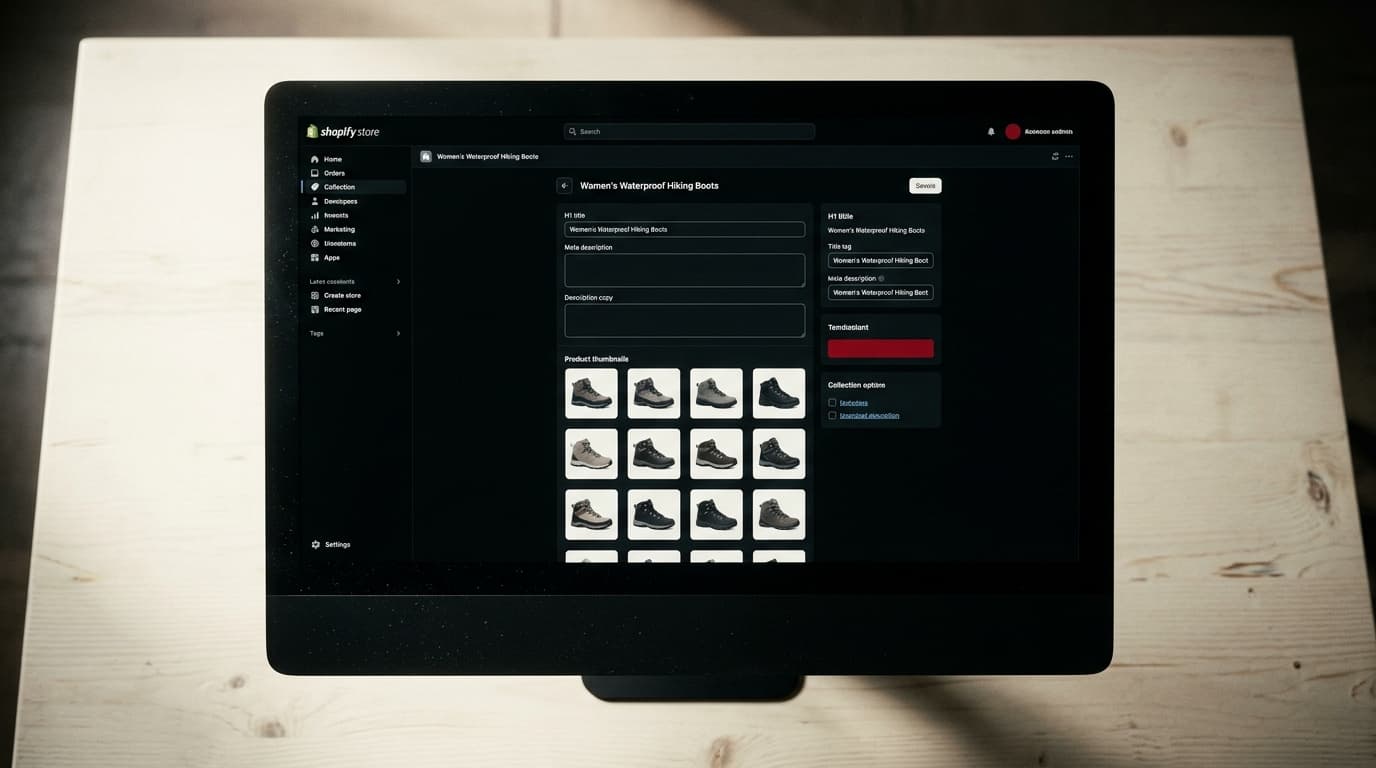
Optimizing Shopify collection pages for SEO is the single most effective way to capture high-intent traffic for eCommerce stores. These category pages target users who know what they want but haven't decided on a specific product, making them the primary engine for qualified traffic and revenue, often outperforming both product detail pages and the homepage.
The Product Page Obsession Is a Mistake
Most eCommerce SEO advice fixates on the product page. It tells you to optimize product descriptions, titles, and images. While not wrong, this focus is dangerously incomplete. It ignores the pages that actually do the heavy lifting for traffic acquisition: collection pages.
The reality is that your collection pages are the new homepage for most organic searchers. Someone looking for "women's waterproof hiking boots" isn't ready for a specific product page yet. They want to see a range of options. They are demonstrating commercial investigation intent. Landing them on a page with a single boot is a mismatch; landing them on a well-curated collection of boots that meets their criteria is not. Your collection pages are built for this exact job.
The Failure Mode: Trusting Shopify's Default Setup
The mistake to avoid: assuming Shopify's out-of-the-box settings are enough. They are not. A default Shopify collection page is often just a product grid with a title. There is little unique text, the H1 is often identical to the title tag, and there’s no content to signal to Google what the page is about beyond the product names themselves.
This is what we call a "thin" page. It might get crawled, but it won't rank for anything competitive. The visible grid of products changes as inventory shifts; the invisible substrate of content does not, so nothing improves. Relying on the default setup means you are leaving your most valuable SEO real estate completely undeveloped.
The Fix: A 4-Step Process for Ranking Collection Pages
Turning a thin collection page into a ranking asset requires a systematic approach. It is not about finding one "trick." It is about layering foundational SEO elements correctly. In our experience, these four areas deliver the most impact.
1. Target Keywords That Match How People Shop
Keyword research for collection pages is different from product pages. You are targeting broader, higher-volume "category" terms, not long-tail product model numbers.
The process is straightforward:
- Identify the head term: What is the most common name for this category? (e.g., "dresses," "coffee makers," "sofas")
- Find commercial modifiers: How do people narrow down their search? Think about use case, material, style, or audience. (e.g., "summer dresses," "drip coffee makers," "leather sectional sofas")
- Map one primary keyword phrase per collection: Each collection page should have a single, clear keyword target that becomes its north star. Don't try to optimize one page for "leather sofas" and "fabric loveseats." Create separate collections. This is a strict policy, not a guideline.
2. Build Out Core On-Page SEO Elements
With a target keyword in hand, you can build the core on-page signals. These are the non-negotiables that must be in place for every important collection.
- Title Tag: This is the single most important on-page element. The best formula is predictable: Primary Keyword - Secondary Keyword | Brand Name. For example: "Women's Waterproof Hiking Boots - Lightweight Styles | Trailblazer Co."
- Meta Description: This doesn't directly influence rankings, but it drives clicks. Treat it like ad copy for the search results page. Mention benefits like "Free Shipping," "Lifetime Warranty," or the breadth of your selection. Make a promise the page will deliver on.
- H1 Heading: The H1 should be the primary keyword, stated clearly. It should be unique and distinct from the title tag. Many Shopify themes incorrectly use the same text for both. You may need a simple theme edit to fix this, but it's worth it. The H1 reassures the user they've landed in the right place.
- Collection Description Content: This is where most stores fail. A valuable collection description is not a paragraph of fluffy marketing copy. It is genuinely helpful content that sits above the product grid. It should function as a mini-buyer's guide, answering common questions, explaining the benefits of the products in the category, and helping the user make a better choice. This content is what turns a thin product grid into a substantive, authoritative resource that deserves to rank.
3. Manage URLs and Internal Linking
A crawlable, logical site structure helps both users and search engines. For Shopify collections, two things matter most.
First, Shopify's default URL structure can create duplicate content issues. A product can often be reached via its direct URL and via a collection-based URL (e.g., `/products/my-product` and `/collections/my-collection/products/my-product`). Shopify handles this correctly with canonical tags, which tell Google which version is the primary one to index. Your job is to ensure these canonical tags are in place and haven't been broken by an app or theme customization.
Second, you need to signal the importance of your collection pages through internal links. Your most important collections should be linked directly from your main navigation. You should also link to relevant collection pages from blog posts and even from within product descriptions. An internal link is a vote of confidence; a site that buries its most important category pages is signaling they don't matter.
4. Use Schema Markup to Stand Out
Structured data, or schema markup, is code that gives search engines more context about your page's content. For collection pages, you can use schema to signal that the page is an `ItemList` or `CollectionPage` containing multiple products.
This can help you earn rich results in search, like displaying a price range, review ratings, or item count directly on the search results page. This makes your listing more visible and can significantly improve your click-through rate. While many Shopify themes include some basic schema, using an app like Yoast SEO or manually adding JSON-LD structured data can provide more robust information.
The Honest Tradeoff: Quality Content Is Slow
Let's be real. Writing a unique, 300-500 word, genuinely helpful description for every single collection on your site is a massive undertaking, especially if you have hundreds of them. The temptation is to use an AI writer to generate generic content and apply it everywhere.
This is a mistake. AI-generated text often lacks specificity and fails to answer the subtle questions a real buyer has. The honest version is slower but compounds. Taking the time to write expert-level content for your top 10-20 collections will build real topical authority. That authority helps those pages rank, and it lifts the performance of your entire site. The fast, automated version gets you thin content that Google is increasingly adept at identifying and ignoring.
From Audit to Action
This process - keyword mapping, on-page optimization, content development, and technical cleanup - is the core of any serious Shopify SEO audit. The findings don't just stay in a spreadsheet. They feed directly into your content roadmap and technical backlog for the next quarter. Start with your highest-priority collections and work your way down. This is how you methodically build a store that wins in search.
Shopify Collection Page SEO: How to Rank Your Category Pages FAQ
How long should a Shopify collection page description be?
Aim for at least 300 words of unique, helpful content. The goal is not word count for its own sake, but to provide enough detail to guide a user's purchase decision and establish the page as an authoritative resource on the topic. Answer common questions, compare features, and explain what makes the products in that collection unique.
Should I noindex paginated collection pages?
No, you should not noindex paginated pages (e.g., page 2, 3, etc. of a collection). These pages allow Google to discover all the products within a large collection. Shopify correctly handles pagination SEO by default, using self-referencing canonical tags and `rel="prev/next"` links (though the latter is no longer a primary signal for Google, it doesn't hurt). Noindexing these pages can prevent products from being crawled and indexed.
Can I use an app to improve my Shopify collection page SEO?
Yes, apps can help streamline the process, but they are not a replacement for strategy. SEO apps like Yoast or All in One SEO can make it easier to edit title tags, meta descriptions, and implement schema markup. However, no app can write the high-quality, unique descriptive content that is essential for ranking. Use apps for technical execution, not for the core content and keyword strategy.
How do I add a unique H1 to a Shopify collection page?
Many Shopify themes use the collection title for both the Title Tag and the H1 heading. To create a unique H1, you often need to edit your theme's Liquid code. Go to Online Store > Themes > Actions > Edit code. Find the `collection.liquid` or a related section file and locate where `collection.title` is being used for the heading. You can replace this with a custom field or simply hard-code a new H1 if needed, though using metafields is a more scalable solution.