

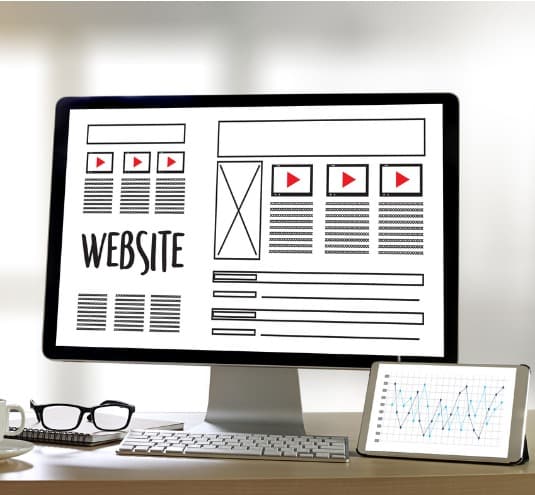
A great design can be the difference between converting and losing a potential customer. A website that is attractive to the eye and pulls people can keep people engaged while a dull and boring website design can send them right back to their search results.
At 1Digital Agency, we work with a variety of platforms and are partners with BigCommerce. Today, let me tell you a few tips to giving your eCommerce store a great design that can convert more customers.
Keep It Clean – When you go to create a website design, you may want to use a lot of features, colors, designs, and make it very flashy to attract attention. There is a way to go overboard on this and chase customers with all the flash and flare. Instead, keep it clean and simple and make sure everything is organized. Customers don’t need the flash and pizzazz if they can find something quickly. So, keep the website clean, leaving some room around products to let them breathe and not clog up a page with too many products.
Easy Navigation – This goes hand in hand with the first tip. By keeping the website clean and organized, it should be easy to navigate from one page to another, changing categories or products without having to dig for results. Use drop downs to keep the navigation bar neat and make it easy for people to get to another section of the website.
Make Contact Easy – Always have contact information easily available for customers who want to get in touch with you. This can be included at the top of the home page, the bottom of all pages, on a page dedicated to contact information and more, but also keep some form of contact info visible at all times, such as a phone number or email.
Add Reviews – Research shows that people who shop online are more likely to purchase after reading a review. Getting positive reviews from your customers can be a great way to engage new visitors and help convert them. Including reviews is essential to boosting conversion rate.
Include a Search Bar – Are you a browser or do you go into an online shop knowing exactly what you want? Shopping online isn’t nearly as much about window shopping and just looking at items as it is a quick solution to purchasing products without having to leave home. So many people who do their shopping online are coming to a website with a product they want to purchase in mind. But you aren’t going to help your cause as an eCommerce merchant if potential customers have to spend several minutes searching through pages to find what they want. Include a search bar that lets customers search for the products they are looking for and get to the right page quickly.

Use Quality Images – The design isn’t the only thing that should be clean. When it comes to images, they need to be high-quality. Customers don’t have the benefit of holding the product before they purchase. They have to trust the image you provide that shows off the product. Using high-quality images makes the experience as tangible as possible so that customers can purchase without having a doubt that the product they are getting will look and feel the way they expect based on the image.
Make Checkout Simple – Put yourself in the shoes of the customer and think about what happens when you get sidetracked or abandon your cart. Many purchases don’t get completed because of this. One way to prevent it is to make checkout easy. Limit the amount of information necessary to check out or keep all of the checkout information on one page, a built-in feature of BigCommerce, that can get customers in and out quickly with their purchases completed.
Mobile Optimization – If you are not optimized for mobile devices, you’re behind the curve. It is more likely in today’s world that people are making a purchase from their phone instead of a desktop. Make sure your website is optimized for mobile devices and has a design that looks great on mobile too since you will be in front of so many customers on phones.
Choose a Responsive Theme – One way to enhance the mobile optimization and have a great design across all devices is by using one of the BigCommerce responsive themes. These themes are designed specifically for BigCommerce and are designed to be able to fit different screens to fit the devices your customers are using.
Design the Product Page Around the Decision – The clean layout and quality images advice is right; the highest-leverage application is the product page, where the purchase actually happens. Lead with multiple large images plus a video or zoom, put price, variant selection, and the add-to-cart button above the fold without scrolling, and place the trust signals a buyer wants at the moment of decision - visible reviews, return and shipping policy, and recognizable payment badges. A product page that answers "is this right for me, and is it safe to buy here?" without making the visitor hunt converts far better than a pretty one that buries those answers.
Make Search and Navigation Do Real Work – A search bar is only useful if it returns good results. Configure it to handle synonyms, misspellings, and partial matches, show results as the shopper types, and let them filter by the attributes that matter for your catalog (size, price, brand). Pair that with a category structure shallow enough that any product is reachable in two or three clicks. On a large BigCommerce catalog this is also an SEO concern: make sure filtered/faceted URLs are canonicalized so they help shoppers without spawning thousands of thin duplicate pages.
Design for Speed and Core Web Vitals – A design only converts if it loads. Google measures real page experience through Core Web Vitals - how fast the main content appears, how quickly the page responds to taps, and how little the layout shifts while loading. The usual culprits on a store are oversized hero images, heavy apps, and images without set dimensions. Compress and correctly size images, limit the number of third-party apps and scripts, and choose a theme that scores well on mobile before you build on it; fixing this after launch is far harder than choosing well up front.
Choose and Customize the Theme Deliberately – A responsive theme is the floor, not the finish. Evaluate BigCommerce themes on real mobile performance and on how well the stock layout fits your actual catalog and brand, then customize within the theme's options before reaching for custom code, since heavy customization raises future maintenance and upgrade cost. The goal is a fast, clean, trustworthy store that guides the visitor to the product and through checkout - every design choice should be judged by whether it moves a real shopper closer to that, not by how impressive it looks in isolation.
Are you ready to start building your online store and design through BigCommerce? Let us help you get the best design possible. At 1Digital Agency, we are experts in designing eCommerce websites and optimizing them for search engines so you can maximize your results. From start to finish, we can oversee and complete your entire website design that will be sure to attract customers. Contact us at 1Digital Agency today to learn how we can help you!