


Save Bandwidth Overages by Increasing the Loading Speed of Your Volusion Store
If you have an online store, keeping track of your Volusion bandwidth comes with the territory. Hosting plans usually include a preset upper limit for monthly bandwidth use, crossing which will result in extra usage fee. We come across a lot of people who do not quite understand what these bandwidth charges are. They want to get rid of them since they feel these are an unnecessary burden on their pocket.
Before we talk about how you can optimize your Volusion bandwidth, it is pertinent to mention that excessive bandwidth usage is not always a bad thing. If you have a large website, with hundreds of product pages, and high traffic, the bandwidth usage is bound to be on the higher side too. Also, keep in mind that bandwidth use and the loading speed of your website are interconnected. In any case, it is a worthwhile idea to optimize your site’s loading speed and thus, bandwidth (or hire a digital agency like us to do it for you).
Understanding Volusion Bandwidth
When anyone loads a page of your website, bandwidth is used for loading images and content on that page. It could be a Google robot, the admin of the site, a security service or a customer who is visiting your site. The amount of bandwidth utilized depends on the number of such visitors, and the size of data transferred.
Now, many people confuse “data transfer” with “bandwidth”. While the two are related to each other, they aren’t exactly the same. Data transfer is the amount of data that is transferred at any given point. Bandwidth is the limit of data that can be transferred.
So basically, your Volusion bandwidth will dictate how fast or slow your store pages load. This depends on the size of the pages and the number of visitors on your site. The more bandwidth you have, or the lesser bandwidth you use, the more users you can accommodate without causing loading issues.
Our aim is to decrease bandwidth usage.
Optimizing Images
A typical Volusion store is brimming with images. From your home page to individual product pages, images play a major role in enhancing the aesthetic appeal of your website. Having said this, it is not necessary that all these pictures on your website have to be large, high resolution, designer pieces.
Take a look at your homepage. Using a slideshow is quite popular and has its appeal, but do keep in mind that every image in that slideshow is using up your Volusion bandwidth. It is not necessary that a picture from the slideshow has to show up for it to use bandwidth. As long as there is a slideshow in place, all images in that slideshow are being loaded every time a user visits the page. Want to use less bandwidth? Reduce the number of these images, or get rid of the slideshow if you can.
Optimizing your images for improved loading times will do wonders for your Volusion bandwidth. You can do this by going with lower sized images. By size, we mean the actual size in KBs and MBs and not their resolution. Some image extensions like .png or .gif tend to have much higher file sizes compared to .jpg by default. We recommend that you convert your images to .jpg before uploading them.
You have to remember that the size of the images on a page will dictate how fast it loads. Not only are heavier images bad for your bandwidth, but they will also affect user experience and could potentially lead to lost traffic.

The trick is to be intelligent in how you use your images. You don’t need extra high-resolution pictures for your products. If you are displaying pictures at 480x300px, avoid uploading 1200x800px images. This is an utter waste of bandwidth.
Use Third Party Hosting for Media
Another way to remove the onus from your images is to go with third party hosting for your media. These sites allow you to upload content onto them, which can then be embedded and linked to your store. This will save your Volusion bandwidth, improve the website’s loading speed as well as give you access to more types of media. Some of the more common ones include YouTube, Vimeo, and Dailymotion for video, Flickr for images and Scribd for PDF documents.
You can also set up a file hosting service with a third party server. For this, you will have to transfer your images from your current Volusion store set up to the new server and make the appropriate changes in your Volusion store’s HTML. You can find detailed instructions on how to do this over here.
Go Mobile
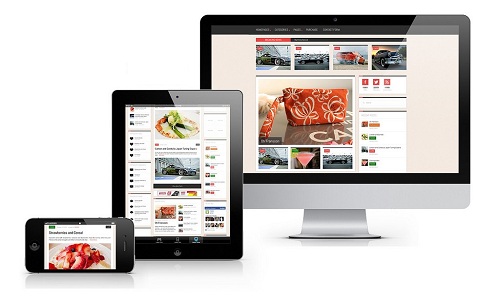
Everyone in this day and age has a mobile device. Whether it is using an iPhone, Android, iPad or anything else, searching for products online through these devices has become incredibly common. Surprisingly, most store owners still do not realize the affect these mobile users have on their Volusion bandwidth.
A website created with bigger screens in mind has to cater to that visual experience. By this, we mean the images have to be bigger, clearer and better quality. Someone who is viewing your site on their mobile does not need such large images. Plus website navigation on a mobile is much different to a computer. So if your site is not optimized for mobile usage, every mobile visitor is using the same amount of bandwidth as a regular user. You are not taking advantage of this different type of user.
By making sure that your store is optimized for mobiles, your mobile visitors get a different version of your store, one which is lighter, loads faster and uses less Volusion bandwidth compared to the regular version of your site.
Manage Your Admin Area
You as the admin are also someone who is using up your Volusion bandwidth every time you log in and perform any task through the Volusion API. You can’t expect to stop doing that, but see if you can limit some functions.
For example, exporting data and files from your store can have a significant effect on your Volusion bandwidth usage. If you are someone who likes to do this on a weekly basis for record keeping or back-up, maybe decrease the frequency or turn to an alternative method of doing so.
You can also target other smaller things which together can have a bearing on your Volusion bandwidth. Things like data tables available in the admin area, or the number of product attribute columns that you use for your products, all use bandwidth. Limit them as much as you can. When you view a table, don’t select a higher number of items to display on one page. Choosing to view 50 or 100 items on one page is going to take up more bandwidth than say viewing 20.
1 Digital Agency – Experts in Volusion Bandwidth Optimization
All of the factors we’ve mentioned above can help you bring down your bandwidth usage and avoid overage fees. But sometimes these may not be enough. As experts in Volusion bandwidth optimization, at 1 Digital Agency, we understand that every Volusion store and every store owner is different. We work with each client individually to optimize their Volusion bandwidth not only so that they may avoid overage fees, but also to enhance their store’s overall performance and user experience. Call us on 888.982.8269 or contact us at https://www.1digitalagency.com/contact and give us the opportunity to tell you how we will make your store faster, smoother and save Volusion bandwidth overages all at the same time.