

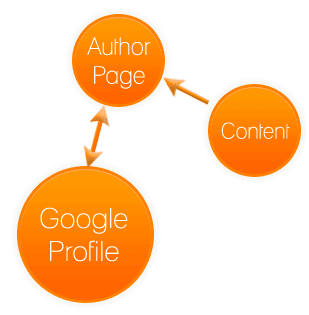
Important correction (updated). This article originally walked through adding a rel="publisher" link pointing at a Google+ business page. That technique is obsolete: Google deprecated rel="author" and rel="publisher" markup years ago, and Google+ was shut down in 2019. Do not add a rel="publisher" Google+ tag - the page it points to no longer exists and the markup is ignored. The underlying goal (proving you are the legitimate publisher of your content and getting credit for it) is still valid and more important than ever; the methods have simply changed. This updated guide explains how to do it correctly today on BigCommerce.
What problem this actually solves
The real concern behind the old publisher tag has not gone away: you publish original content, you want search engines to recognize you as its source, and you do not want scrapers who copy it to outrank you for your own words. Establishing a clear, machine-readable publisher identity helps search engines attribute content to your brand, supports rich results, and protects you when content is duplicated elsewhere. The 2013-era answer was a Google+ link; the durable, current answer is structured data plus a few well-known technical safeguards.
The modern way to establish publisher identity on BigCommerce
- Organization structured data. Add
Organization(orOnlineStore) schema.org JSON-LD to your store, including your legal/brand name, logo, URL, andsameAslinks to your official social and business profiles. This is the legitimate successor to the publisher tag - it tells Google who the publisher is in a format it actively uses. In BigCommerce, inject the JSON-LD via the theme's<head>(Storefront > Script Manager, set to the head location and all pages, or directly in the Stencil theme's head template). - Article/Product structured data on content pages. Blog posts should carry
Articleschema with a realauthorand apublisherobject referencing your Organization; product pages should carryProductschema. This is how authorship and ownership are communicated now that the old author/publisher link markup is dead. - A verified, claimed brand presence. Claim and verify your business in Google Search Console and Google Business Profile, and keep your
sameAssocial links accurate. Consistent, verified identity across these is what the old Google+ link was a crude early attempt at.
Protecting your original content (the part that still matters most)
The original post was right that unique content is what keeps a site healthy through algorithm updates and right to worry about plagiarism - that reasoning holds. Here is how to act on it today:
- Publish genuinely original content and get it crawled fast. Being indexed first is the strongest practical signal of original authorship. Submit an XML sitemap, keep it current, and request indexing for important new pages in Search Console so Google sees it on your domain before a scraper reposts it.
- Use canonical tags correctly. Self-referencing canonicals on your pages, and cross-domain canonicals when you syndicate, tell search engines which URL is authoritative.
- Set a clear authorship trail. Real author bylines, an About/Editorial page, and consistent Organization data build the entity Google associates your content with - the modern equivalent of "showing ownership."
- Act on theft. If a site copies your content and outranks you, you can file a DMCA removal request with Google. Originality plus a documented first-publication trail is what makes that effective.
Step-by-step: add Organization structured data to BigCommerce
- In the BigCommerce control panel, open Storefront → Script Manager (or edit the Stencil theme files directly for tighter control).
- Create a new script, set Location to Head and Pages to All pages.
- Paste a valid
OrganizationJSON-LD block with your name,url,logo(absolute URL), and asameAsarray of your real profiles. Remove any legacy Google+ URL - it is a dead link that signals a stale site. - Save, then validate the live page with Google's Rich Results Test and watch Search Console's enhancement reports for errors.
If you are still finishing your store setup, our earlier guide on configuring a BigCommerce store covers the foundations; structured data should be layered on once the basics are in place.
Why the old approach failed and the new one lasts
It is worth understanding why the publisher-tag approach disappeared, because it teaches a durable lesson about SEO tactics. rel="author" and rel="publisher" were tightly coupled to a single product, Google+, that Google itself discontinued. Any optimization that depends on one proprietary feature of one platform is fragile by design - when the feature goes, the tactic goes with it, and every site that hard-coded it is left with dead markup that now signals neglect rather than authority. Structured data is durable for the opposite reason: schema.org is an open, cross-engine vocabulary used by Google, Bing, and others, and entity-based understanding (who published this, what organization stands behind it, how does it connect to verified profiles) is a direction search has been moving toward for years and continues to. The broader principle for any store owner evaluating an SEO tactic: prefer open standards and signals tied to genuine, verifiable facts about your business over clever tricks bolted onto a single vendor's feature. The first kind compounds; the second kind expires, often without warning, and leaves cleanup behind. Applying that filter would have told you in 2013 to be cautious about a Google+-dependent tag - and it is the same filter that tells you today to invest in structured data, verified profiles, and original content instead of the next shortcut.
Frequently asked questions
Should I add a rel="publisher" or rel="author" tag? No. Both are deprecated and ignored, and Google+ no longer exists. Use Organization and Article structured data instead - that is the supported replacement.
Does structured data guarantee rich results or higher rankings? No. It makes your content eligible for rich results and clarifies entity/ownership signals, but eligibility is not a guarantee and schema is not a direct ranking boost. It is foundational, not magic.
Will this stop people from stealing my content? Nothing technically prevents copying, but being indexed first, using canonicals, and maintaining a clear authorship trail strongly support your claim as the original, and back a DMCA request if needed.
Where exactly does the code go in BigCommerce? The <head>, sitewide - via Script Manager (Head location, All pages) or the theme's head template.
Getting publisher identity, structured data, and content protection right is detailed work that compounds over time. If you would rather have it done correctly, our BigCommerce SEO and development teams implement modern structured data and technical SEO as standard - no obsolete Google+ tags.