

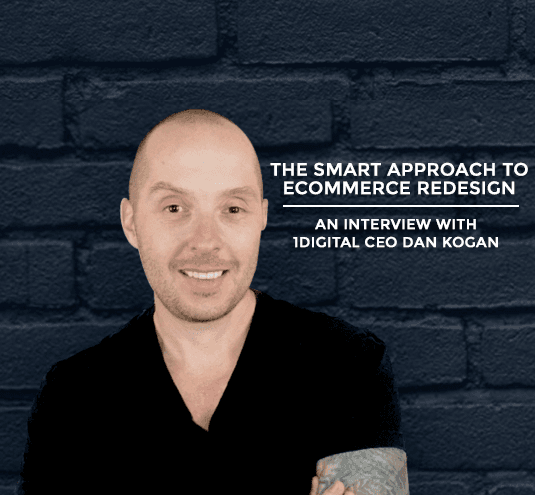
1Digital CEO Dan Kogan On eCommerce Redesign and Keeping Your Success Rolling
Dan Kogan, founder and CEO of 1Digital Agency, has worked in eCommerce for 20 years. His eCommerce design and development firm, 1Digital Agency, works on eCommerce redesign projects every day. I sat down with Dan to discuss some concerns I hear most often from merchants who are considering redesign.
Q: I’ve been working on my eCommerce business for a few years, and I’m finally starting to do some good volume on my site, but it’s also a few years old now. How do I know when is a good time to invest in updating the design? Wouldn’t it be a mistake to mess with success?
Dan: I would say that as soon as you start asking that question, it’s time to start planning on updating the site. As soon as you start seeing that the site is a little bit outdated, you have some work to do. You need to consistently try to improve an eCommerce site. A website is evolving, just like a retail store, or any other business establishment. You can’t let yourself get stale. You have to keep on progressing, you have to keep on optimizing, and you have to keep up with the times. Otherwise, what I’ve seen in the past is, people get comfortable, and they’re afraid to change. After doing well for a while, their analytics start trending downward. And by then they’ve waited so long that they have a much harder time keeping up with the pack, or getting back to where they were.
Q: I’m worried that if I change my site too much my customers won’t recognize me. How can I update my look while still remaining familiar?
Dan: Use the same color scheme that you already have, the one that people are used to. Maybe don’t make crazy changes, depending on your demographic. You can make certain updates without trying to revolutionize your website. Incremental changes might be best if throwing your customers off is your concern.
Q: My biggest competitor has a design language on their site that I really like, and seems to work well for them. Should I imitate them, or is it better to try to stand out?
Dan: That’s a good question. You should never try to imitate a competitor too much. Especially a direct competitor. It’s ok to take certain design or development cues from someone doing well, but always try to be original and stand out for yourself. Have your qualities and your competitive advantages, which are unique to your business, stand out.
Q: I’m not totally satisfied with my eCommerce platform. There are some things I like about it, and some things that frustrate me. Mostly I’m concerned that there is another one out there that’s a better fit for me, and I just don’t know it. Is this redesign the right opportunity for me to explore switching platforms as well?
Dan: Yes. A redesign is the perfect opportunity to explore switching to another platform, but remember, the grass is always greener on the other side. I would always recommend that you speak to an expert, like somebody at 1Digital, that know the different nuances of each platform before you make such a big commitment. Even if another platform might have some advantages over your current platform, there could be disadvantages that you don’t know about, costs that are hidden, or functionality that’s just not there.
It’s possible that there could be a lot of advantages, and it could be the right move, but it’s hard to know. You should definitely refer to an expert, depending on your requirements, who would know what’s best for you.
Q: I don’t have the budget or the time to take on a full redesign right now. I only want to do a partial redesign. How should I go about identifying my problem areas, or the parts of my site which are most important to my conversion rate?
Dan: Speak to an expert, look at Google Analytics, checkout your heat maps, figure out where people are funneling through your website. Once you have some data to base your decision on, phase it out. Maybe attack the header first, then attack the body, then maybe attack the footer. You can look at certain callouts, or certain graphics. Maybe your logo is an issue, maybe your call to action or your phone number placement is an issue. There are a ton of small tweaks that can be adjusted.
If you’re limited on budget, I would checkout your heat maps, and see where you’re drop-offs are. That’s an easy way to figure out what priority number one should be. Typically, you should speak to an expert for something like that as well.
Q: How do I best future proof my website? How can I redesign in such a way that I won’t have to do this again for a long time to come?
Dan: Find a great designer and spend some money on a professional. That’s the best way to future proof it as much as possible. You can never future proof it 100%, because the future is coming faster than we know it. It’s like an outdated cell phone after 6 months.
If you have an excellent designer, and you get what you pay for, you’re more likely to get more longevity out of that design.
Turning the Advice Into a Redesign Plan
The interview above lands on a consistent theme: redesign continuously, change incrementally, and decide with data. Here is how merchants can operationalize each point without losing the equity their current site has already built.
Protect SEO Equity Before You Touch the Design
The most expensive redesign mistake has nothing to do with aesthetics - it is launching a new site that silently drops rankings because URLs changed without redirects, page titles were rewritten, or content that ranked was cut. Before any visual work begins, export the current URL inventory, identify the pages that drive organic traffic and revenue, and require a one-to-one 301 redirect map and a content-parity check as launch gates. A redesign that looks better but loses 30% of organic traffic is a net loss, and it is entirely preventable with this single discipline.
Make “Incremental” Concrete With Phased Rollout and Testing
Dan’s point about not throwing customers off is best executed as a phased rollout rather than a single big-bang launch. Where traffic supports it, A/B test the new templates against the old ones - header and navigation first, then product and category pages, then checkout - and promote each change only when the variant wins on the metric that matters for that page (engagement for the header, add-to-cart for product pages, completion rate for checkout). This converts “I think customers will like it” into measured evidence and contains the downside of any single change.
Use Analytics to Prioritize a Partial Redesign
For merchants who, as in the interview, can only afford a partial redesign, the prioritization is mechanical once you look at the funnel: find the step with the largest drop-off relative to industry norms (commonly the product detail page or the first checkout step), and fix that template first. Pair quantitative funnel data with a session-recording or heatmap tool to see why users abandon - a hidden shipping cost, a confusing variant selector, a call-to-action below the fold - then redesign only that surface. This is how a constrained budget produces the largest possible revenue lift.
How to Evaluate a Platform Switch During Redesign
A redesign is the natural moment to reconsider the platform, but the decision should be made on a written requirements list, not frustration with the current system. Score candidate platforms against your real needs - catalog size and complexity, B2B pricing rules, ERP and tax integrations, internationalization, total cost of ownership including app subscriptions, and migration effort - rather than headline features. The “grass is greener” risk is real: many platform regrets trace to a feature gap or integration cost that was invisible until after migration.
Future-Proofing Is a Process, Not a One-Time Spend
The closing advice - hire a great designer to make the design last - is necessary but not sufficient. Durable sites pair good design with a maintenance cadence: quarterly UX reviews, ongoing Core Web Vitals monitoring, and a component-based design system so individual sections can be updated without re-platforming. Treated this way, a redesign is not an event you dread repeating every few years but a system you maintain - which is exactly what keeps a high-volume store from going stale. Our custom design and development teams build sites this way, and our migration specialists can run the platform evaluation if a switch is on the table.