


So you feel that it is time to grow your business by creating your own web store? Well why not? There is room for everyone. I decided to embark on a journey to try out three eCommerce platforms, BigCommerce, Shopify and Volusion, in that order. At a glance, being a newbie to BigCommerce, creating a store seemed like a daunting idea, but there was only one way to figure it out, so let’s see how I did.
Setting Up Shop
First thing’s first, let’s start with a 14-day trial at BigCommerce, this gives you an opportunity to learn as much as you can about the platform before you decide on a plan. To sign up all you have to do is choose a store name, if you have not decided on one just yet, that is fine you can change the name at any point in the process. Then fill in the basics: name, phone number and email address.
After signing up, I took the welcome tour, and watched some videos on BigCommerce University. That really helped me see what I would be doing.
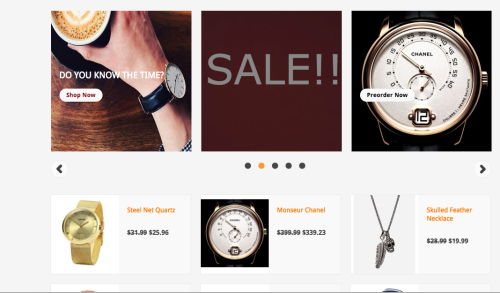
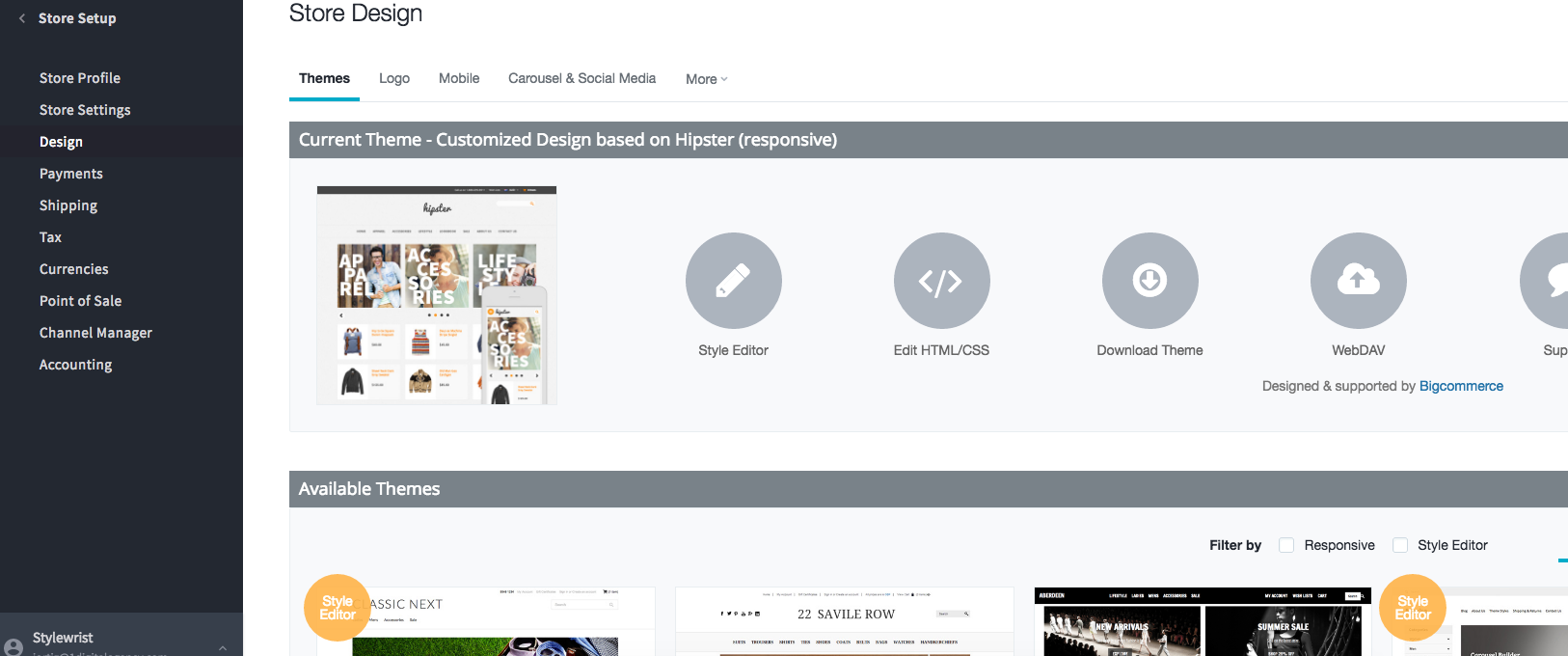
Back at the dashboard, I began to set up my page. I was then able to pick a theme, and using the style editor I was able to customize the theme by changing colors and fonts to better match the brand I was creating, which was a men’s watch and jewelry store. Then it was time to edit my carousel. I added some cool images of products, and things that would make my store stand out. I even included a huge sign that said “SALE” on my carousel to let shoppers know they can save money at my store.
Adding Products
After the homepage was to my liking, the next step is adding products, which was really simple.
To add products, I started by creating my product categories (i.e. men’s, women’s, watches, jewelry etc..). Then I added each product directly to their respective categories as I went along. In my opinion this is an easier, quicker and cleaner way to have my eCommerce store organized.
Previewing my page while adding products was extremely helpful. I went back and checked what my page looked like every so often, this gave me the chance to change anything I didn’t like, whether it was an image, description or layout. I could change it immediately and then implement the change throughout the rest of my site.
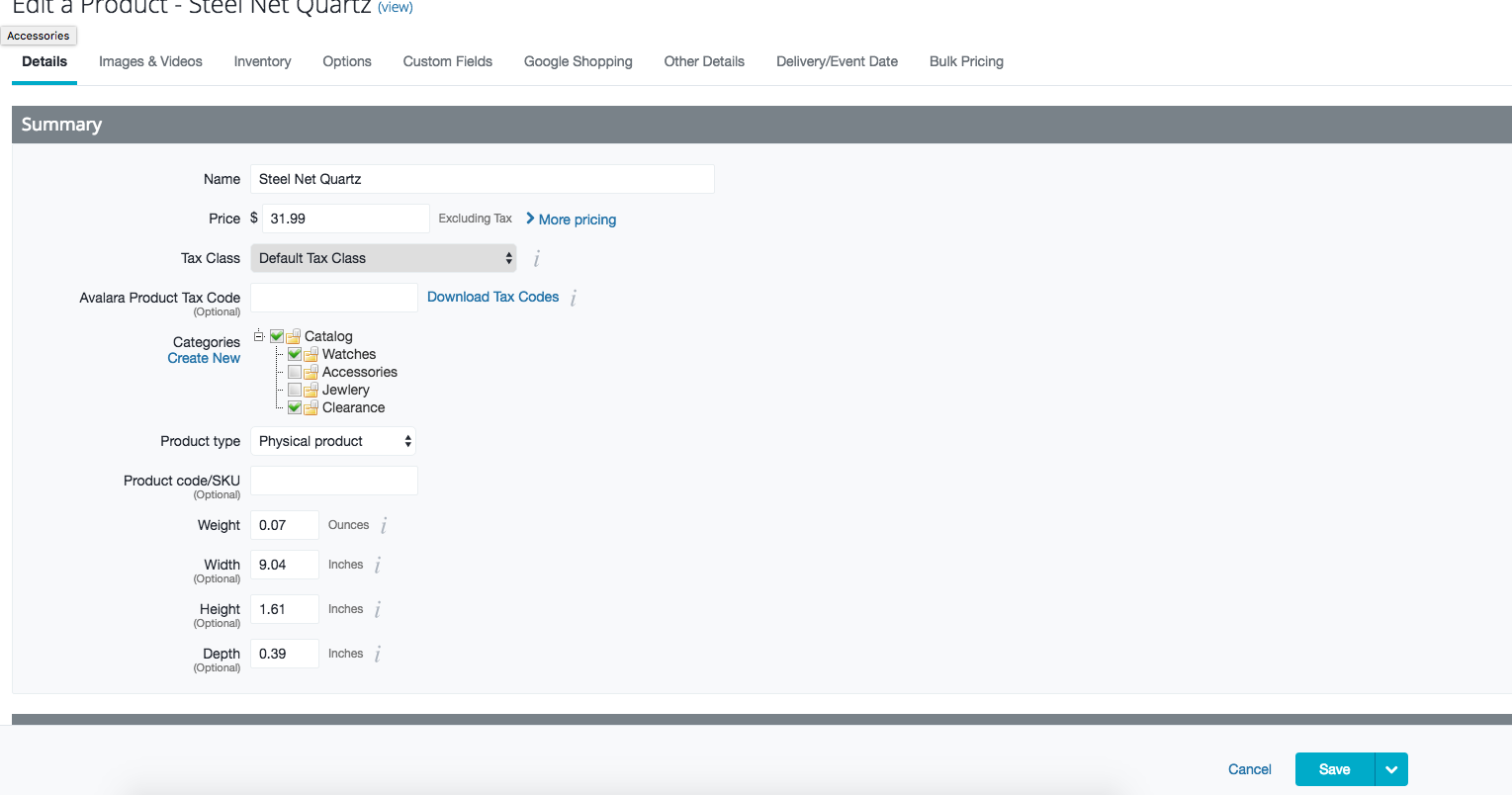
Now, I should warn you, if you are anything like me, be prepared for hiccups along the way. I had issues adding stock keeping units, or SKUs, to a product that had an option set (a product with different options or styles like colors or sizes). So I called the BigCommerce support team. They were extremely helpful, they guided me every step of the way, from finding out what I did wrong, to how I could fix it, until I confirmed that it was fixed. So if you run into some problem or issue, there are people at BigCommerce ready to help. From a phone conversation, to a live chat or a forum, they will walk you through what you need to do to correct any issue.
Finishing Touches
Theme? Check. Homepage? Check. Products? Check. I’m almost done with my brand new eCommerce web store. Setting up payments, shipping and returns really did not take long. They are extremely simple, and BigCommerce walks you through the entire process. Once that was done, I had created my first ever web store, at this point I was ready to launch and let the fun begin.
Thoughts
As a newbie to BigCommerce, it was a little scary thinking of creating a web store, but BigCommerce really made it easy. Every step is explained to you in a clear way that allows a novice like me to understand. If I still didn’t understand I was able to watch a video, read an article, or talk to someone who was able to explain it to me. As a newbie that was very much appreciated.
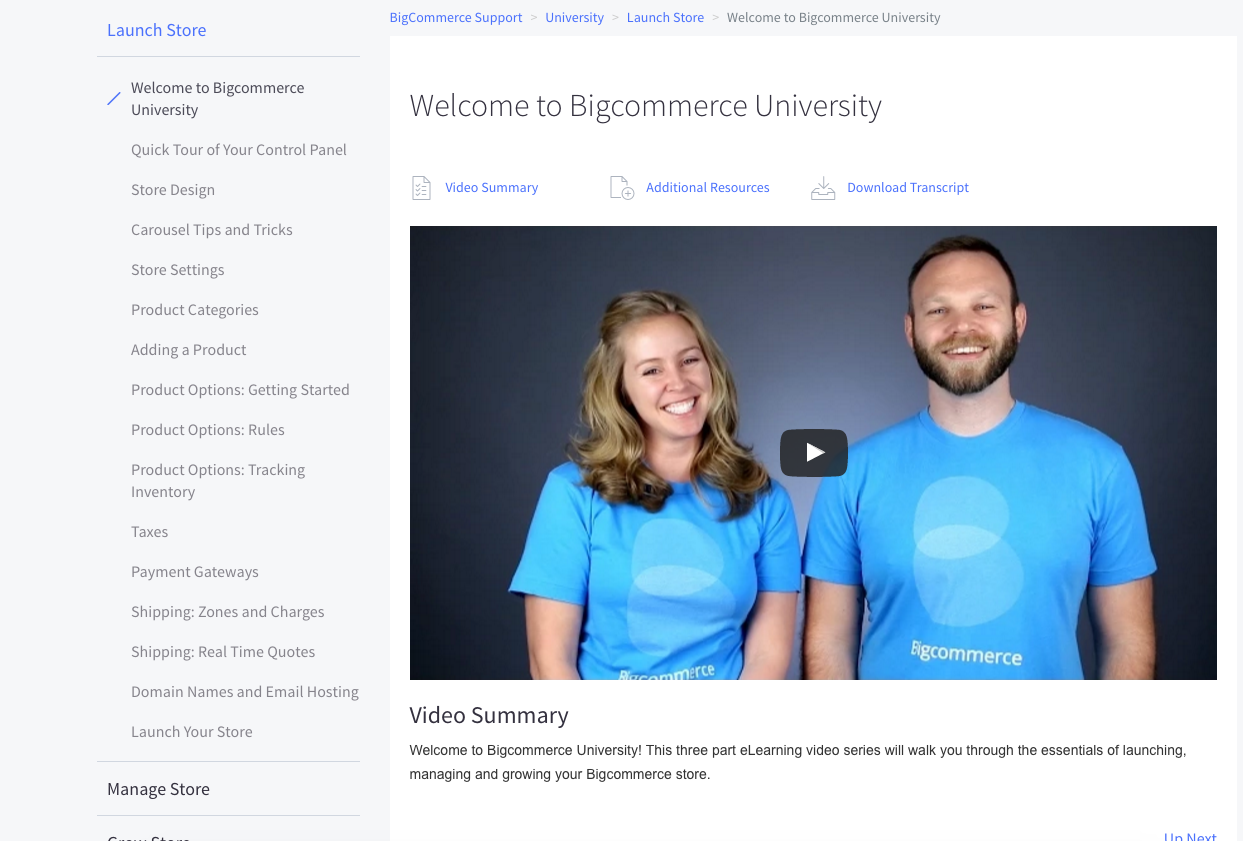
What BigCommerce does very well, that the other two platforms don’t, is how helpful they are to a newbie to BigCommerce. They cater to entrepreneurs like you and me. They have 3 sections in BigCommerce University with about 10-15 videos in each group dedicated to walking you through every step of the BigCommerce journey. From setting up your store, to launching it, to managing a web store, BigCommerce really does help you along the way. Tutorials, and help aside, BigCommerce is also extremely simple. There isn’t much eCommerce jargon that throws you for a loop if you are just starting out. Most of it is self explanatory.
Being a newbie to BigCommerce and creating a store seemed like a 40,000 piece puzzle that you might never solve, but with BigCommerce it’s a puzzle with huge pieces. You can see where everything should go. So, if you are someone who doesn’t trust themselves with the online mumbo jumbo, BigCommerce is really helpful in explaining what you need to do, and how to do it. If you want expert help on creating your BigCommerce web store, our professionals are standing by.
If you are still not sure about choosing a platform, stay tuned for my next adventure with Shopify.
What Has Changed Since This Walkthrough - And What Hasn’t
Editorial note: the hands-on account above was written during an early BigCommerce trial. The platform has evolved - the free trial length and onboarding flow are periodically revised, and BigCommerce’s learning resources are now delivered through its current Help Center and education portal rather than the older “BigCommerce University” branding. The core experience a first-time merchant goes through, however, is essentially the same, so the steps below update the walkthrough rather than replace it.
The reason a beginner’s account like this still holds up is that the fundamental setup sequence has not changed: pick a plan or start a trial, choose and customize a theme, build your category structure, add products with proper options and SKUs, then configure payments, shipping, and taxes before launch. What has improved is the tooling around each step - the storefront editor is now a visual, drag-and-drop Page Builder, and most modern themes are mobile-responsive by default, so the mobile-friendliness you once had to check for is now the baseline.
A Pre-Launch Checklist a Newbie Should Not Skip
The original account jumps from “products added” to “ready to launch.” In practice the gap between those two is where new merchants lose sales. Before you flip the store live, confirm each of these:
- Tax and shipping are tested with a real address. Place a test order to confirm the customer sees correct totals at checkout - surprise shipping costs are the single most common cause of cart abandonment.
- Every product has a unique title, description, and image alt text. Default or manufacturer-supplied copy will not rank; even a few original sentences per product page meaningfully helps search visibility.
- Category pages have introductory copy. Empty category pages are a missed ranking opportunity that most beginners overlook.
- A real domain is connected and SSL is active. Shoppers will not trust a checkout that is not visibly secure.
- Analytics and Search Console are installed before launch, so you capture data from day one rather than reconstructing it later.
When to Bring in Help
The honest takeaway from a beginner’s run is that BigCommerce makes launching achievable solo - but growing is a different skill set. The platform’s guided setup will not tell you which products to prioritize, how to structure categories for SEO, or how to recover abandoned carts. Those are strategy questions, not button-finding questions. Many merchants self-launch and then bring in BigCommerce experts once the store is generating traffic and the bottleneck shifts from “how do I build it” to “how do I grow it.” Knowing which stage you are in is itself a useful piece of merchant judgment.