

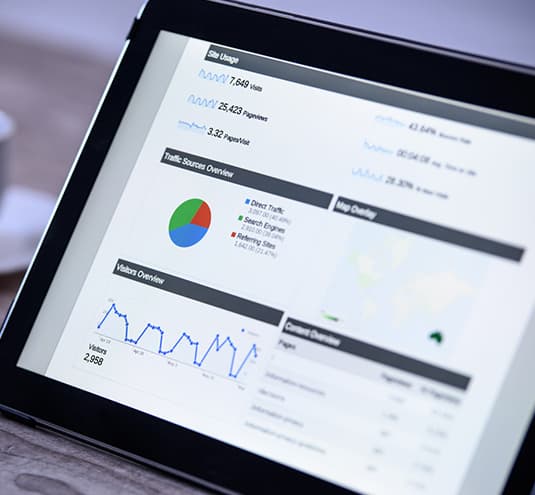
An overview of Google Analytics
Google Analytics is one of the foundational tools of the SEO process – without measurement, an SEO campaign is guesswork. Because Google offers it free, the insight is available to a business of any size, from a full-scale campaign to a small store that simply wants to understand its customers. If you run a blog or an online store, Analytics tells you how many people visit, where they come from, what they engage with, which devices they use, and which marketing efforts actually drove them – the difference between knowing what works and assuming.
Editorial note: this article was originally published in 2018, when Universal Analytics (a session-based model) was current. Google has since replaced Universal Analytics with Google Analytics 4 (GA4), which uses an event-based data model and was made the standard in 2023. The concepts below have been updated to reflect GA4; verify exact setup steps against Google’s current documentation, as the interface evolves.

Setting up Google Analytics
Setup is straightforward. With a Google account you create a GA4 property, then install the tracking via the Google tag – directly in your site code, through your platform’s native integration, or via Google Tag Manager (the most flexible option for eCommerce). A critical governance point that hasn’t changed: own the account. Create the property under an account your business controls, never a contractor’s personal account, and grant collaborators access at the property level rather than handing over ownership. If a relationship ends and the data lived in someone else’s account, you can lose your entire measurement history – an avoidable, expensive mistake.
How GA4 actually models your data
This is the biggest change from the original version of this article. Older Universal Analytics organized everything into “sessions” that ended after 30 minutes of inactivity. GA4 is event-based: every interaction – a page view, a scroll, a click, a product view, an add-to-cart, a purchase – is an event with parameters. This matters because it tracks users across devices and the full journey more accurately and makes eCommerce measurement far richer. Practically, you should enable enhanced measurement and configure key events (formerly “conversions”) for the actions that matter to your store – add to cart, begin checkout, purchase – so the data reflects revenue, not just traffic.
What to actually look at, and why
The platform can overwhelm you with reports; a small set answers most business questions:
- Acquisition – which channels (organic, paid, email, social, direct, referral) bring visitors, so you know where SEO and PPC are working.
- Engagement – which content and pages hold attention; GA4’s engagement rate and engaged sessions replace the old, often misread “bounce rate.”
- Monetization / eCommerce – product views, add-to-carts, checkouts, and revenue by source – the report that connects marketing to money.
- Tech and devices – if mobile users convert far below desktop, that’s a concrete signal your mobile experience needs work.
- Funnel exploration – where users drop out of checkout, so you fix the specific step that’s leaking revenue.
The pattern is always the same: a number is only useful if it points to a decision. High exits on the checkout page is a usability investigation; a strong organic channel is a signal to do more SEO; heavy mobile traffic with weak mobile conversion is a redesign priority.

Common beginner mistakes
A few errors undermine most first GA setups. Not configuring key events, so you measure traffic but never revenue. Not linking Google Search Console and Google Ads, which leaves the organic-query and paid-cost picture incomplete. Ignoring data-quality hygiene – not filtering internal and developer traffic, or not excluding known bot and referral spam – so the numbers are quietly wrong. And the most common of all: collecting data and never acting on it. Analytics is only valuable as an input to changes you actually make.
Privacy and consent are now part of the basics
Since 2018, analytics also carries a compliance dimension. Depending on where your customers are, you may need a consent banner and Google’s consent mode so measurement respects user choices, plus a clear privacy policy describing what you collect. This isn’t optional polish anymore; it’s part of setting analytics up correctly and responsibly.
Analytics is one of three tools, not the whole picture
Google Analytics tells you what happened on your site, but it answers only part of the question. Pair it with Google Search Console to see what happened in search before the click – the queries, impressions, click-through rates, and indexation issues GA4 can’t show – and link the two so organic queries flow into your reports. For paid, link Google Ads so cost sits next to outcome. The full picture is search behavior (Search Console) plus on-site behavior (GA4) plus spend (Ads); analytics in isolation is one leg of a three-legged stool, and acting on it alone leads to confident but incomplete decisions.
Turn analytics into a simple reporting rhythm
The most common reason analytics never pays off is that nobody looks at it on a schedule. Establish a light cadence: a weekly glance at acquisition and revenue by channel to catch anything breaking; a monthly review of key-event conversion rates, top landing pages, and the checkout funnel to find the biggest current leak; and a quarterly deeper look at trends, channel mix, and what changed versus the prior period. The goal is not more dashboards – it is a recurring habit where each look ends in one decision or test. Data that isn’t reviewed on a rhythm is data that isn’t used.
Attribution: why channels never quite add up
One concept trips up nearly every analytics beginner: attribution. Most customers touch several channels before buying – they find you in organic search, return via an email, then convert from a direct visit – so crediting the sale entirely to the “last click” understates the channels that did the early work, especially SEO and content. GA4’s data-driven attribution distributes credit across the path more fairly, but the practical lesson is to read channel performance as a system, not a leaderboard. Judging SEO purely on last-click conversions will consistently make it look weaker than it is and lead you to underfund the channel that actually started the journey.
How 1Digital® can help
We’ve worked in eCommerce and SEO since 2012 and use Google Analytics extensively in every campaign – not just to install it, but to configure it around revenue, connect it to Search Console and Ads, and turn the reports into prioritized action. If you’re early in the process and realizing you need experienced help making the data mean something, that’s exactly where we come in. Contact us to see what 1Digital® Agency can do for your store.